
The Truth about Sega's TradeMark Security System (TMSS)
I’m bringing out the truth about TMSS! Admit it! Sega never made a game console that can’t play that region’s release of Phantasy Star II, and it’s time to show exactly what that means and why. Let’s dig into the technical nitty-gritty of one of the biggest flops in console licensing history. Spoilers: It’s a little more complicated than you think, at least in Japan.
Trademarks and Security and Bears, oh my
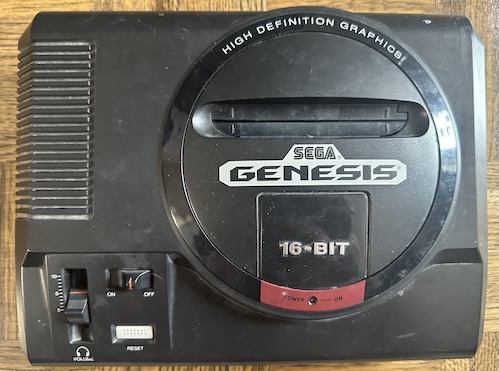
This is my Model 1 Sega Genesis, VA3 motherboard. As a result, it has no security of any sort. When you plug in a cartridge, the Motorola 68000 starts executing code from the cartridge, and the VDP will output a video signal based off of the commands sent by the 68000. Even the export Sega Master System had a BIOS to check the cartridge had a valid header; this doesn’t even have that. In this regard, it is very similar to the Atari 2600, the Nintendo Famicom, top-loading NESes without the lockout chip, or Sega’s own SG-1000.
It would be the last Sega console to be this free.
From the beginning, Sega had planned to include the possibility of a security system in the Genesis; it just wasn’t present in the first release. Why? Unclear; perhaps they wanted to see if companies actually would try to release third-party cartridges before investing the time to implement. But in any case, if I turn on my Sega Genesis MD3, or any Genesis from the “VA6” variant of the Model 1 motherboard onwards, I am presented with this:
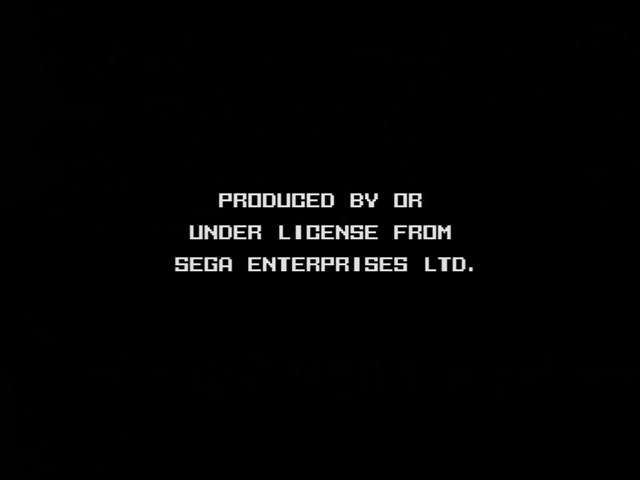
This is the tell-tale mark of the TradeMark Security System (TMSS). I’ve talked about this before, so I’ll summarize. The TMSS system displays a screen claiming that Sega endorsed the game in question. Therefore, to display the screen would be a trademark violation if Sega did not endorse the game, but the Genesis won’t play a game without displaying the screen.
TMSS-enabled consoles have a tiny boot ROM in the IO controller that does the following:
- Have the string
SEGAor ` SEGA(with a space) at address0x100` in the ROM. This is what displays the copyright screen, but then the boot ROM turns off the VDP again. - To activate it back again, the game must first write the 16-bit word “SEGA” to a certain address on the IO controller, before it turns on the VDP.
Sega’s lawyers believed that doing this without the explicit written permission of Sega League Baseball would be a trademark violation. Courts disagreed, but you can’t blame a megacorporation for trying.
Games
Populous by Electronic Arts is my go-to example of a game that doesn’t work on TMSS-enabled consoles; it doesn’t do either of the steps mentioned above. Therefore, even though it got the Sega Seal of Quality, it won’t run on many Genesis consoles.
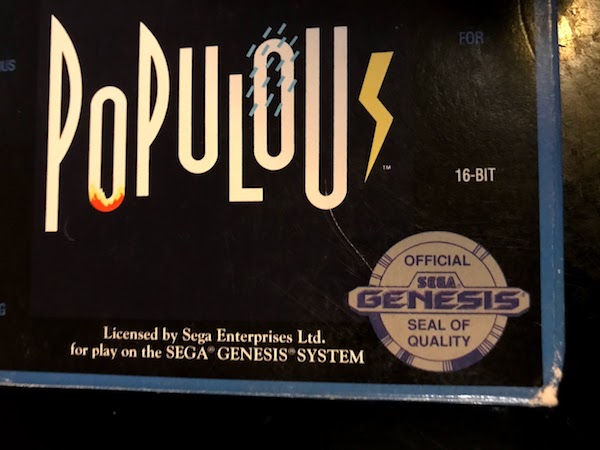
Now that we’re on the same page, let’s look at two games:
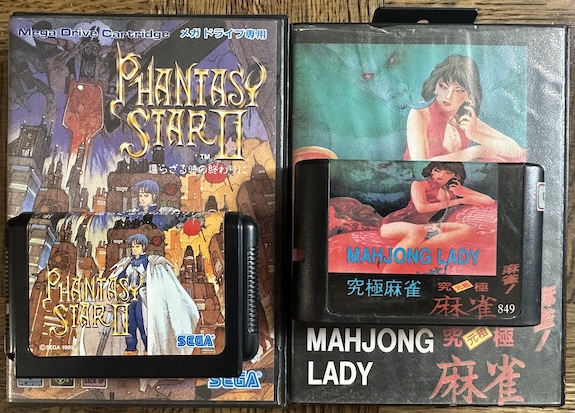
These two games are the Japanese release of Phantasy Star II, and a pirate game called Mahjong Lady; the pirate game is actually just stolen from an unlicensed game, Dial Q o Mawase. These two games do not work on my Sega CDX, as you’d expect. They do work on the VA3 Genesis Model 1 (though Phantasy Star II doesn’t fit in the cartridge slot). So the same as Populous? Not quite.
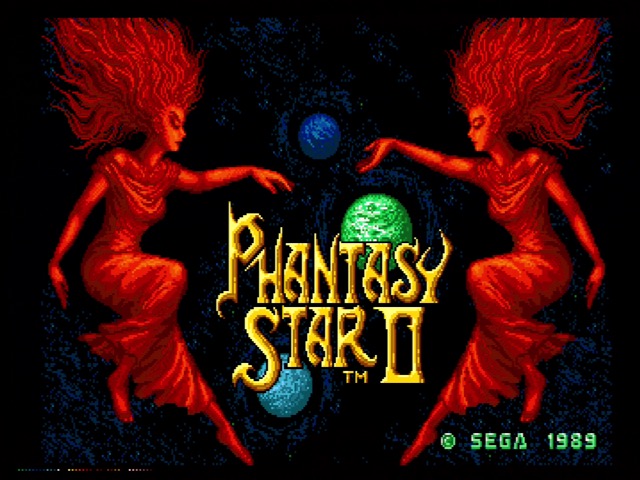
That’s coming from my Genesis 3 (“MD3”), but only with the region switch set to Japan. You’d get the same thing on a Japanese Mega Drive 2. These games work on Japanese consoles with TMSS, but not American ones. So what’s special about them? They have the SEGA string where the boot ROM can see it, but they don’t write SEGA to the magic address.
So from this, can we conclude that TMSS in Japan only ever required the BIOS check, making it equivalent to the export Master System’s region check? Well, I’d hope it’d be that simple, but…
Channel
Sega Retro makes some interesting claims about TMSS– for example, the TeraDrive got a cool full Sega logo screen. At the time of this writing, it lacks the information about the region difference I mention above. But more important is the following claim, hidden in a list of official games with partial TMSS support:
- Sega Channel (Japanese version) — All cartridges (skips step 1)
This is the first and only time I’ve ever heard of an official Sega cartridge missing Step 1. But on the other hand, the Sega Channel is kind of an oddball. But it also came out in 1994, by which time the Mega Drive 2 was released in Japan, which always has TMSS, even if it’s export-region TMSS.
So, I don’t have a Sega Channel for Japan or any other region. But there are versions of the BIOS ROM… around… and you can look at the address 0x100.
00000100: 2020 2020 2020 2020 2020 2020 2020 2020
00000110: 2843 2953 4547 4120 3139 3934 2e4a 554c  (C)SEGA 1994.JUL
00000120: 5345 4741 2043 4841 4e4e 454c 2041 4441  SEGA CHANNEL ADA
00000130: 5054 4552 2042 494f 5320 464f 5220 3143  PTER BIOS FOR 1C
00000140: 4849 5020 472f 4120 2020 2020 2020 2020  HIP G/A
The string Sega’s there, but it’s not where TMSS can find it. So something interesting is definitely going on here. Meanwhile, on an American Sega Channel, you see SEGA exactly where it’s expected.
00000100: 5345 4741 2047 454e 4553 4953 0000 0000  SEGA GENESIS....
00000110: 2843 2954 2d58 5820 3139 3934 2e4a 414e  (C)T-XX 1994.JAN
00000120: 5365 6761 2043 6861 6e6e 656c 2020 2020  Sega Channel
00000130: 0000 0000 0000 0000 0000 0000 0000 0000  ................
00000140: 0000 0000 0000 0000 0000 0000 0000 0000  ................
So now we have something to confirm. We know Japanese games can work if they don’t do step 2, as long as they have Sega in the right place. We know that games that do neither won’t work at all. But can games run without SEGA in the right place, as long as they still trigger the VDP address? Did Sega release a Sega Channel in Japan that didn’t work with the Mega Drives on store shelves? I wouldn’t put it past them, honestly.
Mind you, it’s also possible that the Sega Channel itself does some ROM-mapping shenanigans on bootup.
Test harness
So, we want to try out some code on a Genesis. Unfortunately, a simple flash cart won’t work for this. Every Genesis flash cart I know of boots into an onboard BIOS when it first runs, even if only to check whether jumping to a game has been activated. Therefore, every flash cart already does the TMSS dance on bootup, if they want to work on most consoles.
What we want is to just shove a EPROM we can write to onto the Genesis’ 68000 bus. And that’s exactly what this cartridge, which I got from this eBay seller, does.
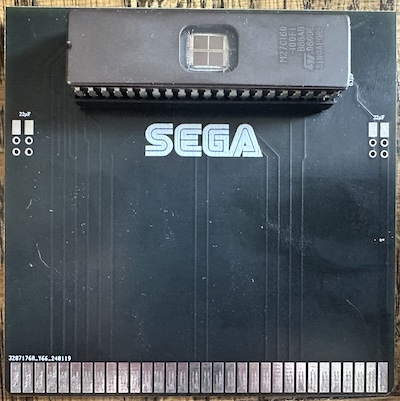
So, easy-peasy, right? Yes, that’s what I thought too, until I tried to put a 27C160 into my EPROM programmer.
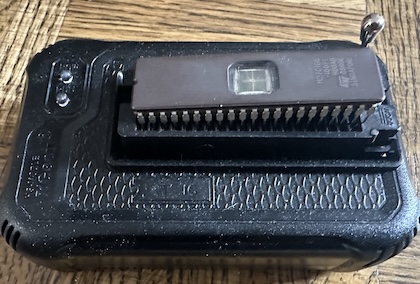
Yep, you might notice that it’s got one too many pins. After looking around for a solution to this, eventually I built one of these adapters, which let you treat a larger 16-bit EPROM as several smaller ones. I got this as a kit; it’s very reassuring to solder something and have it work the first time!
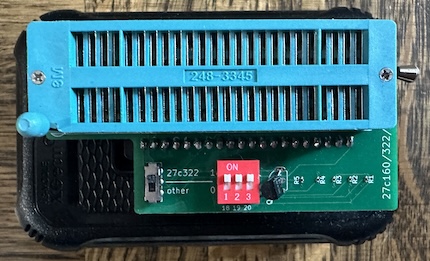
Note that you’ll be pretending that your device is an “AM27C4096@DIP40”, but it won’t have the right ID. That’s fine as long as you see something like this; the command line minipro is nice enough to let you know that it detected a 27C160.
Invalid Chip ID: expected 0x1001900, got 0x2000B100 (M27C160@DIP42)
(use '-y' to continue anyway at your own risk)
There is one more problem you’ll have to overcome, though. You see, the EPROM is 16-bit. A Genesis ROM dump intended to be used in an emulator is pretty much always going to be arranged as a “little-endian” 16-bit ROM. This means the byte ordering will match what Intel x86 CPUs use, as well as AMD x86-64 and essentially all ARM CPUs in actual use, including the Apple M3 I’m writing this blog post on. That’s great for your emulator, but the Motorola 68000 is actually “big-endian”. So you need to swap every 8-bit byte with the one next to it. It turns out Stack Overflow taught me the common Unix command dd can do that, which is nice.
Do all that, and you’ll finally get this:
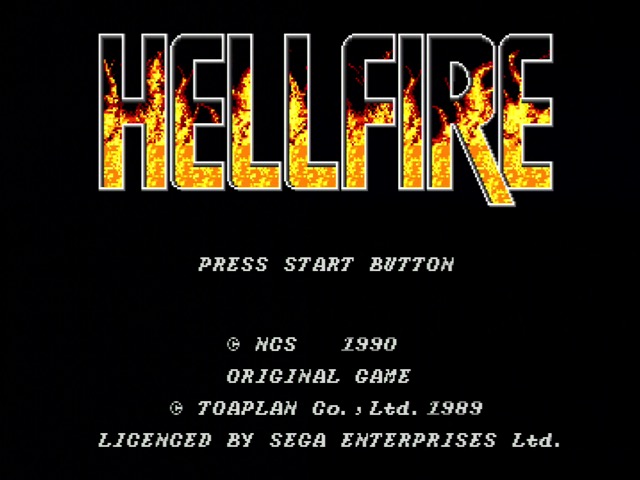
I chose Toaplan’s Hellfire for two reasons:
- It misuses the YM2612 sound chip in ways that are perfectly fine on the YM2612, but it means on later Genesises that use an integrated YM3438, the sound plays too slowly, so it’s fun to use as a test game.
- It’s a small enough game that putting the ROM using the adapter doesn’t require me to break it up into parts.
Hellfire as a game is fully licensed by Sega, and follows all the TMSS rules. But it’s extremely easy to overwrite the ROM header. We could even use the name of The Enemy.
00000100: 6e69 6e74 656e 646f 3f3f 3f3f 3f3f 3f20  nintendo???????
00000110: 2843 2954 2d33 3520 3139 3930 2e4a 554e  (C)T-35 1990.JUN
00000120: 4845 4c4c 4649 5245 2020 2020 2020 2020  HELLFIRE
This should run fine in emulators, because there’s no real reason to emulate TMSS. But what about consoles? We’ve overwritten the header, but it still should write to the magic address afterwards. And of course, the Sega Genesis Model 1 VA3…
Runs everything.
Results
| Console | Region | Runs? |
|---|---|---|
| Sega Genesis Model 1 VA3 | Export | ✅ |
| Sega CDX | Export | ❌ |
| Sega Mega Drive 2 | Japan | ❌ |
| Sega Genesis 3 (“MD3”) | Export | ❌ |
| Sega Genesis 3 (“MD3”) | Japan | ❌ |
So, this basically shows that yes, the header is necessary for TMSS to function, even in Japan. And therefore, Sega Channel must be doing something special, either mapping its ROM in a particular way, or maybe even just taking over the bus on bootup to fake the expected SEGA. I’d need to get my hands on one of those to find out, and likely even a logic analyzer; that’s beyond the capabilities of my setup at the moment.
One thing I do find interesting is that I didn’t even get a video signal I could sync to from the Mega Drive 2, while the others gave a blank output. This might imply that it implements this slightly differently, but I’m not sure. In any case, I think this slightly more elucidates the inner working of Sega’s 16-bit console, and that’s all I wanted to do. I hope you found it interesting!