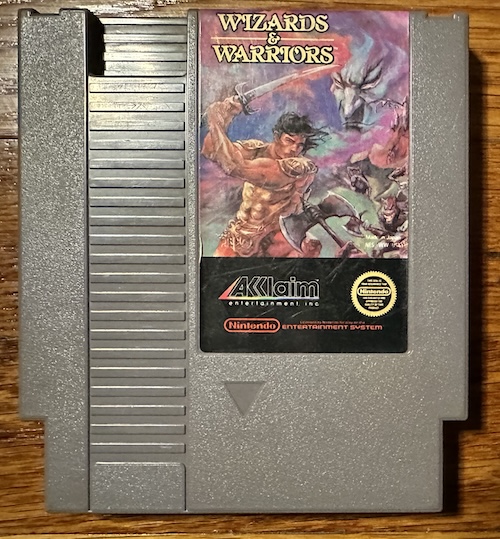
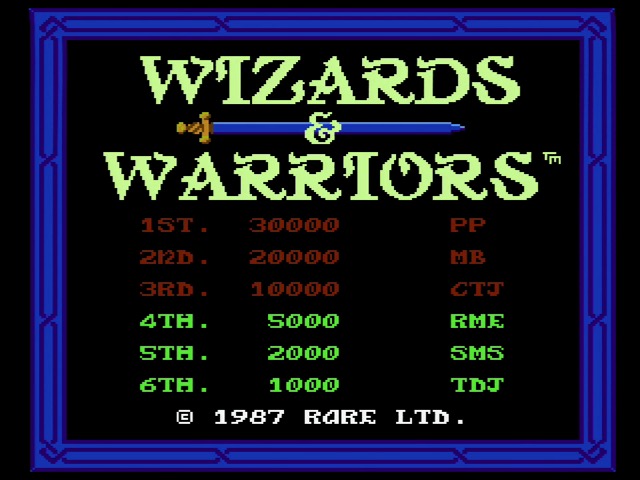
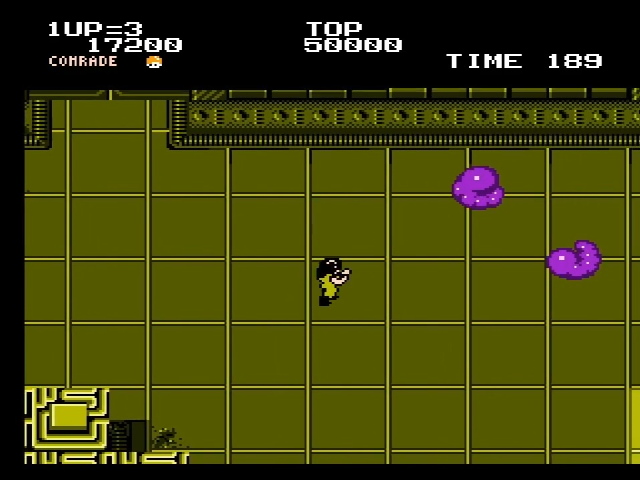
Jekyll2024-10-20T10:14:57-04:00https://nicole.express/feed.xmlNicole ExpressNicole Express: Hobbyist video game development, examinations into old consoles, and more!Taking an AxROM to Wizards and Warriors2024-10-20T10:14:00-04:002024-10-20T10:14:00-04:00https://nicole.express/2024/wizards-and-warriors-and-rare-oh-myThe internet NES fan scene has changed over time. The modern scene I think is a lot more open to Japan-exclusive titles, thanks to the wealth of fan translations, and has different preferences. One game that seems to have fallen through the cracks is Rare’s Wizards and Warriors. It was a hit in its day, but doesn’t seem to get the attention other platformers do. Let’s take a look, and by that I mean, spend most of the time talking about the hardware inside the cartridge. This is “Nicole Express”, after all.
Rarely Wrong
My guess is that the reason for this is that developer: Rare, Ltd. In the 1990s Rare was a powerhouse putting out hit after hit, and that influenced how its past games were seen too. Wizards and Warriors wasn’t just an early NES hit, it was a game whose influences you could see all over N64 games like Donkey Kong 64.
But the mighty have fallen, and after decades of Kinect shovelware and attempts to regain lost glory, Rare tends to get a very different look. Those N64 games haven’t always aged the best anyway. So let’s take a look back with an eye of realism.
Rare Ltd. was the first western developer to really go fully into the NES. They jumped from the world of European 8-bit gaming, as the founding Stamper brothers were already legends of the ZX Spectrum with games like Knight Lore and Sabre Wulf. Therefore, they brought a very different background than the Famicom space dominated by arcade firms, and different characteristics from their game. They didn’t have anything to do with the Famicom Disk System port of Knight Lore, but this is an NES article so I included it anyway.
Their first game for the NES was Slalom, released by Nintendo, but Wizards and Warriors, published by Acclaim, might as well be the first game of the Rare the NES would come to know and sometimes even love. Why do I say that? Because it introduced ANROM.
Taking an axe to AxROM
ANROM (or AxROM, to include the very closely related AOROM, ANROM, and AN1ROM boards) is probably the most important mapper on the NES I didn’t talk about in my mapper blog post. But it’s not the most important Famicom mapper I didn’t talk about. AxROM is where the western and Japanese markets really diverge; if a game was a western exclusive, odds are pretty good this is the mapper they used.
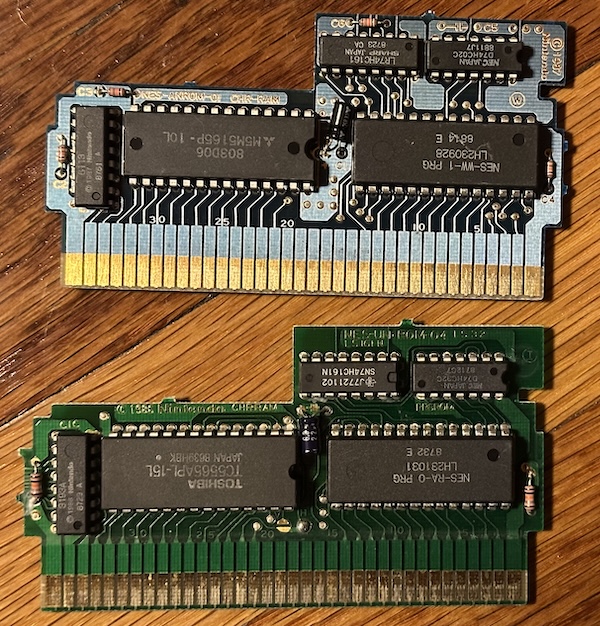
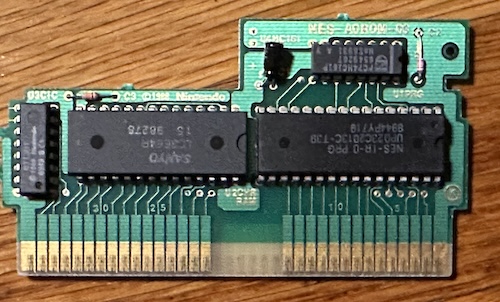
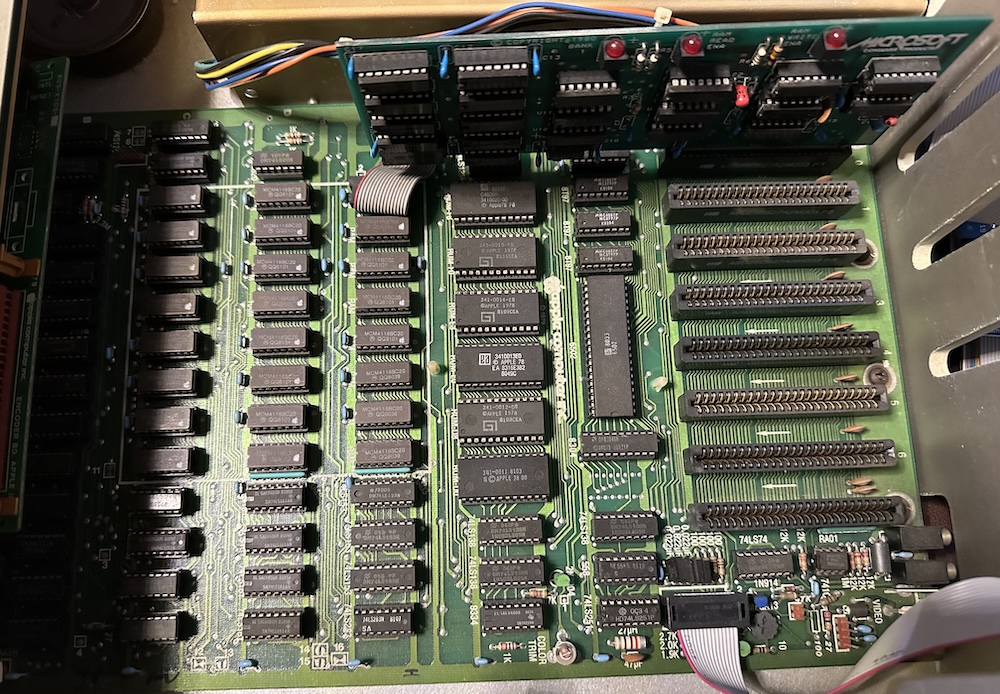
ANROM (top) looks pretty similar to UNROM (bottom). But they work very differently. I’m not sure who designed the mapper– certainly the circuitboards are made by Nintendo. But I wouldn’t be surprised if the concept was the product of Rare’s reverse engineering efforts; despite being a simple discrete logic mapper, AxROM fundamentally changes the way the NES works.
PRG banking
The PRG banking is as simple as can be, and is not the interesting part. But in 1987 a 1 megabit ROM was still pretty impressive. AxROM banks in 32kiB pages; no fixed bank like The Guardian Legend’s UNROM. This makes it a little harder to code for, but this can be dealt with easily enough by a skilled programmer with the right tools. And that meant that AxROM required one fewer chip than UNROM.
But Nicole! I hear you cry. There are two discrete logic chips in the above PCB!
That’s correct. This specific variant, ANROM, uses a 74HC02 logic chip (4 NOR gates) to avoid bus conflicts. This simplified bankswitch programming compared to UNROM, making up somewhat for the complexity of 32kiB banks. But that wasn’t necessary; in fact, later members of the AxROM family ditched the 74HC02. For example, here’s AOROM used by IronSword: Wizards and Warriors II.
Games using these simplified PCBs either had to put up with bus conflicts, or used special ROM chips that had an extra chip enable that could be harnessed to avoid bus conflicts without needing the NOR gates. The emphasis on removing bus conflicts is why I wonder if Rare had some say in the design of the mapper; other Nintendo discrete logic mappers like CNROM, GNROM, and UNROM don’t make any effort to avoid them in hardware.
CHR-RAM
CHR-RAM is also not the interesting part– in fact, it’s exactly the same as UNROM. (or Deadly Towers’ BNROM, or Final Fantasy’s SNROM, or the Famicom Disk System, or plenty of other mappers) The cartridge contains 8kiB of static RAM hooked up to the PPU; all of the graphics data is on the program ROM. A nice thing about the Famicom architecture is that it can support RAM or ROM on the PPU bus without any real support hardware on the cartridge.
1-screen nametables
As a software developer, this is the most interesting part. As a refresher, the NES contains 2kiB of internal static video RAM. These are designed to be used for the nametables, which contain the NES tilemap. This RAM doesn’t contain the tiles themselves; just the mapping of how tiles are laid out on the screen, and the attribute tables that determine which colors should be used. One 1kiB table contains enough tiles to fill the full 256x240 screen output of the PPU, so multiple tables are needed for scrolling.
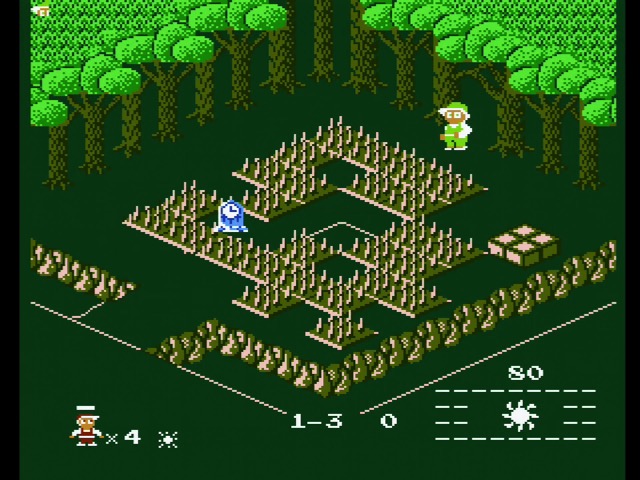
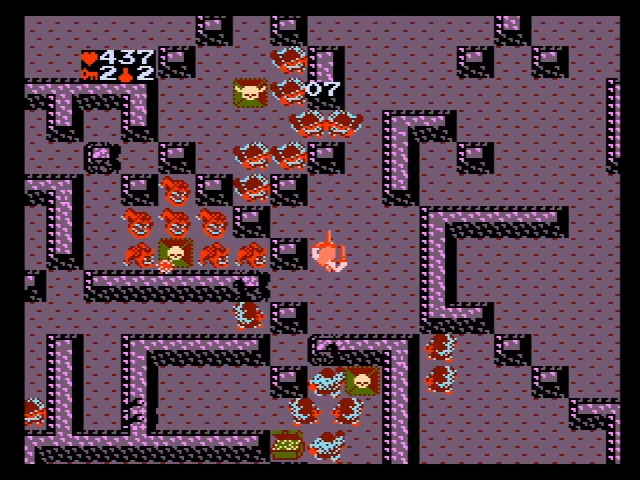
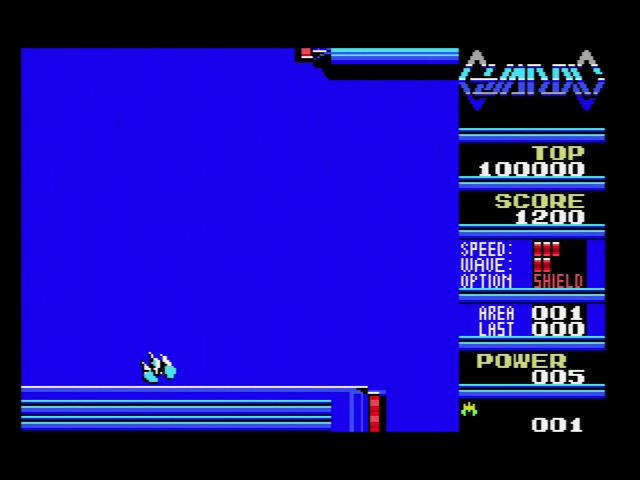
However, the NES scrolling hardware assumes four 1kiB screens worth of tiles; you can see it put to its proper use on the Vs. System arcade line, or in some games like Gauntlet above, that fill it out using on-cartridge RAM. The 2kiB is a cost-saving move; RAM is expensive in 1983. It very quickly got cheaper, but a game console’s hardware is set at release. (At least it was back then) Nintendo’s solution? Nametable mirroring.
The cartridge itself can choose the arrangement of the 1kiB blocks using just traces on the board. Specifically, the two arrangements envisioned are horizontal (used in games like Super Mario Bros.) and vertical (used in Ice Climber). On the NES, it’s very easy to scroll in one direction. Two-direction is a little more complicated.
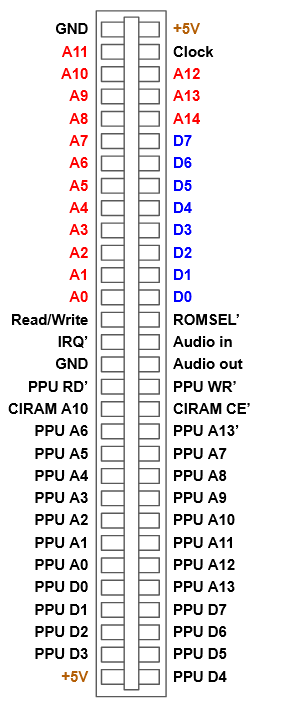
This mirroring is controlled by the CIRAM pins on the cartridge edge connector. Here’s the Famicom for reference; NES is similar, but with the lockout chip and some more expansion port pins.
Horizontal arrangement connects CIRAM A10 to PPU A10. Vertical arrangement connects CIRAM A10 to PPU A11. AxROM does something completely different: it connects CIRAM A10 to one bit of the 74161 latch.
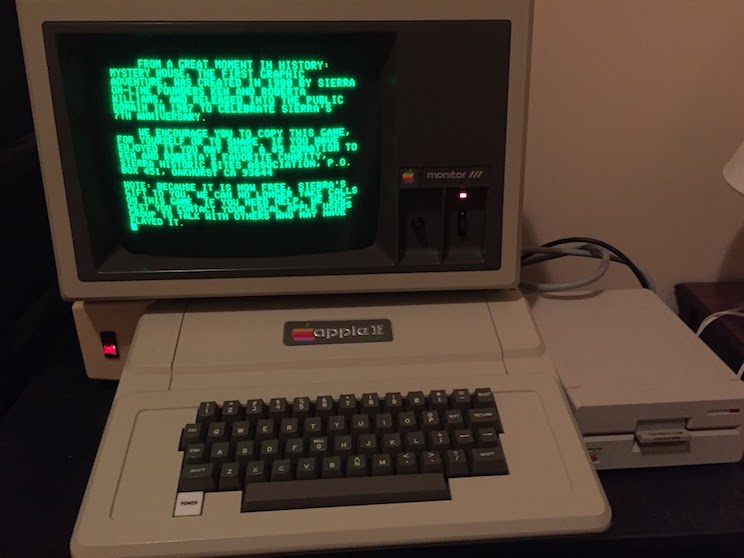
What does this mean? It means the game console will only ever see one nametable. It makes the NES into something like the Apple ][, which has two pages of HIRES mode, but only one is displayed at any given time. Of course, unlike Apple, the NES still has scrolling. It’s just that the same nametable will be repeated.
But which nametable is shown can be switched out by the program at will. This simplifies programming quite a bit. You see, the NES has pixel-level scrolling. The four-nametable grid gives a scrollable area of 512x480 pixels; that is, you need 9 bits for the X and Y scroll. By making there only be one nametable, you now only need to deal with 8 bits. 8 bits is easy. The NES’ 6502 CPU is much better at dealing with 8-bit numbers. (Of course, you can’t do things like load your whole level into two nametables, like Lode Runner did)
Let’s take a real-world look at how Wizards and Warriors runs.
Four-way scrolling? In this economy?
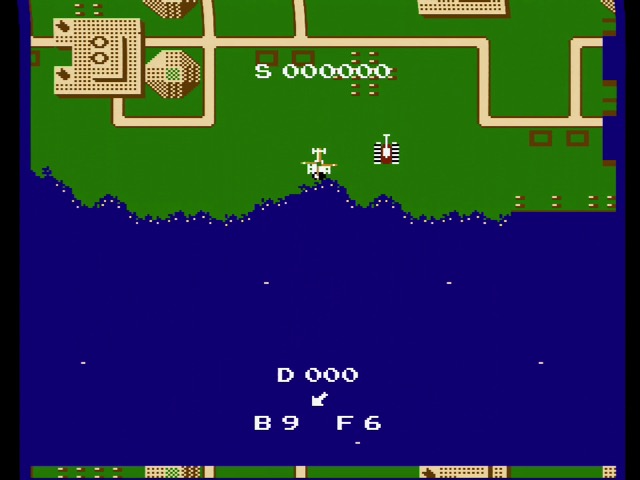
The first game on the Famicom with four-way scrolling was Hudson Soft’s port of Will Wright’s Raid on Bungeling Bay.
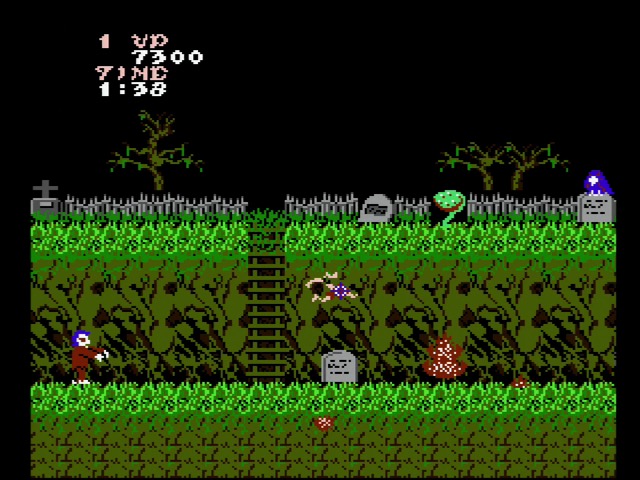
The first platformer was Capcom’s Ghosts ‘n’ Goblins (ported by Micronics). Both of these games performed scrolling the same way:
The nametables are arranged using horizontal mirroring, so horizontal scrolling is straightforward.
Vertical scrolling artifacts remain at the top and bottom of the screen; parts that on the 240-pixel high NES screen are usually cut off in overscan.
Permanent fixed UI elements like the score use sprites.
Sprites are fairly small, so the fact that you can have only 64 sprite pixels per scanline is mostly fine
And here’s Wizards and Warriors:
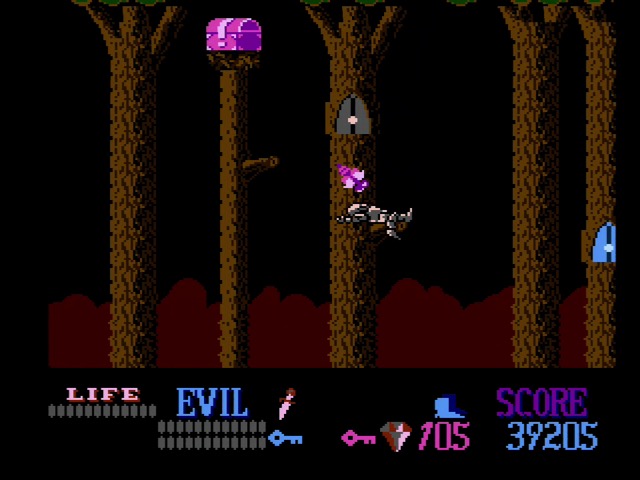
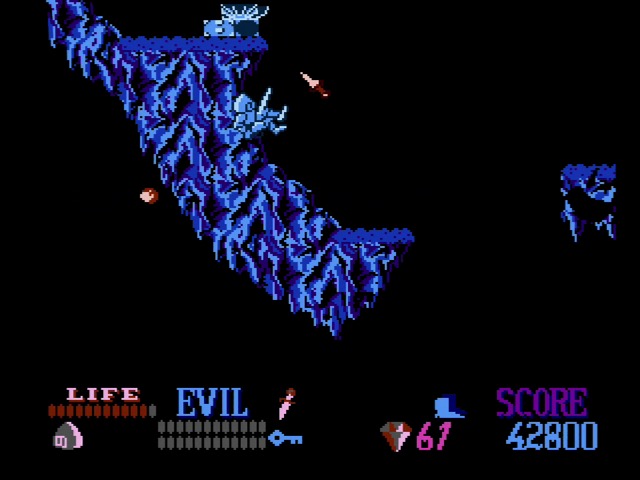
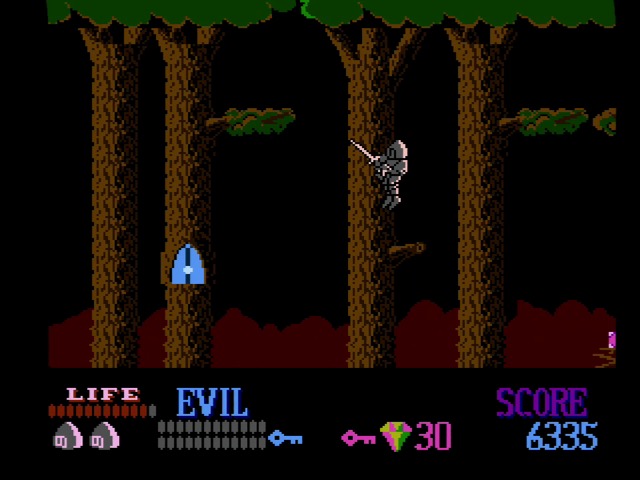
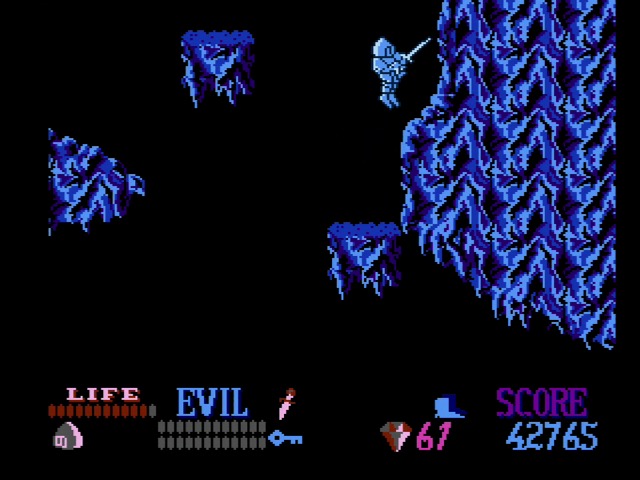
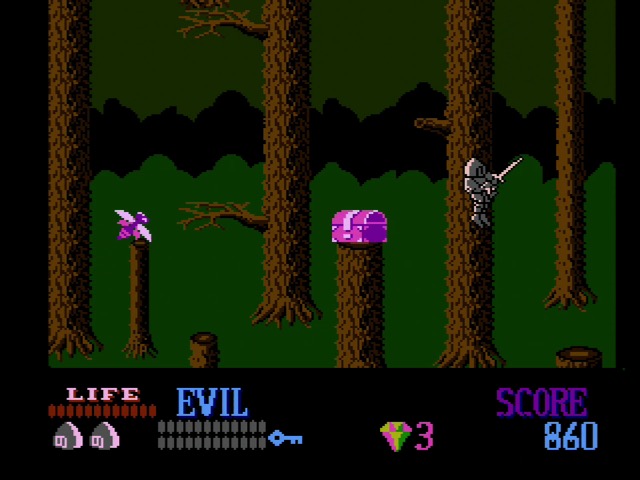
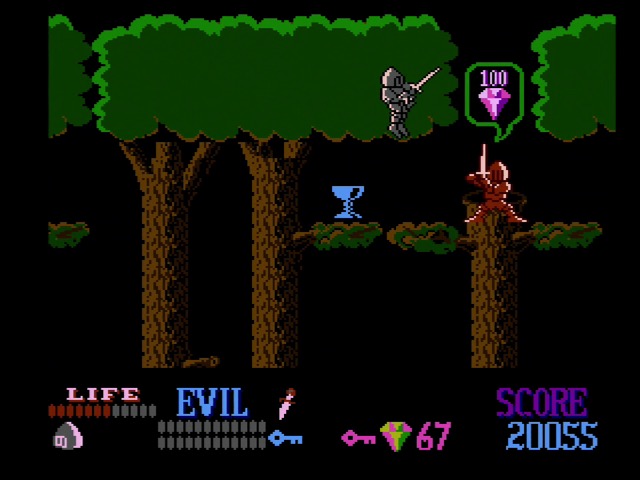
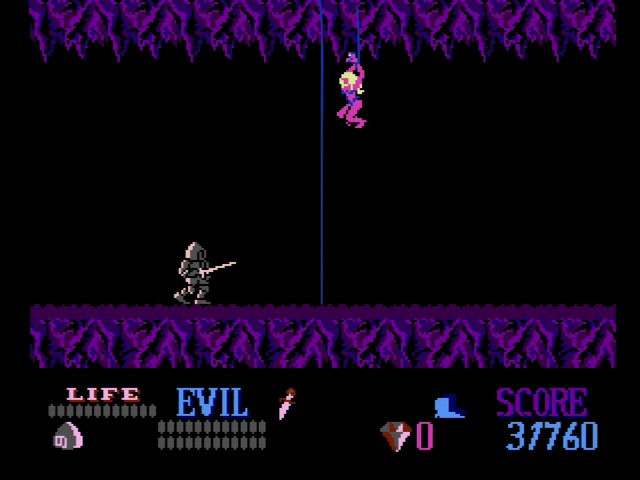
Wizards and Warriors does things differently. A thick status bar with large fonts covers the bottom part of the screen. I’ll talk gameplay details later, but the number of gems you have is very important, so having it always available is nice.
The sprites are big. This almost looks like a console generation’s worth of improvement compared to Micronics’ take on Ghosts ‘n’ Goblins. How did Rare do it?
First off, the gameplay area is one nametable. The NES lets you mask 8-pixels on the left side of the screen, much like the Sega Master System, as I noted in the My Hero article. Vertical scrolling artifacts are covered up by the status bar.
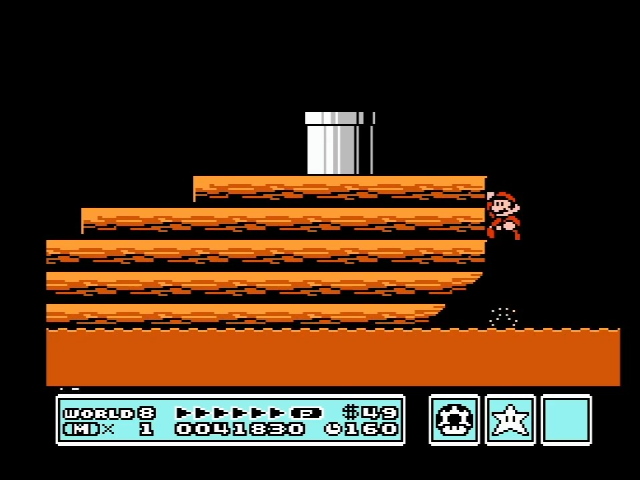
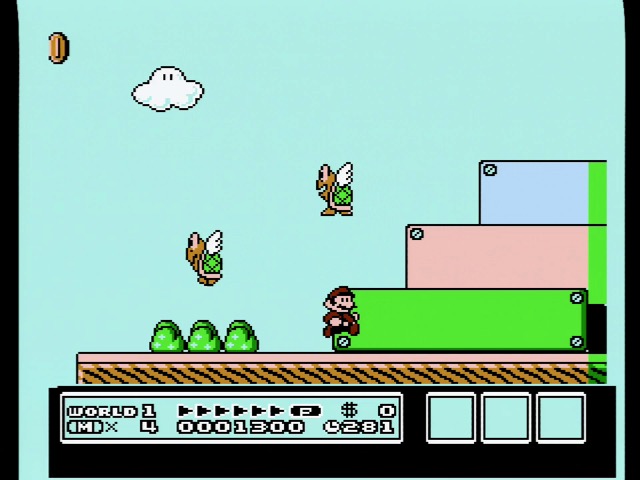
That status bar is a real impressive work of NES programming. Take a look at Super Mario Bros. 3 above. Nintendo used vertical scrolling and an IRQ to signal when a desired scan line is hit. The status bar is always on the bottom of the screen tilemap; Super Mario Bros. 3 limits its vertical scrolling to a fixed height. The engine for Wizards and Warriors can scroll indefinitely in either direction.
Unlike MMC3, Rare has no IRQ, not even those used by Guardic Gaiden. The game is carefully timed around the Sprite 0 Hit. And when that hits, Rare turns off the screen rendering, allowing a new palette to be loaded in. (The Super Mario Bros. 3 status bar uses a palette from the level) Then it switches the scrolling, changes the nametable, and turns the screen back on. It’s a delicate dance.
Graphical glitching? No probalo!
If you read my Tengen article, single-screen mirroring sounds pretty familiar. Alien Syndrome did the same thing; however, when Alien Syndrome did it, they had graphical glitches on the side.
This is a hardware limitation of the NES. It lets you mask off an 8-pixel wide area, but color attributes on the NES are limited to 16x16 blocks, so with only one horizontal tilemap available, you’ll always have a visible half a block where things are colored weirdly. Even Super Mario Bros. 3 has to put up with some attribute clash on the side of the screen. That might be masked in overscan, but probably most TVs could see some.
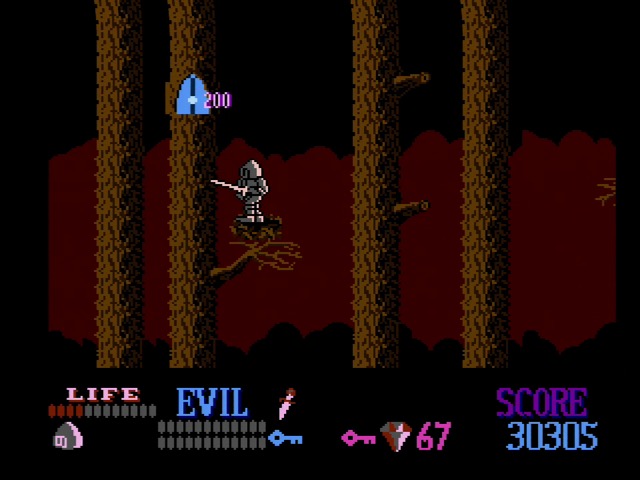
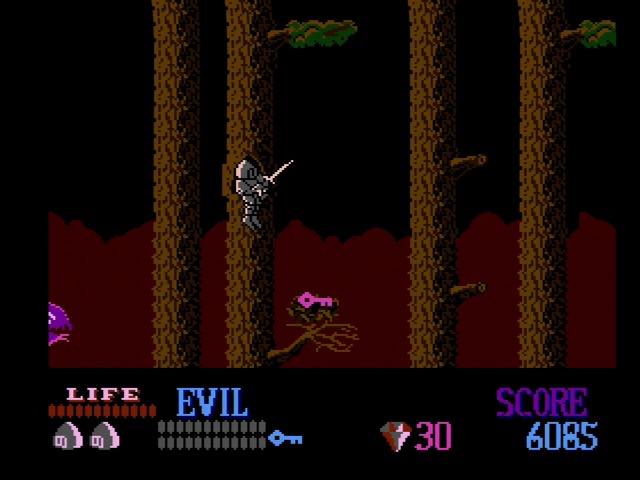
But jump around the very first area of Wizards and Warriors, a colorful forest area that scrolls in four directions, and you won’t see attribute clash at all.
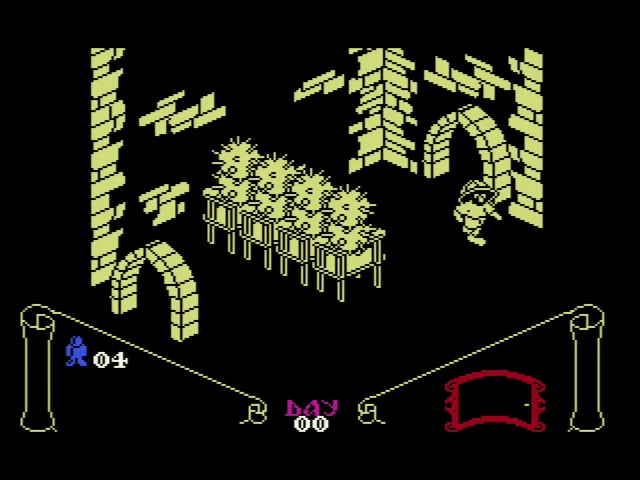
How did Rare do it? They reached back to their history. The Stamper brothers’ prior company, Ultimate Play the Game, really put themselves on the map with Knight Lore. (Shown now on the MSX port, because I have an RGB MSX2– however, this MSX port, like many from the ZX Spectrum, doesn’t use the MSX’s advanced features, so it’s fairly close to the original except playing somewhat worse) This game eliminated attribute clash, which had plagued the ZX Spectrum up until this point, by being fully monochrome in the gameplay area.
Wizards and Warriors isn’t fully monochrome. But it chooses its attributes cleverly so that they never change on the horizontal axis. (On the vertical axis, edge glitches are covered up by the status bar) In later areas that aren’t as vertical as the forest this does give it a single-color vibe, but since a single NES palette always has at least three colors, it’s never as monochrome as Knight Lore. It’s a simple choice but it works well.
Am I telling you Wizards and Warriors is a better game than Super Mario Bros. 3? No. But I am telling you that even in this, their second title, Rare was already showing some clever tricks and some serious hardware mastery.
Gameplay
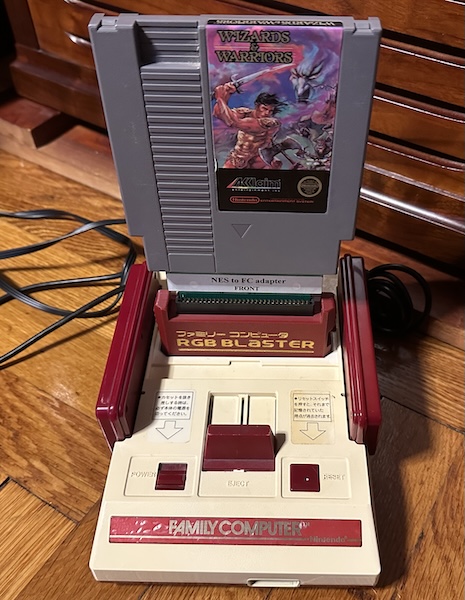
First off, all of my screenshots and captures will be from the first two levels. Why is that? Because I built a terrible system of adapters to use the RGB Blaster to capture images, and it got jostled on level 2. Probably should’ve just used the AVS. Wizards and Warriors did in fact get a Famicom release, but it’s got some differences.
If this was an essay rather than a few musings, here’s what my thesis would be: Wizards and Warriors would be right at home on the Commodore Amiga. It wears its home continent on its sleeve– but thankfully, it’s on a system where you don’t need to press up to jump.
Most prominently, the game consists of large free-scrolling levels. You can’t just go from one side to the other; you need to explore, collecting keys to unlock areas. But unlike contemporary Japanese adventure-platformers, RPG elements and grinding aren’t significant, instead, you need to explore to collect a sufficient number of gems scattered throughout the level to bribe guards. (One of the justifications for that big status bar)
Enemies spawn infinitely, so you can’t just kill all the enemies in an area to make it easier to grab the goodies. And your initial sword is very limited; you can’t even swing it while you jump, and your jump is pretty slippery and awkward to boot. (However, if an enemy hits your sword it will be injured) So a big part of the game is finding various items that will boost your power.
The jump is probably the weakest part of the game. Even on the first stage Rare likes putting narrow platforms on the very edge of your jumping ability, and you can lose a lot of progress very fast by falling back. It’s also not always obvious when you have to jump. Plus, if you jump into a door that you have the key for you always enter it, even if you didn’t intend to. Movement is more clunky than it needs to be; items do help with that, but still.
Falling back is in fact more of an obstacle than dying; in rare fashion for Rare, death is very generous here. Not only do you have a long life bar and multiple lives, but even a continue doesn’t cost you progress, just score. The game really tried to be a score-chaser, but for an adventure like this that’s just not a big motivation.
Overall I definitely think it’s a pretty solid title. And I’m not the only one! This post was actually supposed to just be the first part of a post about a different game entirely, so look forward to that.
]]>The Epoch Cassette Vision: Has Games2024-09-22T15:18:00-04:002024-09-22T15:18:00-04:00https://nicole.express/2024/game-consoles-have-gamesOops, that last Cassette Vision post was supposed to be a review of some games for it. This is a fairly historically important console, but not a huge seller; video games didn’t really boom in Japan until the Famicom. Not a flop by any means, but maybe keep that in mind. What’s the difference between the titles on the Famicom and the titles here? Not just the giant pixels. Enjoy a whirlwind tour of randomly selected games!
Kikori no Yosaku
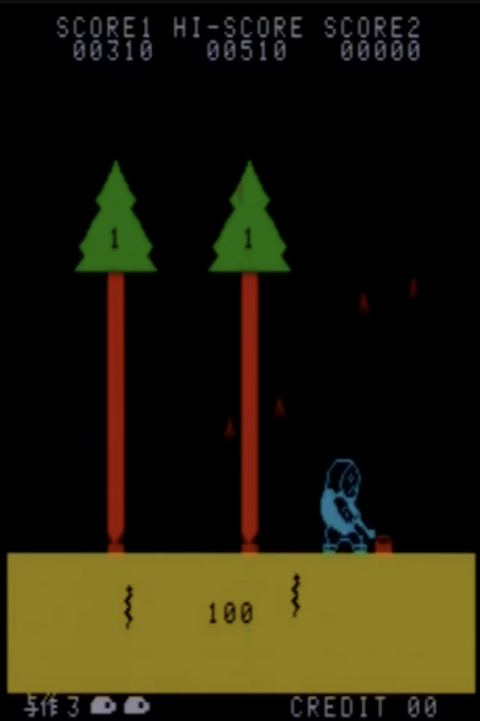
Since I did bring up the Neo Geo, we might as well talk SNK. Did you know that one of SNK’s earliest original games is seemingly lost media? 1979’s Yosaku, inspired by an enka song of the same name from 1978. While PCBs apparently exist in the deep depths of Japan’s arcade collector scene, all the rest of us have of it are a few videos. It seems very interesting, with some cool samples of traditional Japanese instruments (starts at 1m13s in the video, through the static); it actually got a JASRAC license.
With its traditional Japanese theme, Yosaku did not see any release outside of Japan, and at the time SNK was an exceedingly small Osaka firm, so something that wasn’t a mega hit was easily possible to get lost under the rug. Still, I hope that one day I can try this game for myself. For the rest of us, there’s the Cassette Vision’s launch title: Yosaku. (Or Kikori no Yosaku, which means “The Woodcutter Yosaku”, though the front cover just says “YOSAKU” in romaji text)
Why did Epoch decide to clone Yosaku? Masayuki Horie explains:
Horie: […] We would decide on what the next game would be by watching how young people play, but we ourselves were not players. So going to the expos, we’d just have conversations with each other, like “what do you think will be popular this year? Crazy Climber, maybe?”
Something like this would’ve been in development for some time before the Cassette Vision’s 1981 launch (especially since Epoch had multiple games at launch, and only one development machine, as mentioned in the last post), so they were stuck trying to guess what the hits would be. And now this (and a Neo Geo Pocket Color easter egg, which as an official SNK product is probably closer to the real thing) are the only ways that the average person can play Yosaku.
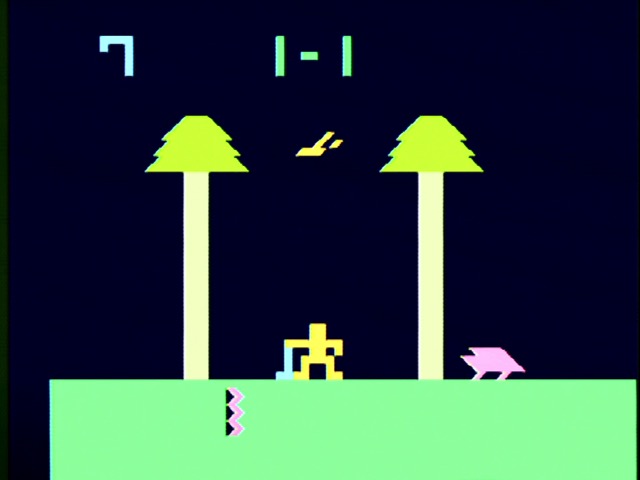
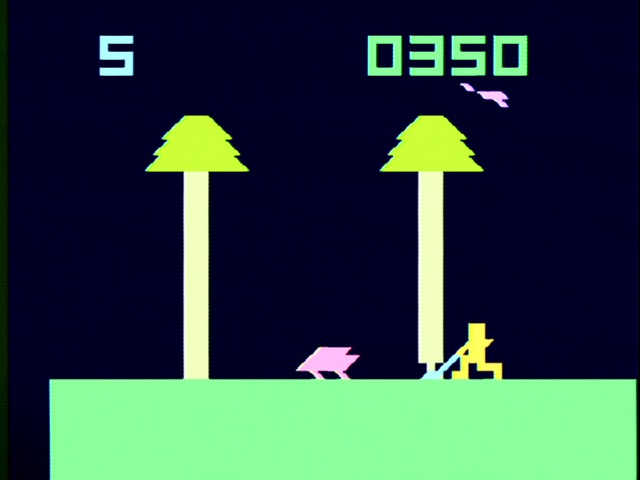
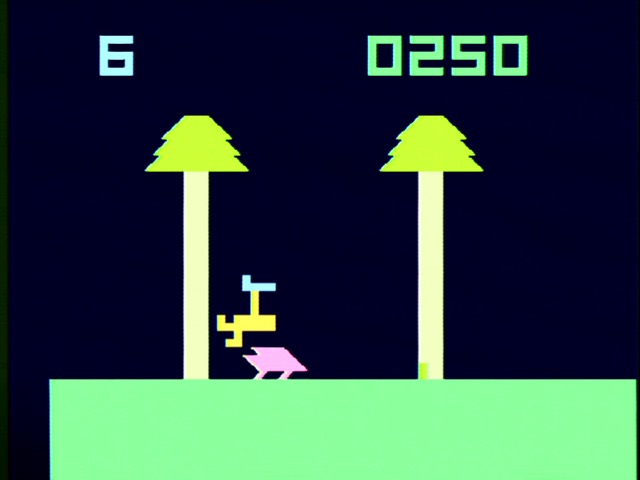
Yosaku is a fun little game; you have to constantly move around the screen, and it kind of reminds me of games like Nintendo’s 1982 Game & Watch Greenhouse, with the added complexity of needing to take action to chop down the trees, not only defend yourself. One thing that doesn’t work quite as well, however, is the jumping mechanic. I found it very hard to defend myself from the charging animals.
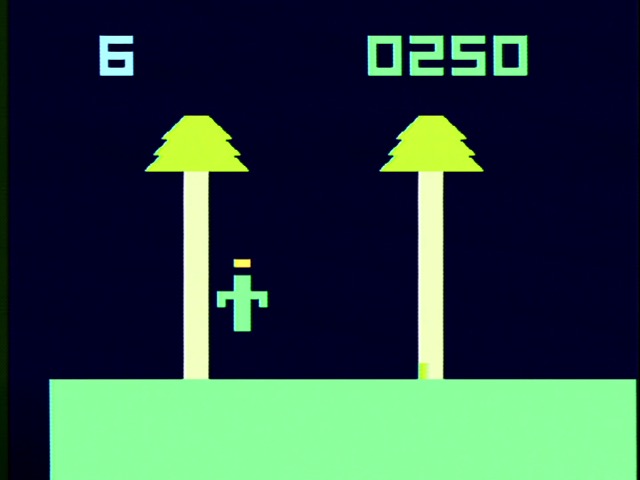
That’s a shame, because the jumping mechanic seems to be Epoch’s big change to Yosaku. In SNK’s version, you hide behind the trees you haven’t chopped down yet, or can use your axe. Maybe you can use your axe to attack here too, but if so the timing is even worse than the jumping. Best just to turn into a levitating cactus to escape. (The death animation)
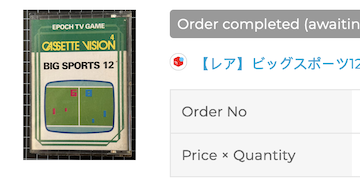
Big Sports 12
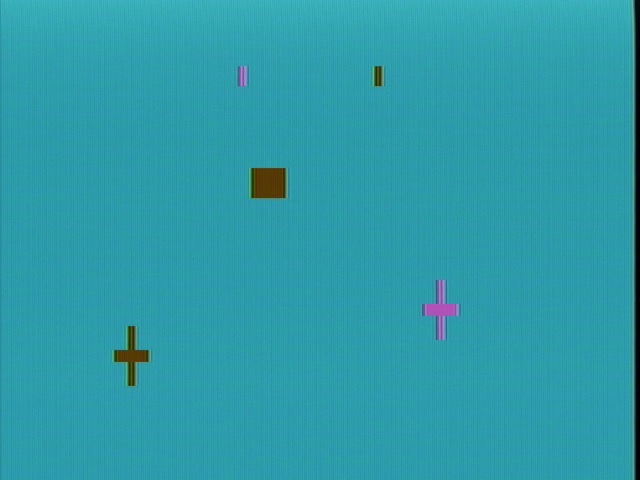
Big Sports 12 is the game the µPD777-series was designed to play. And honestly, I was pretty skeptical. See, the µPD777 series shares a characteristic with the RCA Studio II: it has fairly large blocky pixels on a fixed grid. On the Studio II’s Pong clone, this meant that movement of the ball was a bit jumpy, since it could never go to the spaces “in between” the grid. But honestly?
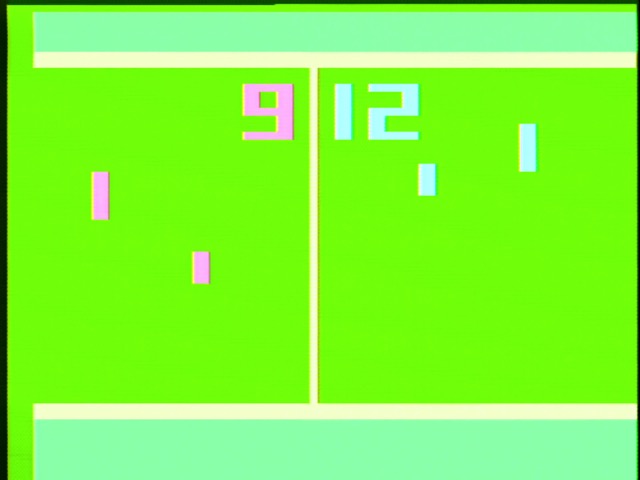
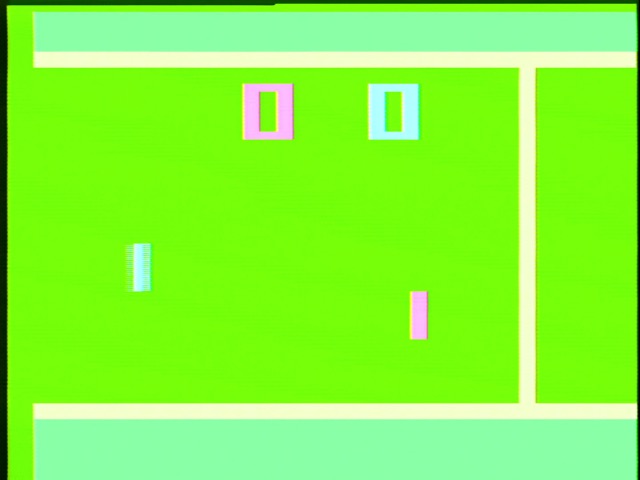
Big Sports 12 is fine. I suspect this is because µPD777 code, like the Atari 2600 and unlike the RCA Studio II, is fixed to run in time with the video display, and the ball therefore moves smoothly. Also, the Cassette Vision pixels are still chunky, but it has nearly twice the vertical resolution of its RCA counterpart.
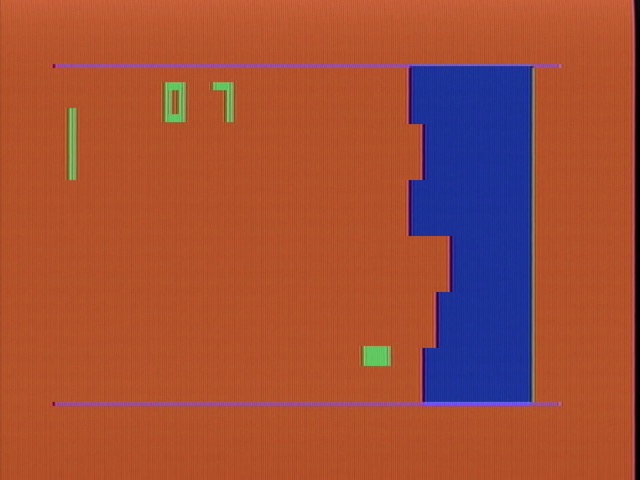
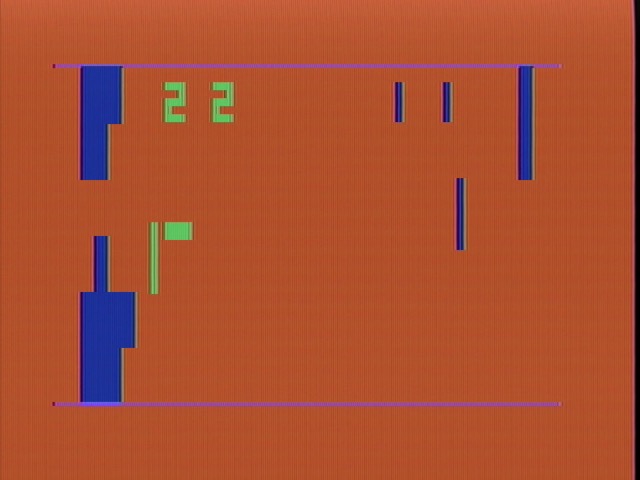
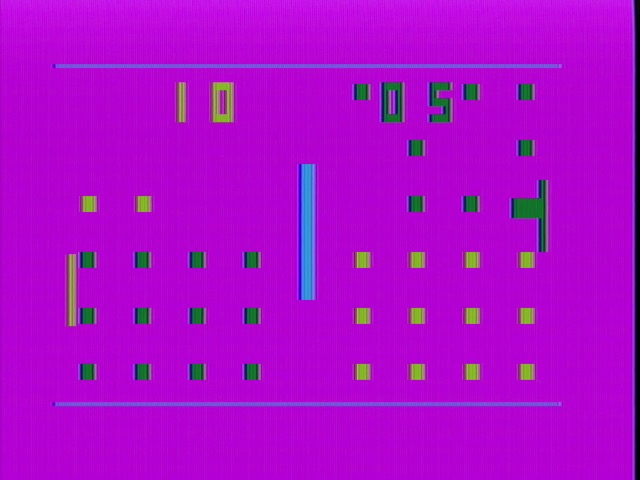
Other than that, Big Sports 12 is pretty much what you’d expect if you’ve been following all the Pong-consoles. It’s a colorful take on the game, using the dual potentiometers for each character to allow moving two paddles simultaneously, which is nice. It also is used to move in two directions, which is less nice, but hey, it worked for the Magnavox Odyssey.
Another fun feature of Big Sports 12 is its shooting gallery. First off it has a game similar to Color TV Game 15’s shooting game. Honestly I don’t fully understand how this game works, but I did manage to shoot the moving target, so I feel pretty good about myself.
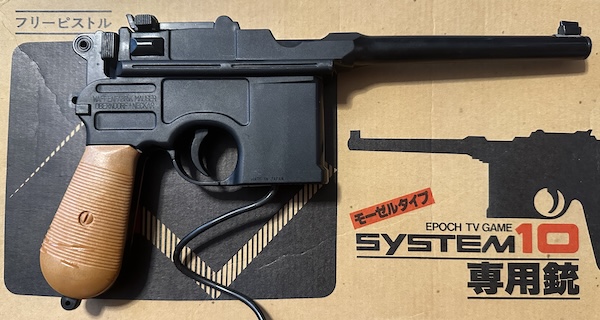
But much like the AY-3-8500, which I have narrowly dodged having to cover on this blog, it also features actual lightgun games in addition to Pong clones. Now, I don’t have the Big Sports 12 lightgun, but I do have the lightgun for Epoch’s earlier System 10 console. I’ll leave it to you to figure out why that might be. Also, this gun really wants you to know it’s a Mauser.
Big Sports 12 lightgun gaming is as simple as can be. There’s a target. Shoot it. This was the only game to support the Cassette Vision’s auxiliary input, which was dropped (alongside the potentiometers) on the Cassette Vision Jr. hardware.
It’s not hard to see why, either. Big Sports 12 was released in 1981. By then, the market for Pong-consoles was more or less dead, even in Japan. Tetsuji Oguchi’s site claims the firmware for Big Sports 12 is the same as for the unreleased Super 10 console that was supposed to start the µPD777 line, in which case, Epoch probably just released it because it was already done, and their slow development process meant they needed all the titles they could get.
Battle Vader
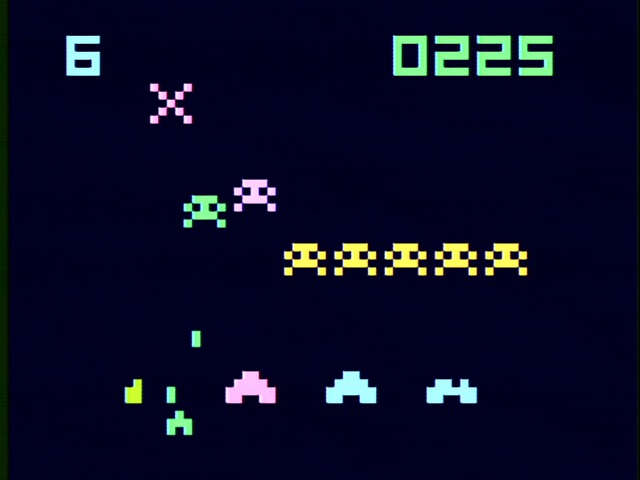
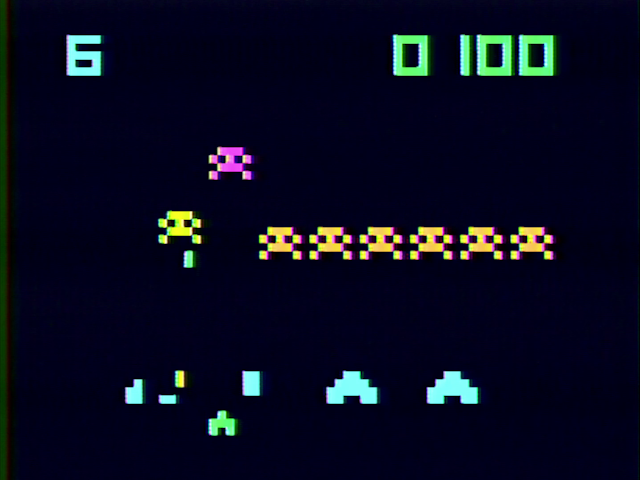
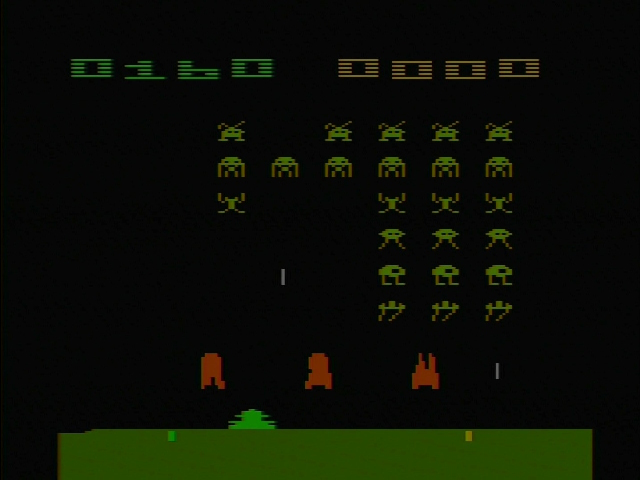
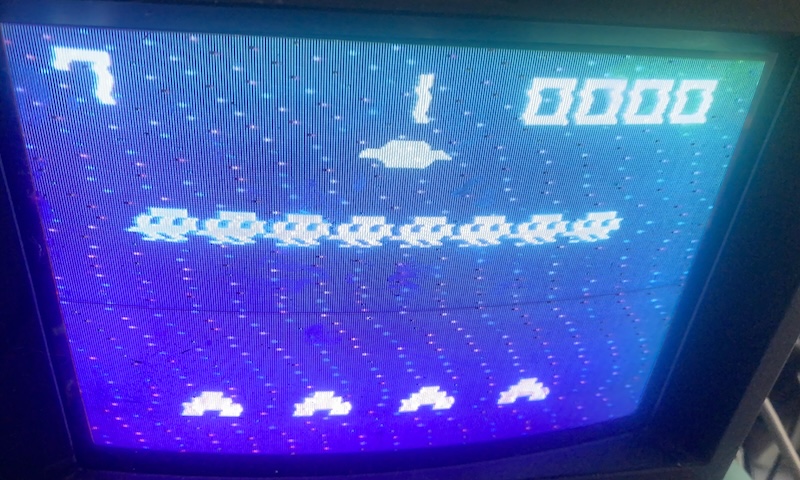
It’s literally the same thing as TV Vader, a few years later. To refresh your memory, it’s 1982 and the Cassette Vision hardware is showing its age; Battle Vader is a clone of Space Invaders that can’t display a full screen of space invaders. Just a single line, with the next becoming visible after you shoot them.
Pak-pak Monster
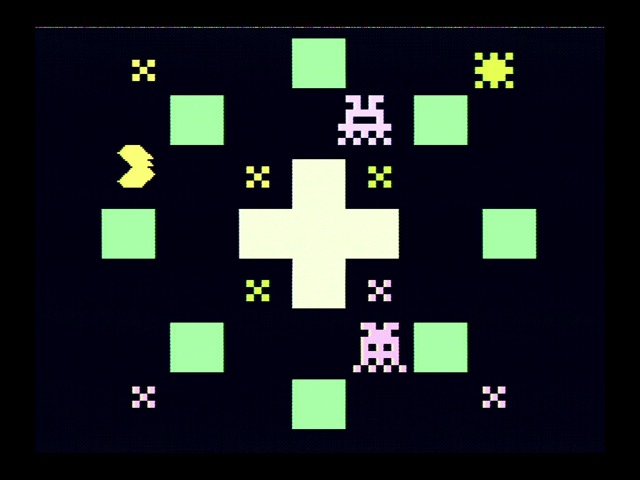
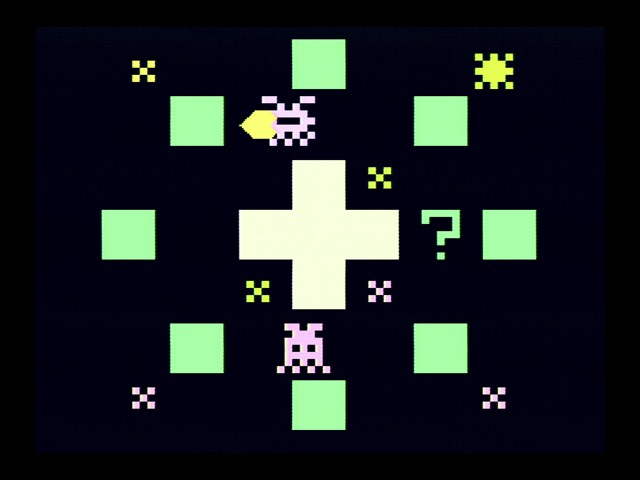
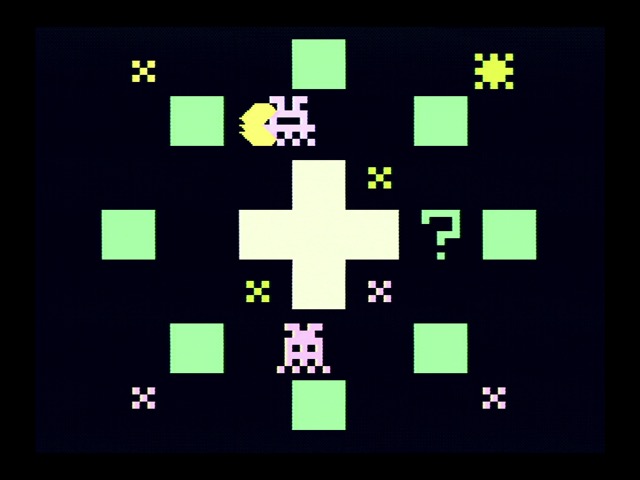
The Cassette Vision shows its age again. This is a clone of Pac-Man, but the low resolution of the screen and limited number of pattern elements means that there’s no way to reproduce the game’s full maze. What we get is even more limited than the Atari 2600 port.
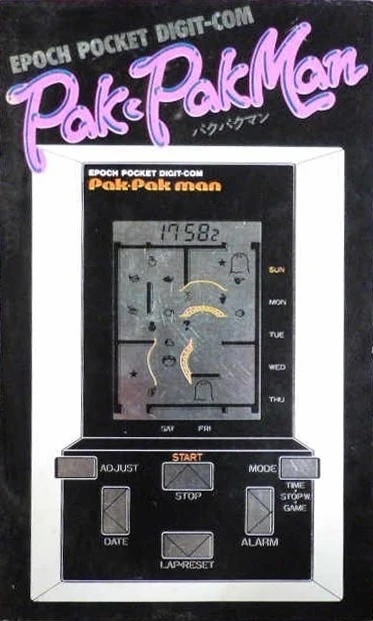
The maze is smaller, and the number of dots much fewer. To make up for this, you have to collect each dot multiple times, and can’t just collect each dot over and over; you have to collect a new one in between. Thus creating a Pac-Man clone with a possibly smaller map than even Epoch’s LCD games.
I also don’t think the enemy behavior is nearly as sophisticated. Of course, it’s harder to recreate enemy behaviors in Pac-Man when the maze is so small; Pac-Man’s ghosts will try to set up ambushes and other complex behaviors that simply can’t be done here.
To make matters worse, this game requires four-directional movement, which the Cassette Vision just doesn’t have. So instead, you have to move four ways with the four buttons in a row, as if you’re playing Pac-Man inside the vim text editor. At least the Cassette Vision Jr. fixed that problem.
Monster Mansion
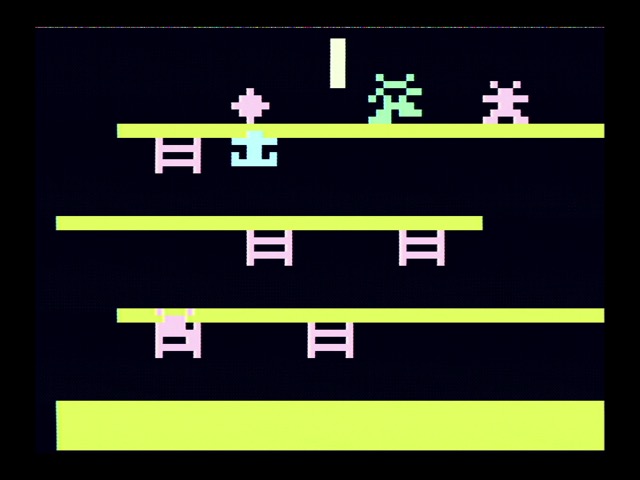
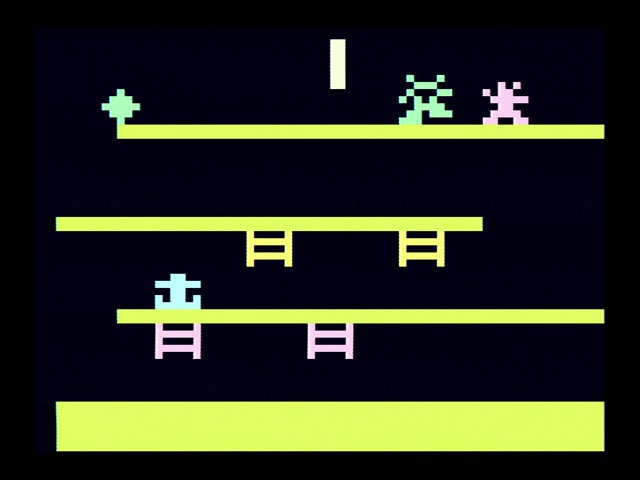
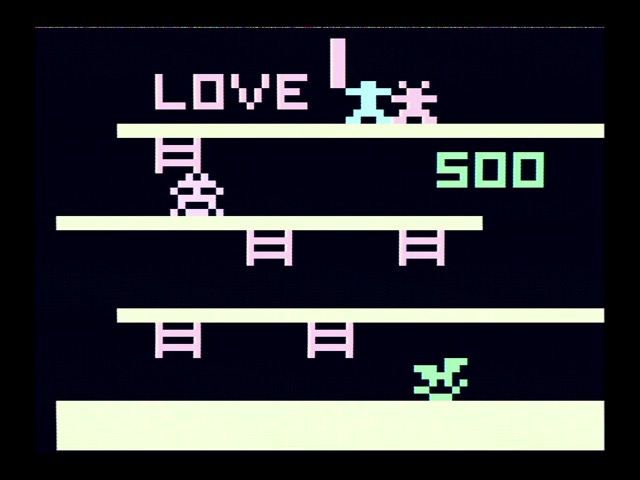
Monster Mansion is a lot like Donkey Kong, but less interesting. The Famicom launched with a pretty decent Donkey Kong port, so this is one game Epoch really needed to get right to stay competitive.
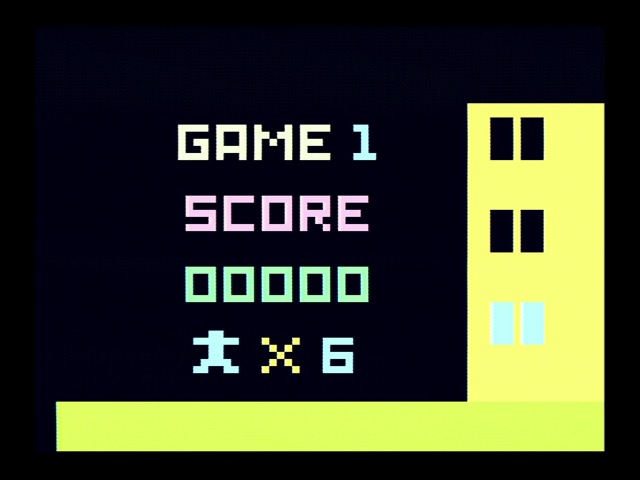
Unlike Famicom Donkey Kong, Monster Mansion does have interstitials where you progress through the building. They’re less interesting than the arcade version of Donkey Kong, with no equivalent to the charismatic ape, but at least they’re here. This is probably also a good time to note that in Japanese, a “mansion” refers to an apartment building.
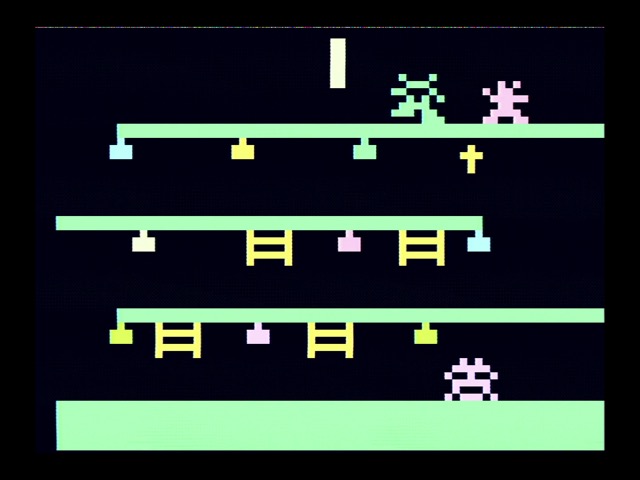
The low resolution makes it difficult to have the slanted girders, so Epoch forewent them. On this first stage, you have to climb all the ladders. Later stages use the same basic map, but with different requirements to complete the stages.
Monster Mansion isn’t bad. But it really does remind me of LCD game design, where it just has to be good enough to pass the time in a car, and it’s not expected to match the real thing. This won’t cut it in the Japanese video game market for long.
How basic is this? Perhaps it’s… Family BASIC. On YouTube, user MASANDO VISION has re-implemented Monster Mansion on the Famicom using Family BASIC V3, even with its sound effects.
Astro Command
So at this point I think the failures of the Cassette Vision are pretty clear: this system was pretty good for 1978 but was just completely outclassed by the needs of gaming in 1982. (Technology moved fast then) Arguably this is pretty similar to the situation the Atari 2600 was facing in America at the same time, but the Cassette Vision’s µPD777 architecture was less flexible and Epoch’s game development process too constrained. (Plus, no four-way digital controls) It’s not at all surprising the Famicom and SG-1000 demolished this thing.
But I don’t really want to end on such a negative note for the Cassette Vision. This console was a pioneer. And so I’ll look at my favorite game in my pitiful collection: Astro Command. This was released in August 1983, about a month after the Famicom and SG-1000 had launched.
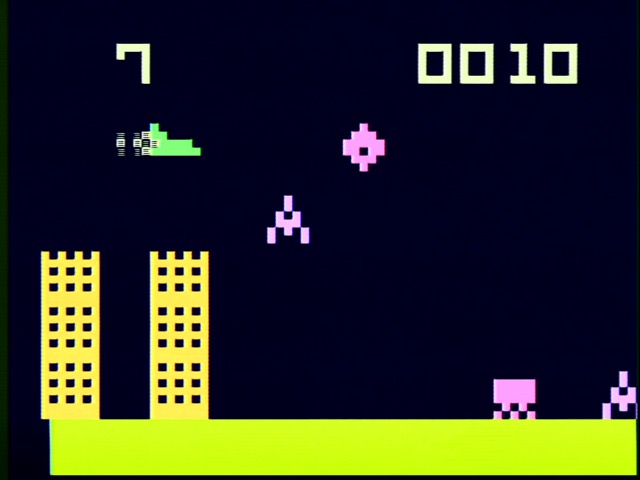
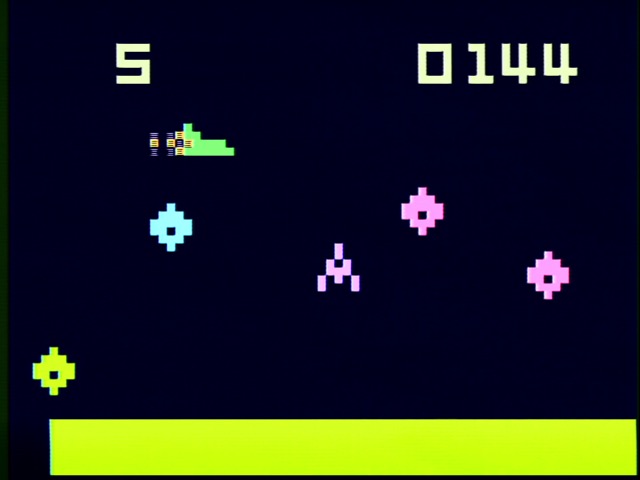
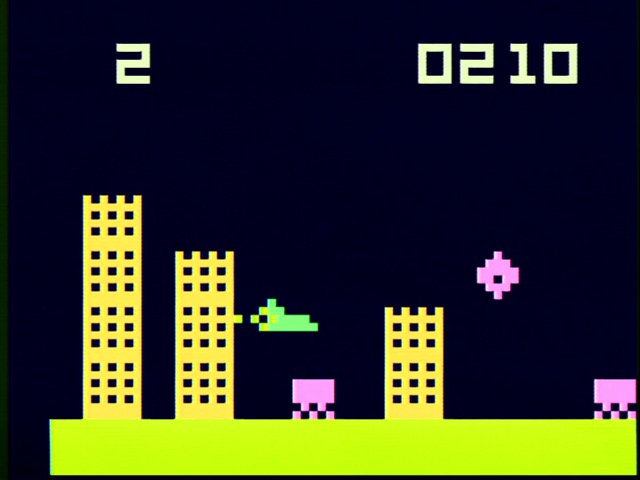
Astro Command is a horizontal scrolling shooter, and its inspiration is pretty obvious: Konami’s 1981 Scramble. You fly from left to right, and have to keep your ship fueled. Astro Command eliminates the air to ground bomb, so this is a little more challenging to get fuel when you have to be in-line with it.
Sure, the scrolling in Astro Command is a bit chunky due to the large pixels, but arguably any form of per-pixel scrolling is still pretty good at this point. Certainly better than the SG-1000 could do. And none of the Famicom’s arcade-port launch titles made any significant use of its scrolling capabilities.
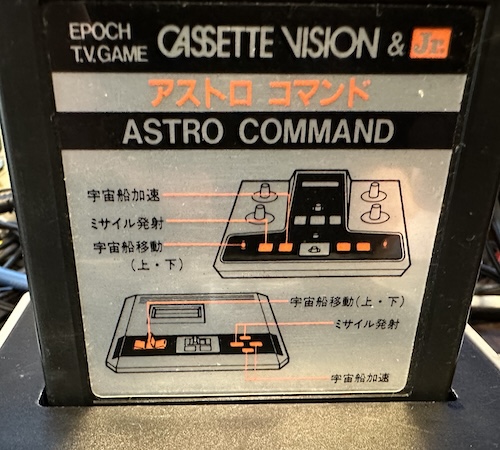
The control scheme in Astro Command is a little strange; the lever moves you up and down, button 1 fires, and button 2 gives a speed boost. It’s a little odd and unintuitive, but I got the hang of it very quickly. Honestly it kind of feels like you’re actually controlling a vehicle; the original Cassette Vision’s large array of controls helps that feel, even if many of them aren’t used– this was actually the first game to come out after the launch of the Cassette Vision Jr.
Astro Command has multiple distinct scrolling levels and a final boss. Nothing on the launch-era Famicom or SG-1000 compared to this in complexity. As I noted in my technical post when I discussed Galaxian, the sprite-based Cassette Vision was pretty good at handling moving objects. (Just not, you know, too many of them)
There were a few more Cassette Vision games after this, but I don’t have any of them. Epoch by this point had realized their hardware needed a refresh, and the system-on-chip approach just wasn’t economical. So a new console it was. Look forward to it!
A series on:NEC and Epoch's µPD777 🎰
Digging into the Epoch and NEC collaboration that would bring us Japan's first domestically-developed game console. It's surprisingly well documented!
The Epoch Cassette Vision: Has Games
— The games of the Cassette Vision! By the early 1980s, this hardware that was too fancy for a Pong console was showing its age. How could it stand out? Having no competition helped, sure...
]]>Is the Twin Famicom Flawed? The Case of Guardic Gaiden2024-09-08T09:30:00-04:002024-09-08T09:30:00-04:00https://nicole.express/2024/twin-famicom-destroyed-with-guardic-and-irqSo recently I’ve been binge-watching RandomStranger’s Famidaily project and came across his video on Guardic Gaiden, the game we know in the west as The Guardian Legend. In it, he said that the Twin Famicom has slowdown on this game that the regular model doesn’t. Now, I’ve been a big fan of the Sharp Twin Famicom– it’s got no lockout chip, a built-in Disk System, standard AV output, and the Famicom microphone, so it has a lot going for it. But is it true that this “hidden gem” is it’s “Achilles’ heel”?
Undone by UNROM
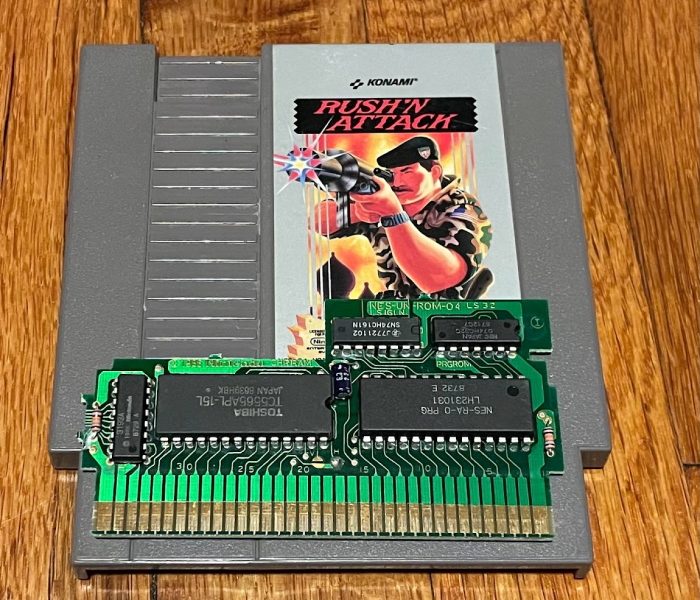
Both Guardic Gaiden and The Guardian Legend use the same mapper: Nintendo’s UNROM. UNROM is one of the most common mappers for the console, as well as one of the simpler ones, used on titles like Castlevania, DuckTales, and Rygar. (The infamous contract developer Micronics also liked it a lot, using it in titles like Super Pitfall, Athena, Ikari Warriors, 1942, Ghosts ‘n’ Goblins, and more, but we won’t hold that against it) Here’s another example, Konami’s Rush ‘n’ Attack:
UNROM is a “discrete logic” mapper, made of just two widely made and available logic chips (a 74161 timer acting as a latch, and a 7432 OR gate used to create a fixed bank). It always used CHR-RAM on the video side, and has a fixed program bank and a mappable one. For more information on NES mappers, I already wrote a long post on that, so check it out. It’s still used by homebrew developers as a cheap option when fancy features aren’t required.
What are those fancy features that are missing?
No nametable mirroring control. The Famicom’s two nametables can be horizontal or vertically arranged, but with UNROM you can’t control them during the game. MMC1 game Metroid uses that mapper’s capability for its different scrolling directions, as an example.
No expansion audio. The NES couldn’t do this anyway, but the Famicom allowed the cartridge to mix in additional music or sound effects.
The mapper has a risk of bus conflicts between the ROM and the CPU, so you have to be a bit careful when changing the program banks.
No additional work RAM, battery-backed or otherwise. UNROM games pretty much have to have passwords if the developers want to let you restart your progress. (Presumably homebrew variants can do what they want.)
No cartridge IRQ.
The last one is the relevant one here. The IRQ line on MMC3, for example, allowed for Super Mario Bros. 3 to have its bottom-of-the-screen status bar, by signaling to the console’s CPU that a certain number of scanlines had been drawn on-screen. Unlike the Master System, the stock NES doesn’t offer any way to tell what line the console is currently drawing, so cartridge IRQs are useful for when you want to do screen splits or other “raster” effects.
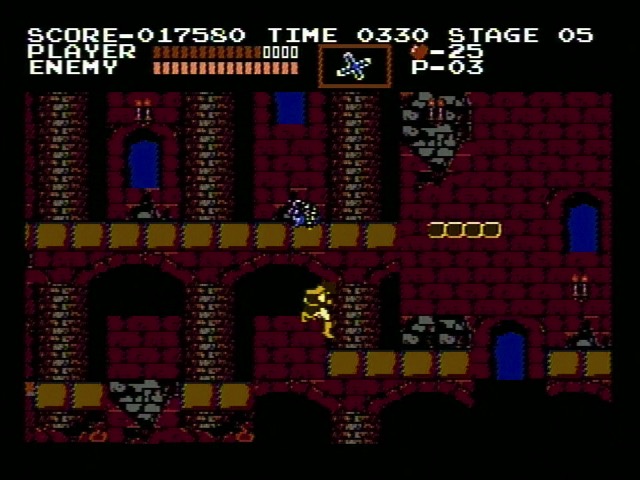
Without an IRQ, the only way the NES offers to split the screen is the “Sprite 0 hit”. Essentially, when a non-transparent pixel of the first sprite interacts with a non-transparent pixel of the background, a flag will be set inside the PPU. You can read that flag, but it won’t interrupt– you just have to sit there over and over checking for the flag to change. This of course precludes the CPU from doing things like running game code, so when you see screen-splits in UNROM games like Castlevania, they’re usually at the top of the screen; that way, game code can still run during the majority of the screen below the split.
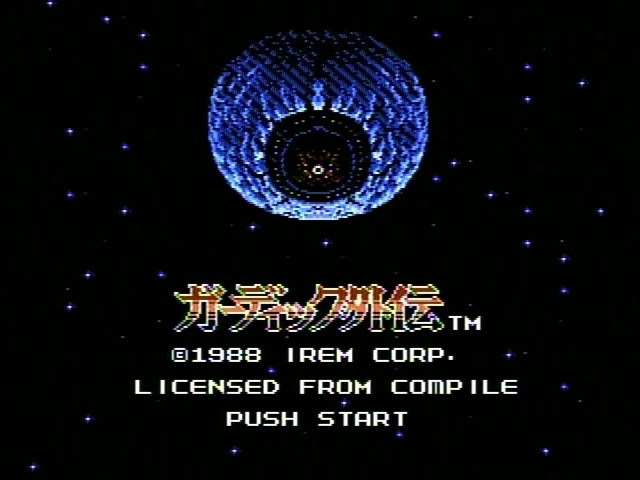
And we can see the same in Guardic Gaiden, its fixed status bar is of course at the top…
Oh right, this is a Compile game. And Compile, much like Rare, were very good at the whole “squeezing every last bit of performance out of 8-bit consoles” thing.
No cartridge IRQ…
When an IRQ interrupt occurs, the 6502 processor always fetches the two bytes at memory address 0xFFFE. (NMI, used for vblank on the NES, is at 0xFFFA, and at reset it fetches from 0xFFFC. This is called the “vector table”) So if you take a look at a game, you can always find the IRQ from looking at those bytes. Well, sort of– memory mappers do complicate this a bit. But emulators like FCEUX will let you see the memory map that the CPU sees at any given moment.
In my basic NROM-128 game Aspect Star N, there is an IRQ handler, but it’s just a single RTI– the 6502 call for ending an interrupt and returning back to the main code. I don’t think it will ever be called, but it’s good to have as a matter of course. Take a look at Castlevania, and you’ll see that they did something more clever: the interrupt vector points to an RTI, but it’s the same RTI that ends the NMI handler. Every byte counts.
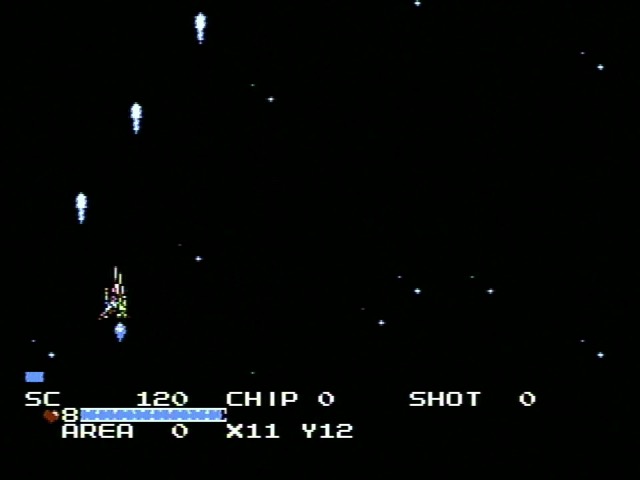
Here’s a video I’ve made of Guardic Gaiden, modified so that, much like Castlevania, its IRQ now points to the RTI at the end of the NMI handler. And it’s pretty broken! Especially in that screen split. So now we’re getting somewhere.
IRQ where are you?
Take a look at the Famicom schematics, and you’ll see that nothing is attached to the IRQ line, though it does connect to both the cartridge port and the expansion controller port. But that doesn’t mean the IRQ handler will never run.
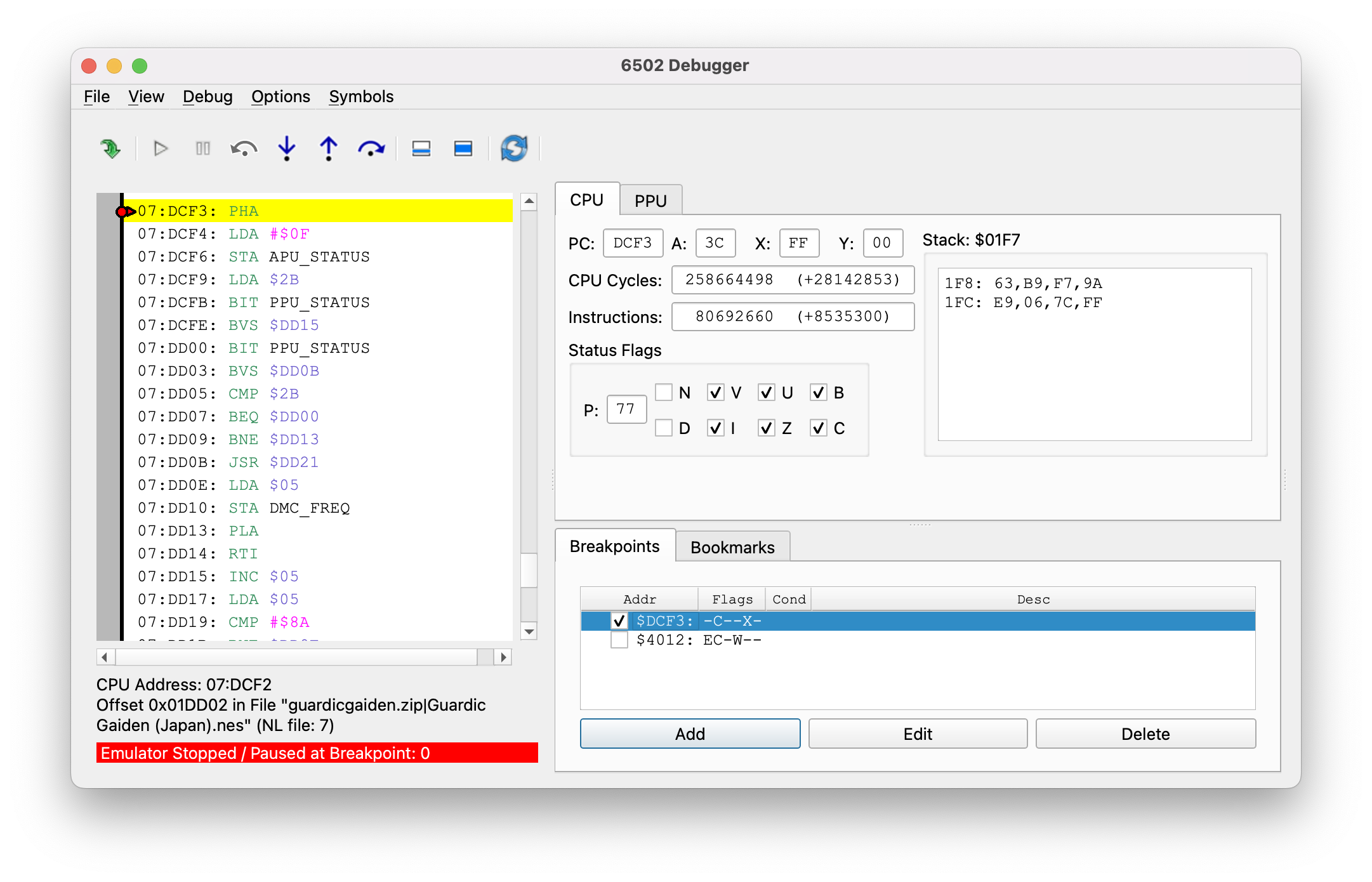
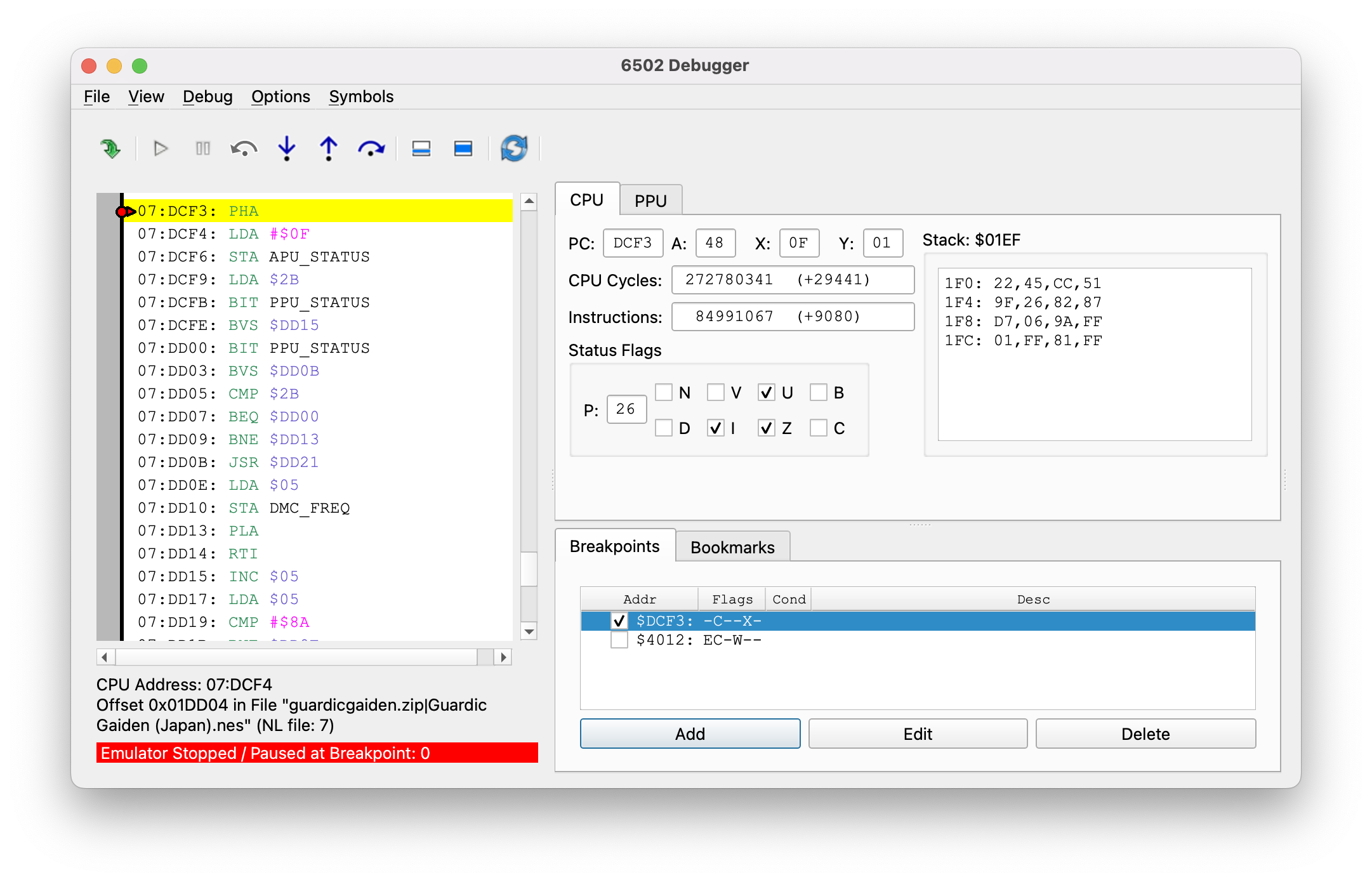
For this, I’ll hop into the FCEUX emulator, and use its debugger to set a breakpoint at the IRQ handler, 0xDCF3. This is pretty similar to the debugging you’d do when developing an NES game, so I’ve gotten plenty of practice lately. The interrupt doesn’t fire on every frame, but here’s the first interrupt I hit, after getting hit by an asteroid on the first stage like immediately. For someone who writes a lot of words about video games, I really could do to get better at playing them.
There’s a lot going on here! On the left column we can see the internal disassembly of the function. I’ll annotate it a bit.
07:DCF3: PHA            ; push the accumulator on the stack so we can alter it
07:DCF4: LDA #$0F
07:DCF6: STA APU_STATUS ; Write to the audio status register
07:DCF9: LDA $2B
07:DCFB: BIT PPU_STATUS ; Check the PPU status register
07:DCFE: BVS $DD15      ; The "V" flag will be the Sprite 0 hit
                        ; If it's already set we might have missed it, so
                        ; it jumps to a different routine
07:DD00: BIT PPU_STATUS ; Now we keep checking in a loop
07:DD03: BVS $DD0B      ; If it's hit jump to 0xDD0B
07:DD05: CMP $2B        ; Sprite zero has not been hit, look at memory
                        ; address 0x002B
07:DD07: BEQ $DD00      ; Loop back to DD00 if its 0 and check again
07:DD09: BNE $DD13      ; Just jump down and leave the interrupt if it's not
07:DD0B: JSR $DD21      ; Sprite zero has been hit, so jump to a routine
                        ; to split the screen
07:DD0E: LDA $05
07:DD10: STA DMC_FREQ   ; Change the frequency of DPCM
07:DD13: PLA            ; Put the accumulator back to where it was
07:DD14: RTI            ; Leave
The main thing going on here is that we’ve double-confirmed that the IRQ is part of the screen split. And Guardic Gaiden is indeed using sprite 0 for that, but they’re also using an IRQ to go to the checking code. Presumably the sprite 0 hit is being used for more exact timing than whatever this IRQ method can provide.
And where did the IRQ come from? Well, looking at the disassembly it seems to be doing a lot of messing with the audio registers, which is suspicious. But ignore that. Because if you see the “Status Flags” section of the debugger window, you’ll see that the “B” is checked. What’s the B flag? Well it’s not a real flag, but the details aren’t that important. What matters is, the B flag being checked means that this interrupt was triggered by a BRK.
BRK is just an opcode of the 6502. It’s opcode 0x00, so it can be useful for debugging; it triggers an “artificial” interrupt. In this case, Guardic Gaiden appears to be using a BRK to break out of the logic it’s running and just wait for the screen split point to continue. Any 6502 program can do this; a break is generally slower than a JMP or JSR.
But skip ahead a few times and there are some interrupts that don’t have the “B” flag set. They go to the same IRQ handler, and the code doesn’t check for the “B” flag. So what’s the deal?
The DMC DMA trick
The TCRF page on The Guardian Legend links to a Japanese Twitter thread accumulator where the actual developer who worked on the game, Twitter user @kopandacco, speaks a bit about their experience making the game, and dealing with the Famicom’s limitations. Including a clever trick to get around the lack of interrupts.
“The Famicom has a sampling audio source. Because of all its restrictions I didn’t want to use it at all, but when it was done reading data it was possible for that sound source to trigger an interrupt.”
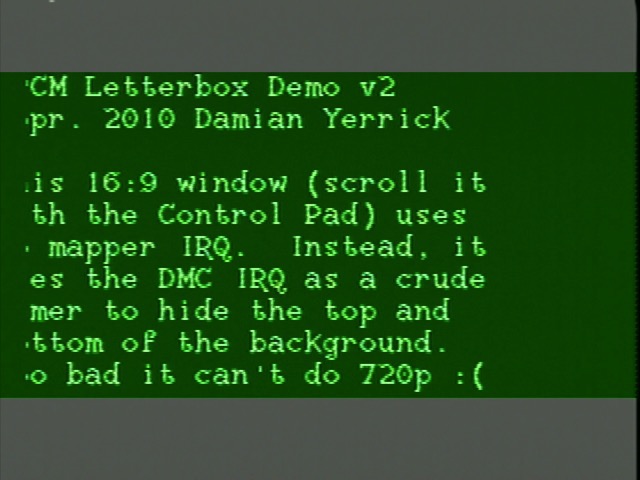
That’s why the interrupt handler above messes with the DPCM registers. Guardic Gaiden doesn’t use DPCM for audio, but it uses it to trigger an interrupt a certain amount of time into the screen. The NESdev Wiki mentions the technique, but attributes it to a forum thread from 2010. Here’s Guardic Gaiden doing the same thing in 1988!
But later in the thread we now see the Twin Famicom referenced.
While it looked fine to me, after release, one category of Famicoms (only Twin Famicoms?) started to show severe processing delays. It seems that some consoles don’t have DMA interrupts.
As far as I can tell, this is the source of the claims that Twin Famicoms have slowdown when playing Guardic Gaiden. And it’s a pretty good source!
Not all Twins
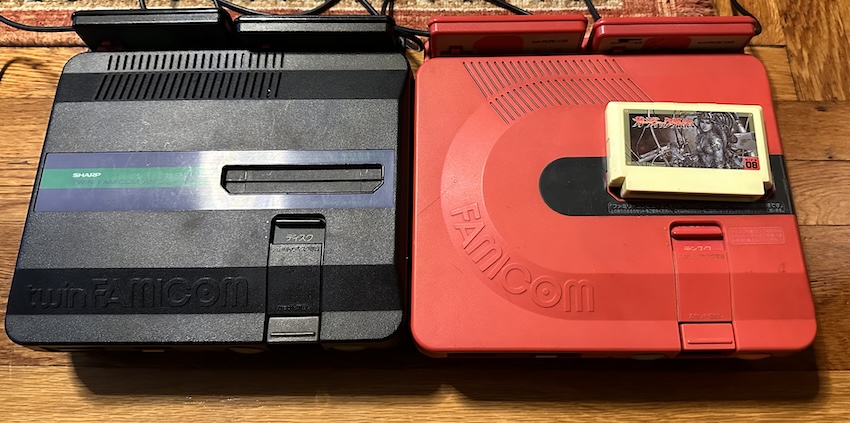
I have two Twin Famicoms. They’re not even twins, since one is the later model with built-in turbo controllers. That’s the black and green one on the left.
And neither of them shows any slowdown on Guardic Gaiden. And I’ve tested a number of methods. I switched to a DPCM hardware test ROM intended for emulator authors, and still, no issues on any model, including burned to an NROM cartridge (a leftover from Aspect Star “N”’s limited run). See, I started to think that maybe the IRQ line had a potential issue, and an Everdrive has its own IRQ circuit that could be getting in the way.
Now, @kopandacco’s tweet outright says that it wasn’t all systems that showed the issue. And I do have a theory here for what may be causing it. See, the Ricoh 2A03 is a bit of an odd-ball. Take a look at the die shots on Visual 6502. See that big block in the bottom right? That the 6502 die. Chip dies like this weren’t protected in the United States until 1984 (I couldn’t find any equivalent dates in Japan); the only protection companies like MOS (by 1983 a Commodore subsidiary) had was patents. And the 2A03 infamously lacks the patented decimal mode. There is an internal connection between the IRQ line and the DMA unit used by the DPCM audio channel.
Resistance is futile
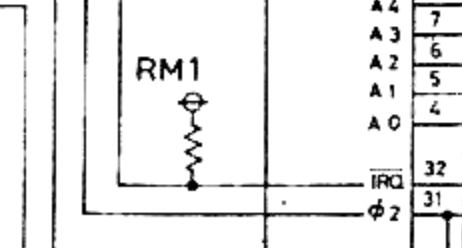
Here’s a bit from that Famicom schematic earlier. Notice there’s a resistor pulling the 2A03’s IRQ line high. The way the IRQ line works is that an interrupt fires when it’s low, and will continue to fire until it goes high again. This is why you need to “acknowledge” interrupts; this is why Guardic Gaiden writes to APU_STATUS above, to acknowledge the DPCM interrupt.
The value of that interrupt isn’t listed on Nintendo’s schematic, but Enri’s lists it as a 10kΩ resistor. That’s pretty typical for a pull-up resistor. Connecting it directly to 5V would mean that anything that wanted to fire an interrupt would have to short-circuit the power supply. Realistically, nothing you’d attach to the bus would be capable of handling that current and it’d just die or fail to interrupt.
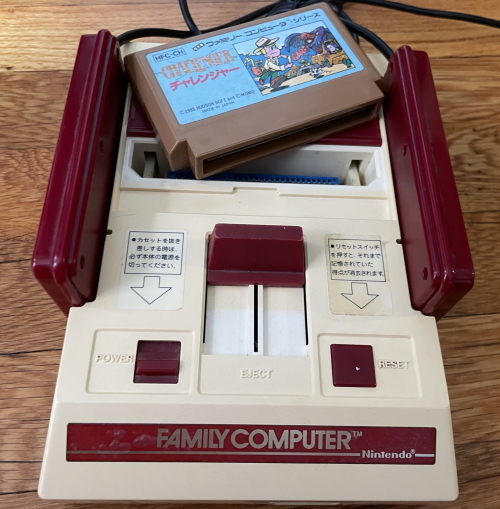
Despite its mods, my Nintendo Famicom has nothing changed on the IRQ line, and with a multimeter I can measure that 10kΩ resistor. But on my Twin Famicoms, it’s more like 220Ω. Why is that? Well, I needed to crack open the newer Twin anyway because I put it together wrong last time I opened it. (the red one gets a lot more use despite the lack of turbo buttons)
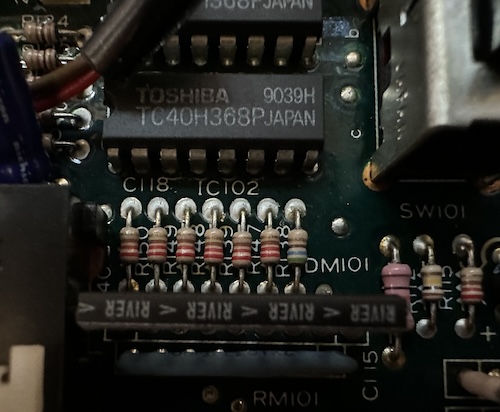
So I think I narrowed down the pull-up to these resistors here; specifically I think it’s R149.
I’m not great at the color code, but I believe those are indeed 220Ω resistors. I’m not sure why they used a lower resistance here than on the standard Famicom, but I could see it plausibly that more marginal 2A03 chips could be unable to overcome the pullup. (Remember, a weaker pullup resistor means more current pulling up the voltage) As @kopandacco notes, Nintendo wasn’t testing parts for the DPCM IRQ, as it hadn’t been used by commercial games up until that point. If this is the problem, though, Sharp never updated their design to accommodate it, as this is my later model console.
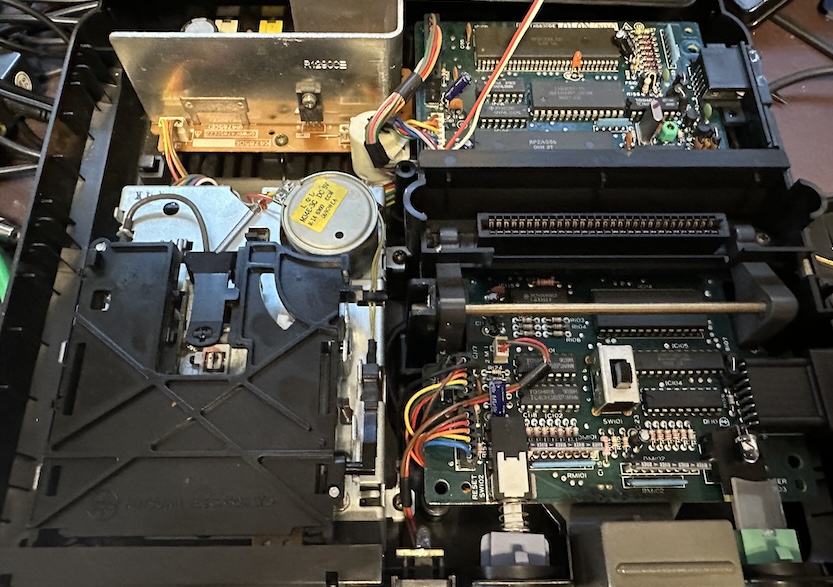
I guess I’d need to find a Twin Famicom that exhibits the bug, and see if replacing the pull-up resistor with a larger one fixes the bug. Might be worth an experiment? But at least for my Twin Famicom, it still sits atop the Famicom hierarchy.
Recreating the bug
Let’s take a look at the above IRQ handler to see if we can recreate the bug’s impact.
07:DCF3: PHA            ; push the accumulator on the stack so we can alter it
07:DCF4: LDA #$0F
07:DCF6: STA APU_STATUS ; Write to the audio status register
07:DCF9: LDA $2B
07:DCFB: BIT PPU_STATUS ; Check the PPU status register
07:DCFE: BVS $DD15      ; The "V" flag will be the Sprite 0 hit
                        ; If it's already set we might have missed it, so
                        ; it jumps to a different routine
07:DD00: BIT PPU_STATUS ; Now we keep checking in a loop
07:DD03: BVS $DD0B      ; If it's hit jump to 0xDD0B
07:DD05: CMP $2B        ; Sprite zero has not been hit, look at memory
                        ; address 0x002B
Why is there a special handler (0xDD15) for the first hit? Because it assumes in that case, we’ve missed the sprite zero hit, and need to restrict how many actions are processed per frame so that we don’t miss it again.
If you change the second BVS to point to the same address, you can create a variant of the game where it assumes every single call took too much time, even those triggered by a BRK. This flickers the status bar, but also does start to slow down even before the first stage completes. You can do this by changing the byte at 0x1DD14 in a standard-format ROM dump to 0x10. (Remember, branches are relative)
An Aside
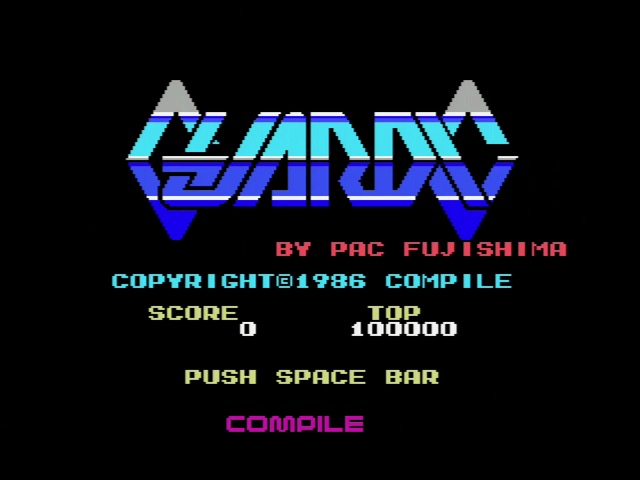
The existence of Guardic Gaiden implies the existence of regular, non-Gaiden Guardic. And so it does exist: it’s a 1986 MSX game, running here on my Panasonic FS-A1F MSX2 in RGB. (Very nice after all these composite Famicom shots!) Note that while I’m running on an MSX2, this is an MSX1 game, and limited to a 32kiB ROM; on the Famicom Compile had 128kiB, a full megabit, to work with.
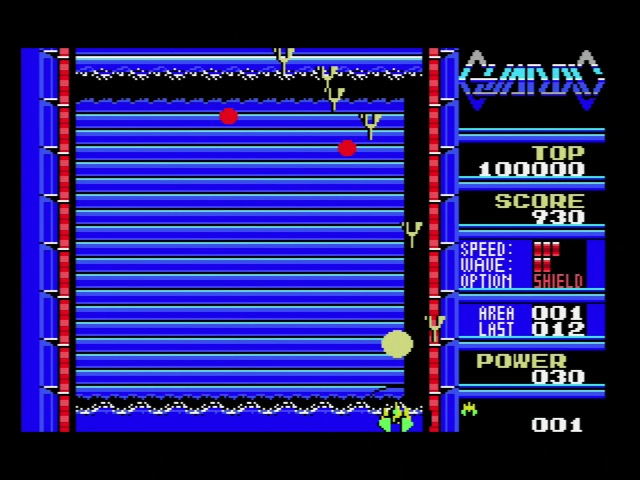
The game is a series of single-screen shoot ‘em up rooms, with quite aggressive enemies. If you’re experienced with the MSX at all, you probably know that scrolling wasn’t exactly the console’s forté. Or even its Rockman.
The shooting rooms are connected by hallways that lead to more shooting areas. It’s easy to see how Guardic Gaiden took the concepts of Guardic and evolved them into a game more suited for the scrolling-capable Famicom hardware and the action-oriented console market. Very nice!
]]>Japan’s Real First Console? Bandai’s TV Jack 50002024-08-25T10:20:00-04:002024-08-25T10:20:00-04:00https://nicole.express/2024/tv-jack-and-tv-jillThe Epoch Cassette Vision is often reported as the first Japanese cartridge-based game console. But reality is always a bit more complicated. In 1978, years before the Cassette Vision, two Japanese companies put together cartridge-based game consoles that were unique to Japan, but relied on technology and chips licensed from American firms. And hey, despite my whirlwind tour of Pong consoles, I never looked at GI chips.
Who is Jack
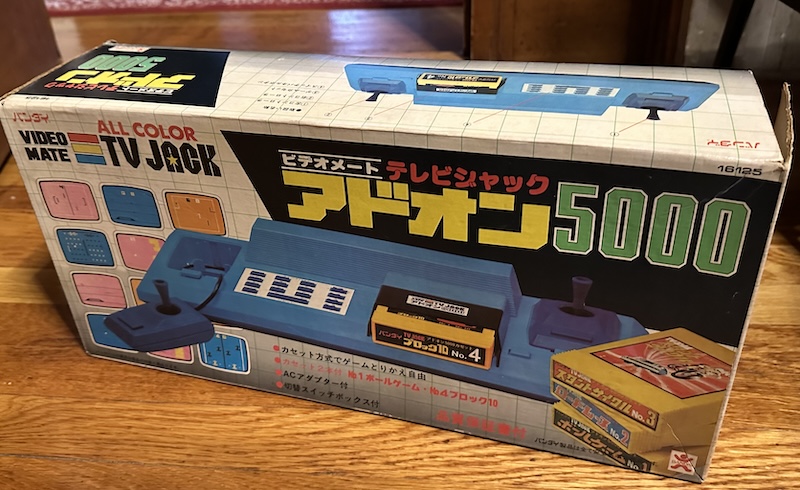
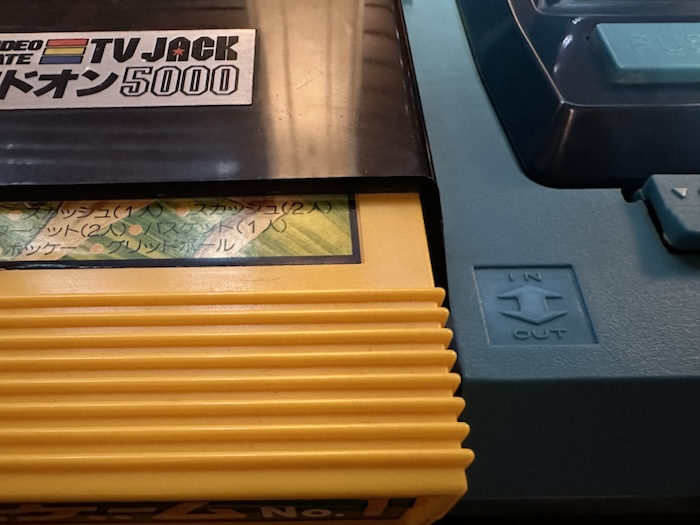
Behold, the *breathes in* Bandai Video Mate All Color TV Jack Addon 5000. (longest console name in the history of the blog?) This 1978 console was the follow-on to Bandai’s earlier Video Mate TV Jack consoles, which were more or less the same as everyone else’s Pong-on-a-chip consoles. (The TV Jack 2500 appears rather intriguing, but we’re not looking at that one today)
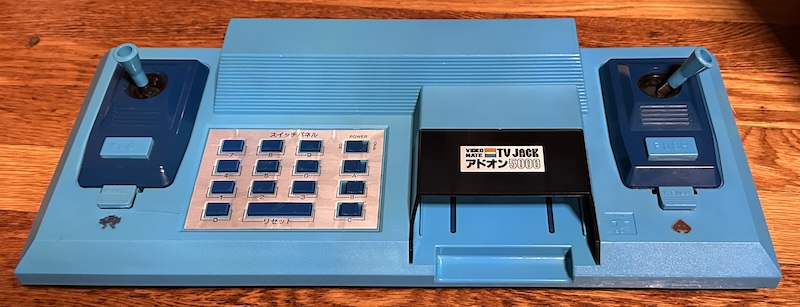
The TV Jack 5000 is at least a fairly good-looking system, especially in blue. Note that the little Space Invaders-style stickers near the detachable wired controllers were not stock, and were added by a previous owner of this console. The joysticks are, quite frankly, terrible. No self-centering, lightweight and far too easy to move around. But they are proper analog controls. Joysticks at least promise two-dimensional motion rather than a one-dimensional paddle.
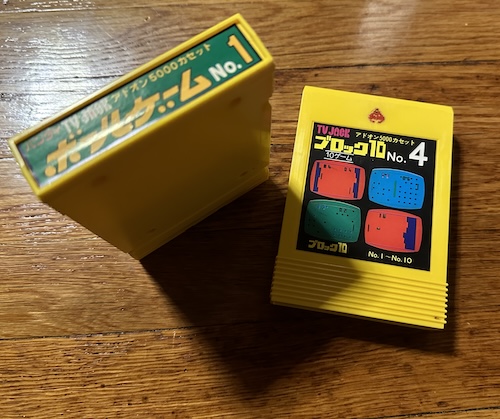
But let’s face it. The thing that makes the TV Jack 5000 interesting isn’t the controllers. It’s these: the cartridges.
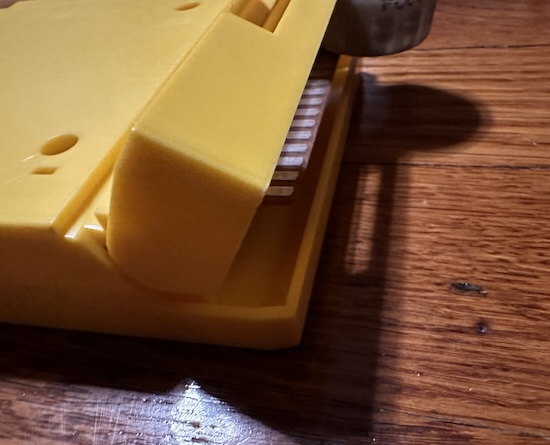
I can definitely see why some people thought this might be a Fairchild Channel F cousin, with these banana yellow cartridges with a nice spring-loaded shield at the bottom. But they are very much not the same as the Channel F. Let’s dig in.
Teardown
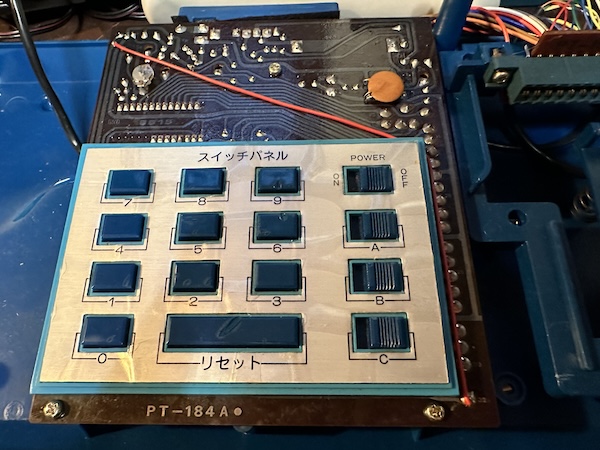
Most of that blue box is empty. See the control pad, with its array of buttons and switches? That’s the only area that the PCB is actually connected to.
All of the controllers are directly wired into the cartridge slot, bypassing this PCB entirely. Also, the presence of hardwired cables inside the box means that the inside is prone to melting from the plasticizers; this is pretty much entirely unavoidable with the design of this console. I can’t imagine Bandai thought anyone would care nearly fifty years later.
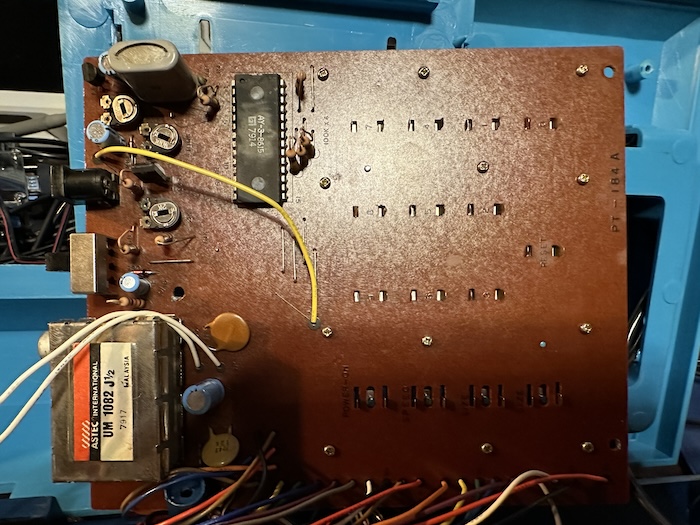
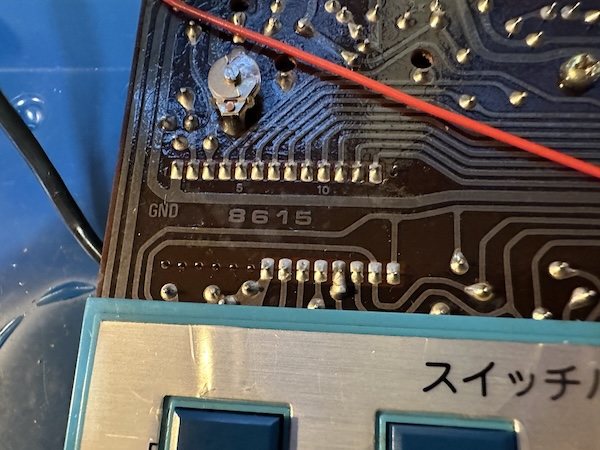
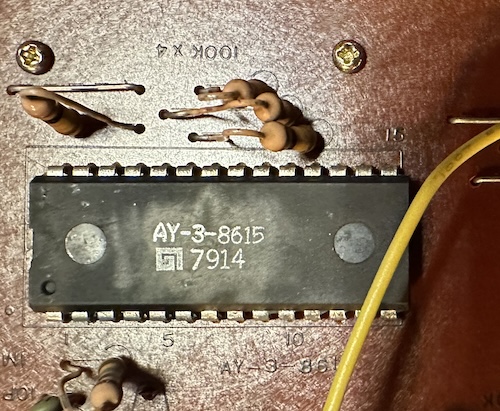
As for that PCB, it’s even more bare on the other side. There’s nothing behind that button grid, just in the area at the top. And there’s only one IC outside of the (actually shielded) RF box: the General Instrument AY-3-8615.
Interestingly, this is actually more than the Cassette Vision (excluding the controllers), though it might not look it. The Cassette Vision didn’t use an RF box, so its RF components are all spread throughout the PCB. But all its IC does is take in the kind-of component-ish video output of the µPD777 from the cartridge and output the RF-modulated composite video. What’s the AY-3-8615?
AY-3: Not just a sound chip
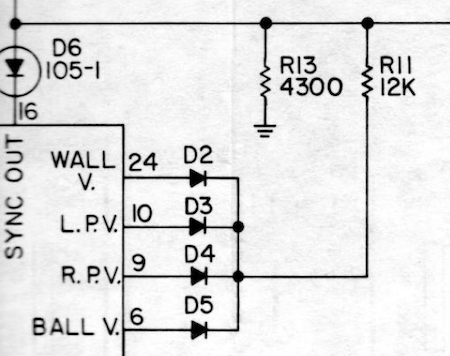
In the past, I’ve briefly talked about the AY-3-8500, General Instrument’s first Pong-on-a-chip. One interesting characteristic of this chip is that it outputs the composite video signal on a whole bunch of pins, each with different parts of the signal. An implementer, like here is Magnavox on their Odyssey 300, has to combine them somehow.
This was done because while the Magnavox Odyssey 300 was monochrome, General Instrument also sold the AY-3-8515, a “Ball & Paddle Color Converter”, which took in all of those separate signals, and modulated them with different colors. (This is entirely composite video, so it’s using different phases of an input colorburst crystal)
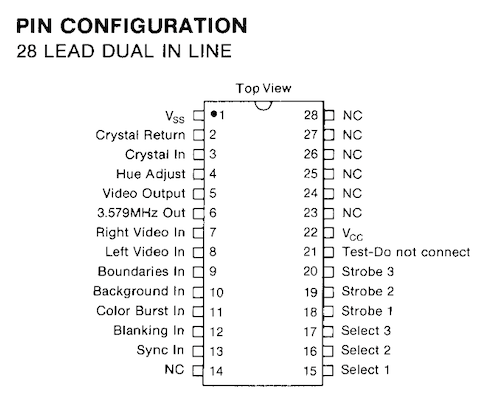
AY-3-8615 probably sounds similar to AY-3-8515. And while making assumptions like that on chip numbers is not always safe, it is here: the AY-3-8615 is a “Superstar Color Converter”. Check out the GI GIMINI parts catalog for the details. The 8600 series was GI’s successor to the 8500 series, so we’re in the fancy second generation of Pong consoles now.
You might wonder what the “select” and “strobe” inputs and outputs are about. These are the game select buttons; they’re matrixed. Between them and the hue adjust value, different Pong consoles using the AY-3-8615 could provide different colors for their system.
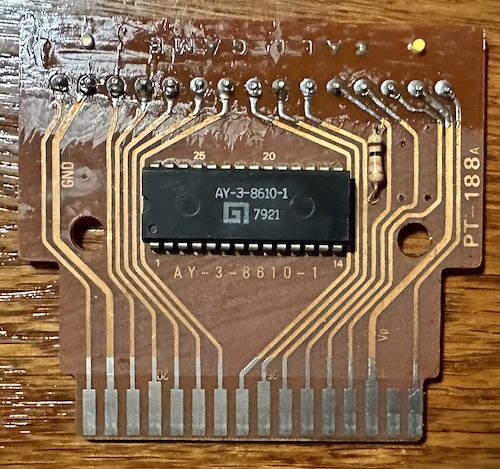
If we crack open a cartridge for the TV Jack 5000, this is what we see. (And here’s the back, if you want to trace out the pinout)
It’s only the monochrome game chip inside. All the color comes from the AY-3-8615 in the console; since it’s compatible with all of the AY-3-8600 series, it’s able to colorize any one of those. So while it’s light-years away from ROM-based consoles, this is still less of a generic “all the logic on the console” system than the Cassette Vision.
And in case you were worried Bandai did anything original here, scroll down to page 49 of the GI GIMINI catalog, “GIMINI Economy ‘8600’ Programmable Game Set’. This is more or less exactly what the TV Jack 5000 is. That’s why it uses a self-contained RF modulator; Bandai followed a stock design from a US company, where self-contained RF modulators were the norm, rather than the Japanese market where the extra shielding wasn’t required.
That cool spring-loaded cartridge design is all Bandai, though. I suspect you’d need a pin adapter to use a European PC-50x game cart on the TV Jack 5000, but other than that I don’t think it’d be that hard. Bandai handled the parts they were good at: the toy-like plastic enclosure. You know, the things you actually touch.
Getting a video output
I had some trouble with this on my usual RF box, which isn’t surprising since long-time readers know that that box is terrible, and the Japanese standard analog channel 1 and 2 are taken up by FM radio stations in my region that interfere. So I decided to try something a bit more vintage.
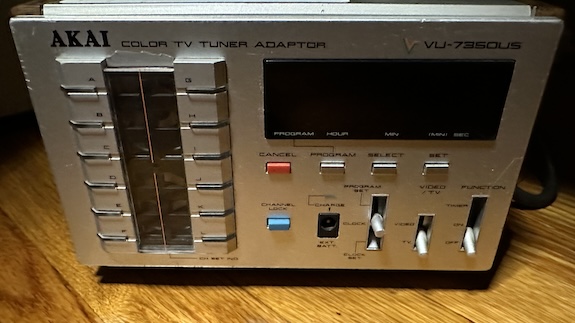
Behold, the Akai Color TV Tuner VU-735OUS. I was hoping that this would work better than the modern digital tuner, because its analog parts would allow clearer adjusting of the tuner. It’s very likely the old TV Jack 5000’s aging components no longer tune to exactly 91.25MHz, so a little analog adjustment might help.
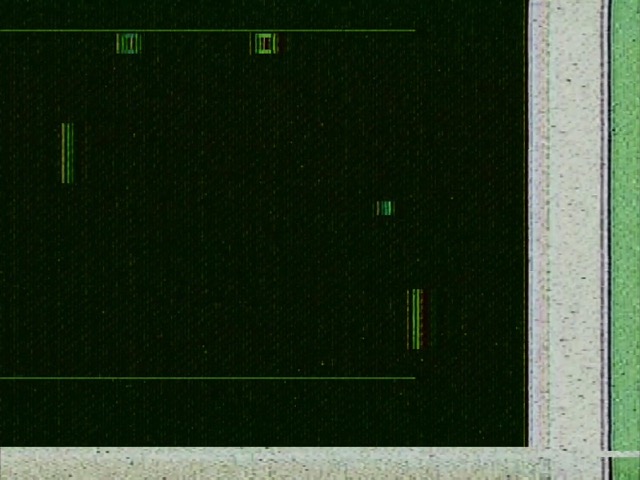
But I got this:
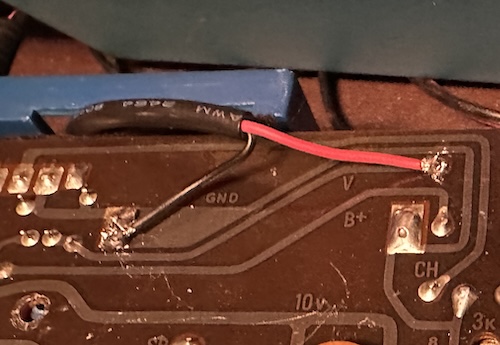
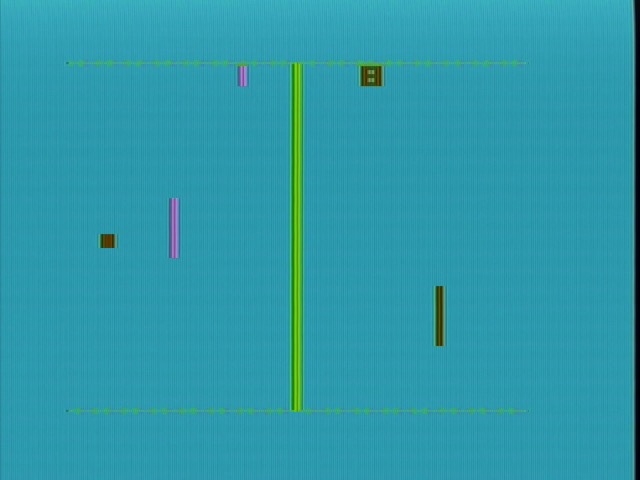
Clearly a picture signal, but also something has gone seriously wrong with the sync timing. I’m not sure if this is because the Akai is failing and needs a recap, or the TV Jack is failing and needs a recap. For now I’ll put it aside, because SlyDC on the AtariAge forums happened to note that the TV Jack 5000 can be very easily composite modded, without need for a circuit at all.
So this always feels a little dirty to just wire up a little tail directly to the RF modulator input, but with the system not having an easy 5V for my amplifier chip, it seemed like it was worth a try. On the PCB, the video signal is labeled “V”.
Games
Bandai only released four cartridges for the system, even though General Instrument offered seven “superstar” games. The three they excluded were “Superspace”, a Computer Space-type game, “Submarine”, a shooter between a submarine and a destroyer, and “Rifle”, a lightgun game, as Bandai left off the gun port.
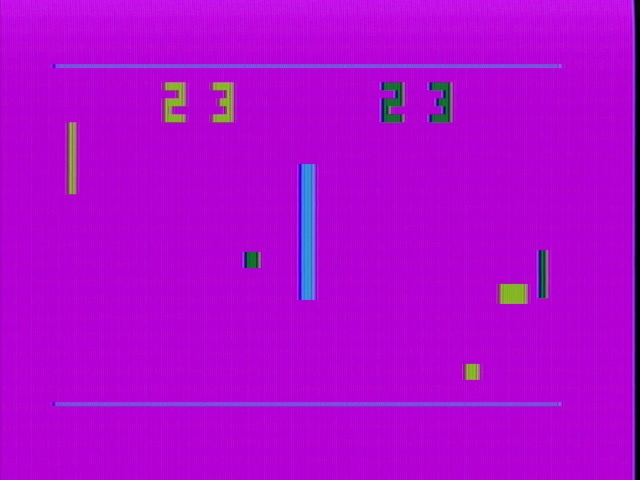
Of the four, I have two. And they’re probably the less interesting two. Like all the games in the GI 8600 “Superstar” series, they’re in the category I called “digital Pong”, games put together of counters and hardwired logic, without a microcontroller or CPU governing things as in the Cassette Vision and RCA Studio II.
No. 1: Ball Game
No. 1 Ball Game is Bandai’s branding of the AY-3-8610-1 “Superstar” chip. This is the advanced General Instrument Pong-on-a-chip, so the gameplay is basically identical to every single AY-3-8610 console. Go to the Pong-Story rarity list and search AY-3-8610. There’s a lot. (I guess being NTSC makes it a little more rare?)
This is the more advanced version of the AY-3-8500 Pong-on-a-chip. As you might have guessed from the joysticks the TV Jack 5000 features, many feature two-dimensional motion, meaning the General Instrument crowd finally caught up to Magnavox. (They were all paying for their patent rights, after all)
Some of these games are a bit more sophisticated than their counterpart. Hockey now features adorable little goals. Notice that in the games where you have two paddles on each side, one is fixed horizontally and only follows the vertical motion (representing the goalie, I suppose) and the other can move both horizontally and vertically. In some games like Pong, your paddle can not cross the center line.
Prefer the old-style gap in the border? Don’t worry, Soccer has got you covered.
And sure, there’s also a Basketball-like game (which is about as confusing as the Atari Breakout inspired one, but now has vertical paddles) and a bunch of one-player variants. But for my money, the most interesting of the bunch is Gridball, a reverse Pong game.
There are also a two target shooting games. Unlike on the AY-3-8500, these are not lightgun titles. Instead, you use your joystick to control pointers and then press the fire button. One-player and two-player modes exist. It’s interesting enough and works better than the strange Nintendo “Shooting Game”, but isn’t necessary now that we have the Atari 2600 version of Crossbow.
Because the AY-3-8610 was so widely used, this is the most accessible set of games. Like, seriously, any of them will do; if they don’t have the AY-3-8615, it’ll just be in monochrome. (And if it uses the AY-3-8600 instead, it won’t have the target shooting games) On PC-50x consoles, this seems to be frequently branded “Supersport”.
No. 4: Block 10
This is Bandai’s branding of the AY-3-8606-1 game, which GI branded “Wipeout”. Honestly, I could’ve included this title in my “Breakout Battle” post, because this is in fact a Breakout clone. Or a cousin at least– this one’s 10 variations are a little more unique, at least.
That’s right, Block 10 is a horizontal rendition of the game, much like Steve Wozniak’s Little Brick Out on the Apple ][. I’m not sure why this isn’t more common for rendering Breakout on a horizontal monitor, honestly. Pretty much all the game modes here would be better with a paddle, as they don’t have two-dimensional motion, but you can’t always get what you want.
What you can get is this neat two-player battle Breakout with walls on either side. The goal is to break through your opponents barrier without letting them break through yours. I guess this is just Pong on easy mode, but it’s pretty cool regardless.
The bulk of the ten game modes, though, are variations of this Breakthru-like game. The ball passes through these dots without stopping. In the below mode, the goal is to collect all the dots of your color before your opponent can collect their dots. The ball changes to the color of your paddle after it bounces off of it, and you can only collect dots if your color ball passes over your color dots.
This particular mode, where there’s a line in the middle that you have to bounce around, is honestly more trouble than it’s worth when it gets to the latter ones. Bouncing the ball to the far targets is a pain. There are a few other equivalent modes, including one-player, and modes without the line and where both sides compete to collect the same dots, and those are more fun.
One thing you might notice is that the color selections are pretty similar to the other game. But this should make perfect sense: the color chip is shared for all games on the TV Jack 5000, so you’ll get the same color palettes for games that have the same button mapping.
What about the other two games?
No. 2. Road Race - A variant of the Highway-type game, also seen on RCA Studio II, but with two roads for two players side-by-side. Actual car sprites! GI calls this “Road Race”, and the chip the AY-3-8603. Apparently this also has some more sophisticated road sounds rather than just the beeps.
No. 3 Stunt Cycle - GI just calls this game “Cycle”. The GIMINI catalog I have calls this the AY-3-8765, but there’s also another variant of this chip, the AY-3-8760, floating around: I don’t know what the difference is, but presumably the 8765 is later because the number is bigger. This one’s a clone of the Atari game Stunt Cycle, and it’s good enough at that that Atari used it in their own home Stunt Cycle console. (Sold as Motocross at participating Sears retailers)
Jack is here
The TV Jack 5000 does not usually get the credit as the first Japanese cartridge-based console, likely because of its massive technical dependence on General Instrument chips. It’s probably one of the nicest PC-50x-type consoles for the American audience, though, since it’s NTSC. If I can find an AY-3-8750-1 chip somehow, it might be nice to create a forbidden Superspace cartridge.
In general, I find the AY-3-8615 console concept (PC-50x, TV Jack 5000, whatever you want to call it) very interesting. It’s a device that only could make sense economically for a narrow window of time, so it’s cool that it got made: having the game in the cartridge, but the color for the game in the system. Even the µPD777 was able to justify having color and game in the same chip.
The TV Jack 5000 was succeeded by the Bandai Supervision 8000 (sometimes TV Jack 8000) in 1979. This was a real ROM cartridge based system, combining a Z80 CPU with a Motorola 6847 graphics chip (yes, the same one used in the Tandy Color Computer). Is that one Japan’s first console? Look, just accept it was the Cassette Vision and call it a day, I don’t want another Motorola 6847 in my house.
]]>The Bare Minimum Beats: Panasonic’s RD-9844 Rhythm Machine2024-08-11T08:07:00-04:002024-08-11T08:07:00-04:00https://nicole.express/2024/panasonic-the-hedgehogRecently I’ve had a bit of a fascination with rhythm machines. Not the computerized digital ones like that built into my old Yamaha organ, but fully analog ones. There’s something quite appealing about producing drum-like sounds with just discrete circuits of transistors, capacitors, and resistors. Let’s take a glimpse into a realm so analog that even discrete logic isn’t discrete enough.
Disclaimer: I barely know anything about music. Like, even less than I know about videogames.
An Analogue
In drum machines, “analog” seems to usually mean discrete electronic parts, while “digital” means recordings of instruments that are played back as PCM samples. Of course, today it’s pretty common to have PCM samples (or even more sophisticated recreations in emulation) of analog drum machines on digital machines– in that case I guess “analog” describes more the kind of sound. The kind of sound that might make the “pop” the Mockingboard outputs when you turn on the computer make you think, “hey that could be a drum”.
Well, it takes a little bit more than an audio pop to make a drum. But not that much more.
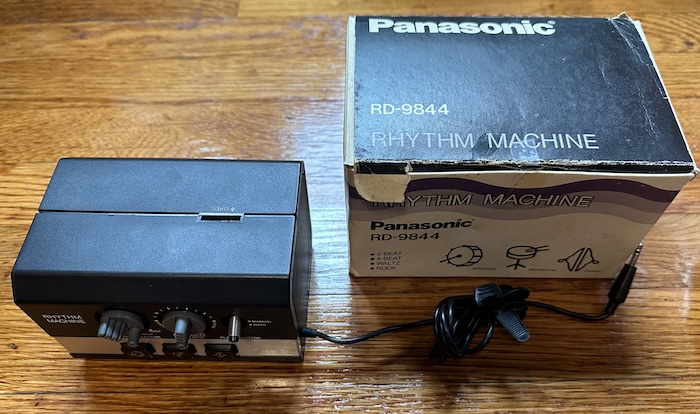
So for today we’re going to take a look at one particular analog drum machine: the Panasonic RD-9844.
And you might say, why the Panasonic RD-9844 and not something more well-known, like the Roland TR-808, probably the most well-known analog drum machine of all time? I mean, the RD-9844 doesn’t even let you create your own patterns outside of the pitiful four built-in.
The TR-808 has a microcontroller inside of it that allows for that pattern creation.
The TR-808’s more sophisticated sounds have more sophisticated circuits. A simpler device is theoretically more easily understood as a didactic device.
The RD-9844 has a service manual schematic that fits on a single page.
It’s fun to see how low-end designs solved complex problems with as few parts as possible.
And most importantly, the TR-808 costs thousands of dollars. The RD-9844 does not. (though on eBay people are already trying to get too much for it)
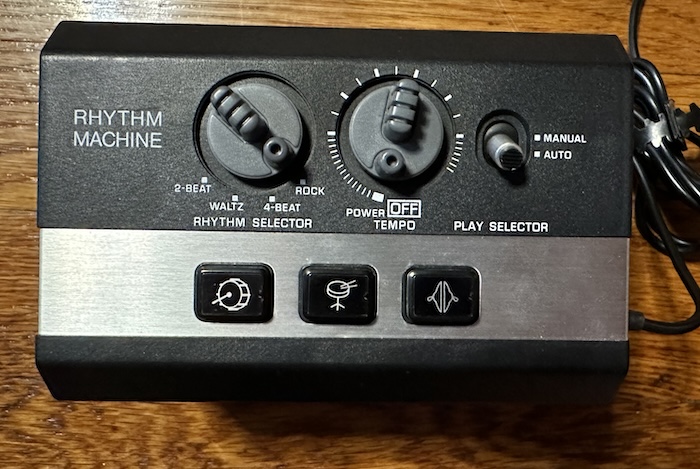
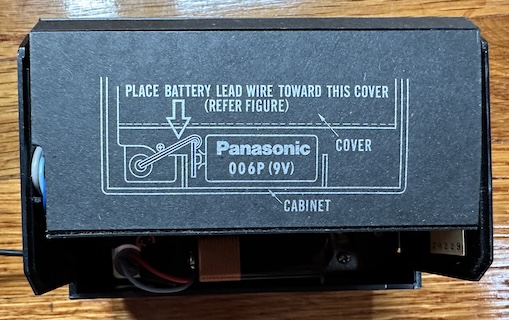
The Panasonic RD-9844 is powered by a 9V battery, with no option for a power plug. A hardwired mono 3.5mm “minijack” plug has the music output on it; mine came with an adapter for 3.5mm to RCA, and I’ve seen the same molded plastic adapter in online listings, so I think it must have come with it. They’re not expecting 6.35mm jacks, which probably says something about the expected users.
Let’s take a quick listen first. Here’s the “rock” preset, which is the most complicated of the bunch. Someone at Panasonic really likes those noise drums, but it’s not just that.
Using the RD-9844
So let’s break the functionality of this simple machine into two parts. A drum machine, and a rhythm machine.
The drum machine
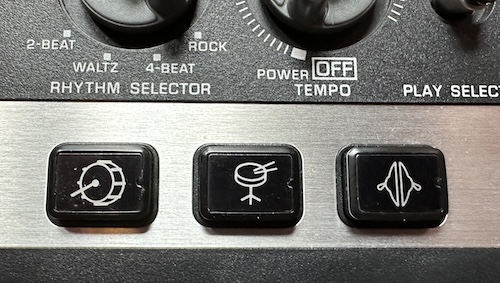
On the front of the Panasonic are three drum pads for the three drum sounds it’s capable of playing. Are they pressure sensitive? Look, I’m going to let you just think about that. Of course they’re not. Be lucky you have them at all.
Bass: it’s not all about it
The first sound worth looking at is the bass drum. Not only is it furthest to the left, and I read from left to right, but this is also the simplest sound that the machine offers. It’s just a decaying wave, triggered by an input pulse.
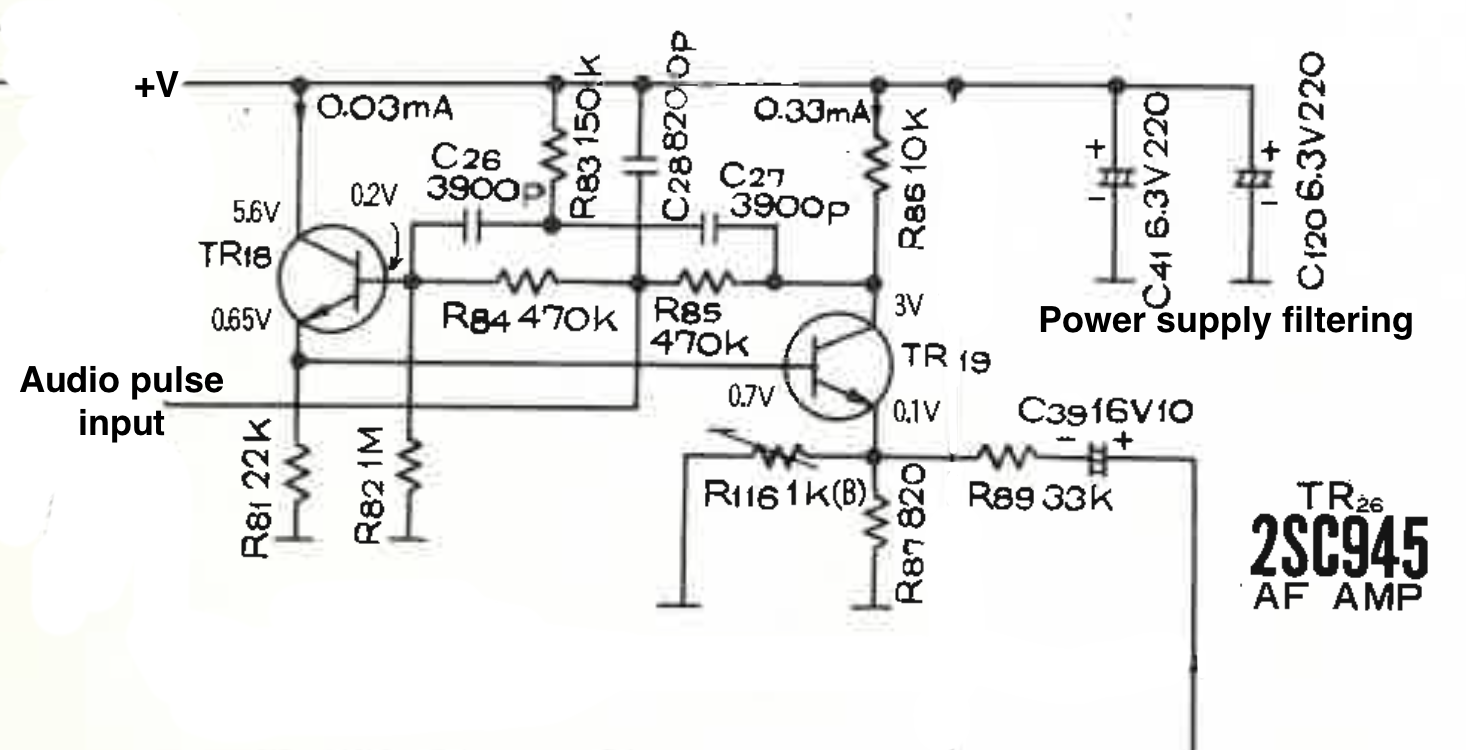
Here’s an attempt by me to take the schematic, and reduce it to the part that’s only relevant to the bass drum. The audio is input as a pulse generated when you press the button, and the output goes down to the audio frequency amp (AF AMP). This is all transistor logic; the main thing to remember is that on a transistor, if there’s current at the “gate”, current will flow through the other two transistor pins.
This is a two transistor oscillator. I’m not an expert at analog electronics, but my understanding is that the pulse goes in, and excites the gate of transistor TR18, but only insofar as the RC circuit allows. This allows current to flow through that transistor and through R81 on its way to ground. In turn this current flows through the gate of transistor TR19; this allows current to flow back through R85 and R86 into the gate of TR18, but the additional filters means less and less current flows each time.
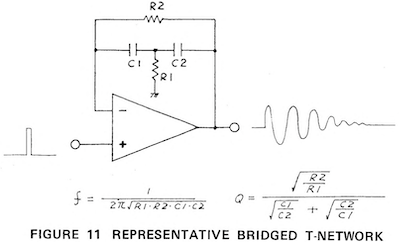
For a comparison, here’s the service manual for the aforementioned TR-808. The TR-808 uses an entirely different setup, with op-amp feedback forming a “bridged-T” network, with the same goal of producing a decaying waveform. (thanks to Mickey Delp’s “Anatomy of a Drum Machine” article for pointing me in this direction)
But this makes sense. The Panasonic circuit is simpler, being built out of discrete transistors rather than an op-amp IC, but doesn’t offer as much room for tuning as the TR-808 bass drum does and produces a simpler sound. I’m not sure if Roland had patents on the bridged-T technique, but op-amps were still a rapidly developing technology at the time of this machine.
Cymbal: Out of order
For a cymbal crash, the engineers at Panasonic went pretty straightforward: the trigger pulse is extended out and combined with noise. And that’s it; a burst of noise, filtered a bit by an LC circuit. This is a pretty simple way to do it; the TR-808 is much more sophisticated, combining and filtering the sound of six oscillators. But that’s why it’s funny to compare the two.
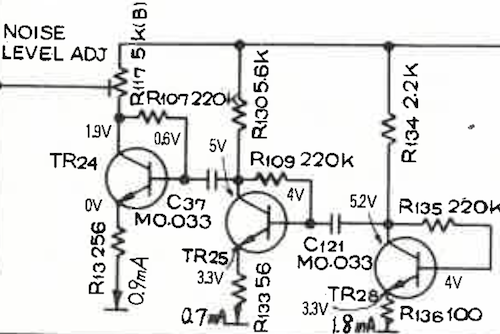
The data sheet specs the “noise generator”, TR28, and two “noise amplifiers”, TR24 and TR25. All transistors have some noise, and the 2SC945 mentioned for the noise generator is noisier in its datasheet than the 2SC828 in the amplifiers, but it’s not fatally so; 2SC945s are also specced for the bass drum oscillators above. (The TR-808 is notorious for supposedly using faulty transistors in its noise circuit, giving analog lovers justification to insist it can never be recreated)
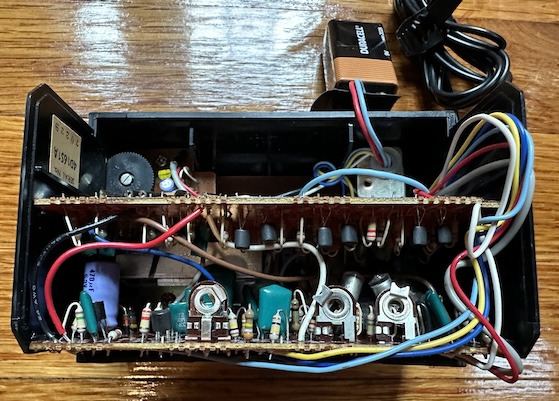
So now I wanted to crack open the circuit and take a look at the transistor setup in person. Now, unfortunately, it turns out that taking this apart is a bit of a pain. What should’ve been obvious to me: this is a compact box filled with discrete parts sold at a low cost. Multiple hand-routed circuitboards connected by various soldered wires. Despite the existence of the repair manual, repairability was not the priority.
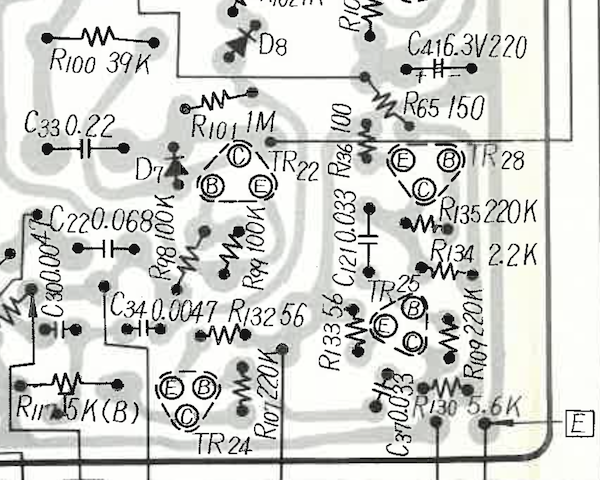
Here’s more from the service documents, showing the corner of the lower circuit board where we should find the noise circuit. You can see TR25, C121, and other familiar elements from the schematic.
Get your bearings straight; the above diagram is the underside of the circuitboard, while I’m about to show you the top. See TR24 at the left of the variable resistor.
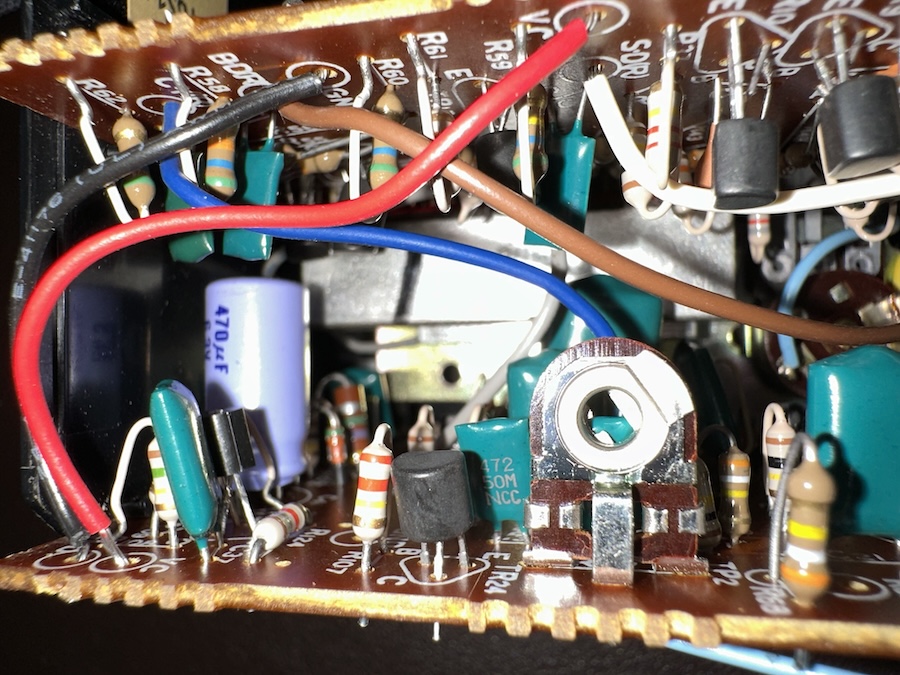
You can see what appears to be TR25. But that 470µF capacitor doesn’t match the value for C121, and behind it is what looks like a diode, not a transistor TR28. TR28 doesn’t seem to be there at all.
My guess is that this must be a later revision of the board, which uses a Zener diode to generate white noise rather than the transistor; maybe Panasonic found it difficult to find transistors with suitable noise behavior. (“Sorry our transistors are just too good” is an interesting problem to have)
Just another reminder to never fully trust service manuals, especially if there are multiple models.
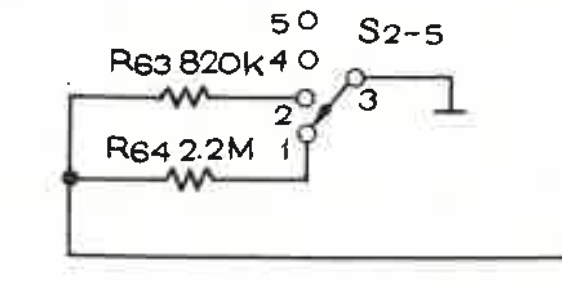
Before we go, let’s take just one more look at that cymbal circuit. From the four-way rhythm selector switch (which turns out to have a ton of contacts), there’s one set of contacts that goes over to the gate of the cymbal, controlling a resistor to ground.
The gating of the cymbal noise (and thus the length of the noise) varies based off of what rhythm you have selected at any given time, even when you’re using manual drum mode. “2-Beat” and “Waltz” are the same, while “4-Beat” and “Rock” have their own versions, both slightly shorter, with 4-Beat shortest of all. Here they are from left to right.
Snare: More like snore?
After all the excitement with the cymbal and bass, we’ve actually seen all the tricks this little drum machine has to offer to generate sound. The snare just combines the two.
It has its own dual transistor decaying oscillator with separate values, and on top of that, its own unique gating (without any per-rhythm variation) to add some noise from the same noise generating circuits. These two components of the snare sound are entirely separate circuits; in fact, if you hammer on the snare button, sometimes you can trigger one but not the other.
These two parts are actually mixed at the same time as everything else; people like to mod vintage drum machines like these to add discrete outputs for each sound, but in this case you could find yourself with four separate outputs.
The rhythm machine
The TR-808 uses a microcontroller to trigger the beats to a user-defined pattern. So we’re done talking about the 808. For the most part, pre-microcontroller analog drum machines, even very nice ones like the Roland TR-77, were limited to preset rhythm patterns. (yes yes your Ace Tone FR-15 is very special) Usually more than four, but this is a pretty low-end machine.
The difficulty of having a number of discrete steps, one after another, shouldn’t be understated. This is what computers were (and still are, unless you get too funny with your out-of-order execution) really good at, but in the analog world, everything happens at once. In fact, the earliest drum machines recognizable as such, like the Wurlitzer Sideman, used a mechanical rotating disk to trigger each step in their patterns. (The arrangeball has a similar mechanism inside, I swear I haven’t forgotten about it)
But the Sideman was made for the vacuum tube era– we have transistors. A big motor and moving metal-on-metal parts might be preferable to using ten tubes’ worth of logic, but ten transistors is far preferable.
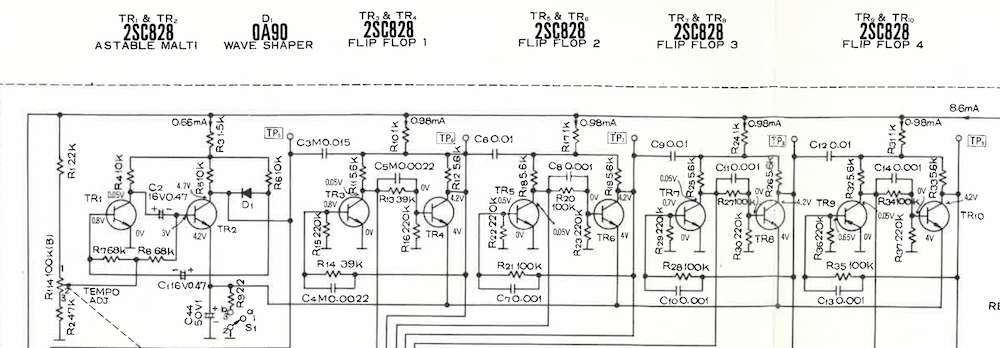
That’s a lot of logic at first glance, but it’s all well labeled. The one thing you’ll need to know is what a flip-flop is; it’s esssentially a single bit of memory, which can be flipped on or off.
TR1 and TR2 form an astable multivibrator (or a “malti” vibrator– let she who has never made a typo cast the first stone), which is to say, an oscillator. The variable resistor attached to the tempo dial.
TR3 and TR4 form a flip flop triggered off of the initial oscillator. This essentially divides the frequency in half.
TR5 and TR6 form a flip flop triggered off of the TR3,4 flip-flops. A flip flop has two outputs; Q and Q', which is just the inverted version.
TR7 and TR8 form, you guessed it, another flip-flop, triggered off of the TR5,6
Finally, TR9 and TR10 form the last flip-flop.
What this makes is essentially a five-bit binary counter (Digital logic! Our analog purity is gone); each cycle has 32 values in succession. You could also see it as 5 oscillators, each with a frequency half of that of the last. On something like the Rhythm Ace FR-2L, these counters would then enter a “diode matrix”, a grid of diodes where certain signals would be allowed to pass, and that’s what I expected to see on the Panasonic.
So let’s take a look at the schematic again.
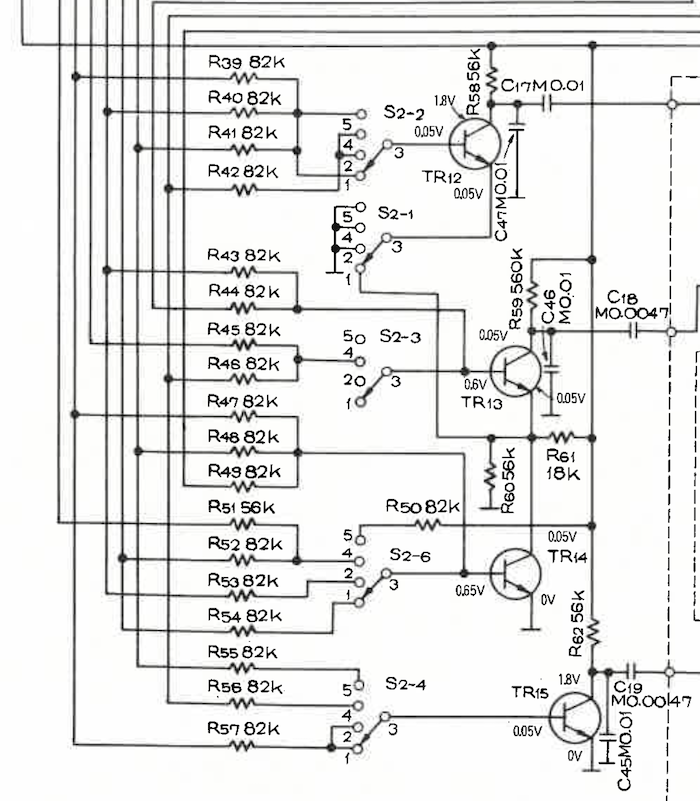
In reality, what we see is a resistor matrix. I guess the resistors are sized such that any signal would be sufficiently dissipated if it passed through multiple resistors, but this is a pretty big cost-saving move. I wouldn’t be surprised if ensuring the resistors cause no issues also played a role in choosing the patterns.
There are three wires going out; from top to bottom, these are the triggers for the bass drum, the snare, and the cymbal, respectively. The various switches labeled S2-x are the rhythm select switch; all of these switches are “ganged” and move in unison, but aren’t connected “across” the switches. We’ve already seen S2-5 above.
What do the transistors do? I’ll go from bottom to top.
TR15 is easy mode. When current flows at the gate, the cymbal fires. Notice that the two bottom inputs of S2-4 are connected; “4-Beat” and “Rock” have the same cymbal patterns.
TR14 I’ll call the “control” transistor. This transistor doesn’t control anything directly, but if it’s not active, it blocks the path to ground for other transistors.
TR13 is the snare drum transistor. Its path to ground is always blocked by the TR14 “control” transistor, so both transistors need to fire for the snare drum to fire. You might notice its gate is actually hardwired, the switch S2-3 only matters for the “Waltz” preset.
TR12, the bass drum transistor, is a little more complex. Notice that S2-1 is grounded for every option except “Rock”. This means that for the other three patterns, it’ll act the same way as the cymbal transistor: signal on the gate, bass drum fires. But for Rock, the path to ground passes through TR14, so it acts like the snare, needing current to be flowing at the gates of both TR12 and TR14. (I think R60 is high enough resistance that it doesn’t matter here, and is probably just to avoid anything floating)
The role of the control transistor is a lot like an AND gate. Both TR14AND TR13 need to have current for a snare drum to fire. For the “Rock” preset, both TR14AND TR12 need to have current for a bass drum to fire. With this logic in place, you can trace out all the beat patterns.
Waltz
The “waltz” mode is the most interesting one. Not because I’m a huge fan of the waltz, but because of the time signature. Every other preset has an even number of beats per measure. 2:2 time, 4:4 time, it doesn’t really matter– what matters is the number of beats fits cleanly into 32. But a waltz practically by definition is 3:4 time– three quarter note beats per measure. No total number produced by a binary counter is divisible by three, and that includes 32.
So I assumed that logically, there must be some sort of logic to reset the counter early, yet I didn’t see any on the schematic. But let’s take a look at the times of the Waltz preset in my recording.
t (s)
t / ttotal
(t / ttotal) * 32
Beat 1
0
0
0
Beat 2
0.85
0.35
11
Beat 3
1.69
0.68
22
Next
2.46
1.00
32
And we see that the RD-9844 just sacrifices exact timing instead. Going up to 32 means that it’s only a little bit off, a single 32nd note. That’ll still add up over time, and it does sound just a little off to me. And yet I’m fairly certain this “Waltz” preset is the only thing that uses the least significant bit; the other three patterns just use the 16-value or fewer counters.
It’s worth noting that while all these timing systems work, I notice that if you hit the buttons while the presets are playing, it can foul up the timing, or even just switching between presets will sometimes fire a drum. (Especially likely with “Waltz”, for some reason) So this is clearly built to a price; some reliability is sacrificed in favor of low-cost.
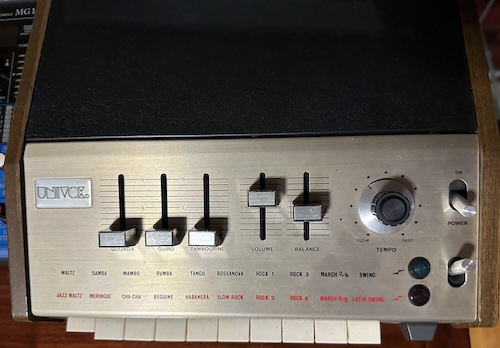
I actually have another vintage analog drum machine, the Univox SR-95, the US rebadge (with some tweaks) of the Keio (Korg) Mini Pops 7. (Used by Jean-Michel Jarre in Oxygène, among others) I got this for my organ playing, but if people are interested, it might be worth taking a look how a higher-cost machine solved the same problems.
Panasonic RD-9844
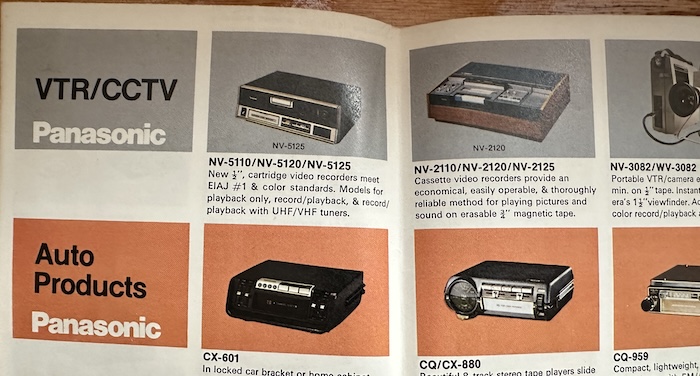
I’m not actually sure when the Panasonic RD-9844 came out. Mine came with a box and a Panasonic catalog, and I notice that they’re advertising the NV-2110/NV-2120/NV-2125 “U-Vision” (Panasonic’s branding for U-Matic) videocassette system, as well as the NV-5110/NV-5120/NV-5125 video recorders, which I believe used a different system. The NV-5130 is presumably not out yet, and Radiomuseum dates that model (with two question marks) to 1976. So at least this one probably dates to the first half of the 1970s. Pretty modern design for then, with the black and silver plastic. (That’s half a decade or more before the TR-808, for those taking notes)
The Panasonic catalog in itself is a lot of fun. Panasonic basically sold everything in those days, so if you liked their rhythm machine and now wanted a VCR, a color TV, a refrigerator, a vacuum cleaner, a car stereo, or a washing machine, they were hoping that they could sell it to you. Even a personal massager, if you’re worn out after a long day of pushing your Panasonic vacuum cleaner around.
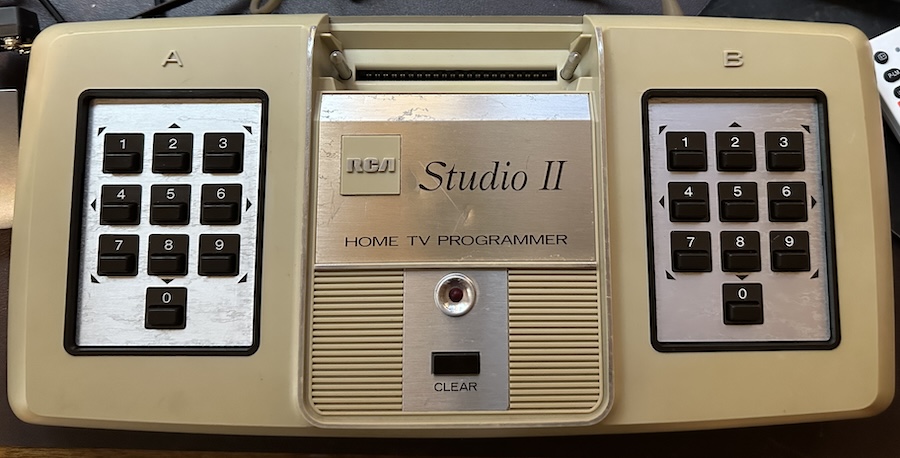
]]>The RCA Studio II in Living Monochrome2024-07-28T10:24:00-04:002024-07-28T10:24:00-04:00https://nicole.express/2024/studio-two-part-twoRemember the RCA Studio II? A chipset with a fascinating history and enthusiast cred put into the service of the most disappointing game console of 1977. But mine didn’t work at all– well, that hasn’t changed. But thanks to partlyhuman (Roger Braunstein), creator of the Floopy Drive, I now have two RCA Studios II. One of them might even work, so now we can try out the games here.
But first
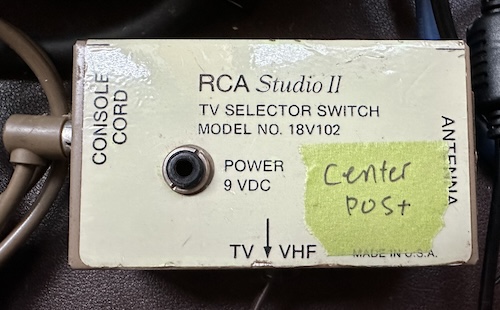
I mentioned in passing in the RCA Studio II post that the console was powered by its RF switch, but I didn’t have the switch then to show off. Now, I do:
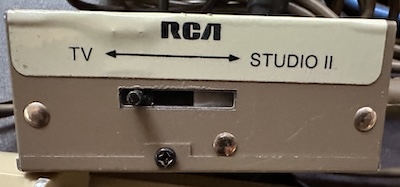
One thing you might not know is that generally, these switches have no smarts at all; the RF modulator inside the game console is what actually modulates the signal onto the channel. The switchbox’s job is just to provide a connection to the TV, and allow the user to also watch TV sometimes. Most of the time they’re all interchangeable.
But this one’s an exception, because it provides power over the RCA cable. (Of course RCA would do a clever thing with an RCA cable) It also expects that power through a 3.5mm jack. Roger included a 3.5mm to barrel jack adapter, so that note on the adapter is just a reminder that with the adapter this needs center-positive. 9V center-negative is way more common on old game consoles, so this is a welcome reminder to avoid me blowing something up.
In this case, the switch to go between TV mode and console mode also turns on the power to the console, which doesn’t have a power switch of its own. When it turns on it beeps for just a second– this may be a useful sign for my other RCA Studio II, where the beep stays on indefinitely.
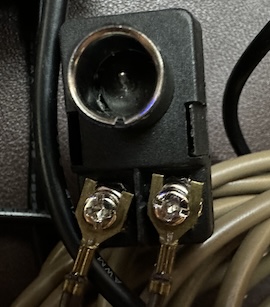
Finally, this particular RF switch outputs to 300Ω “twin-lead” antenna cable. However, twin-lead is now not used too often (it’s more interference prone, and not as well suited to higher UHF frequencies), and by the 1990s TV antennas had switched to 75Ω-impedence coaxial cable. Twin-lead is a “balanced” connection (the two conductors are equivalent to each other), and coaxial is “unbalanced” (one conductor carries the signal and the other is a shield), so we need what’s called a “balun”– a small transformer that goes from balanced to unbalanced.
And we have picture! Yep, the RCA Studio II does indeed boot to a blank screen– and now you also understand why I always go for video mods on these RF-only consoles when I can. My terrible RF2AV box is having a hell of a time trying to catch even this black screen, and when there’s pictures it’s even worse– but given the issues I had with my first one, I want to go through the games before I start trying to mod this one.
Take a look, it’s in a book
To understand how to use the RCA Studio II, it’s a good idea to read the manual. Once you do, you’ll find out that the RCA Studio II contains a lot of built-in software, the only major advantage it offered over the Atari 2600 (which has none) and the Fairchild Channel F (which has two Pong-like game variants).
The creative games
These first two games have something in common: they’re the reason I said “built-in software”, not “built-in games”. (Though RCA calls them all games, so whatever) See, while video game consoles had existed in the US market since the Magnavox Odyssey in 1971, they were still a pretty niche product– there were a lot of people to whom the concept of being able to control pictures on the family television was still a novelty in and of itself.
Or at least, that’s what RCA was hoping.
Game 1: Doodle
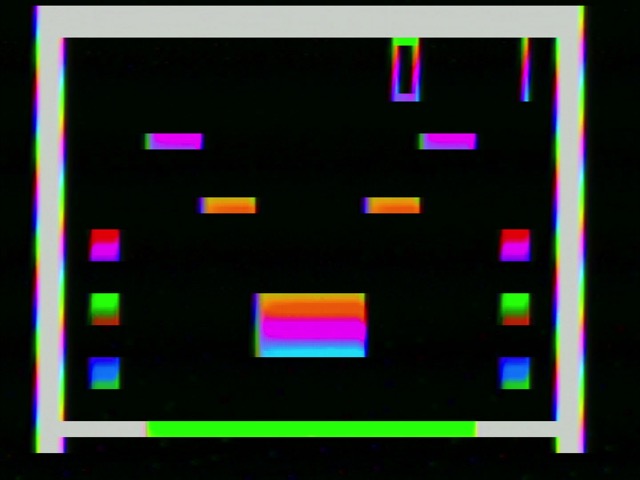
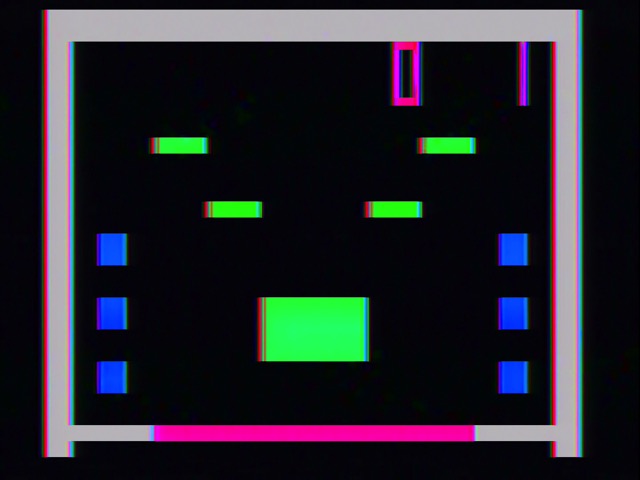
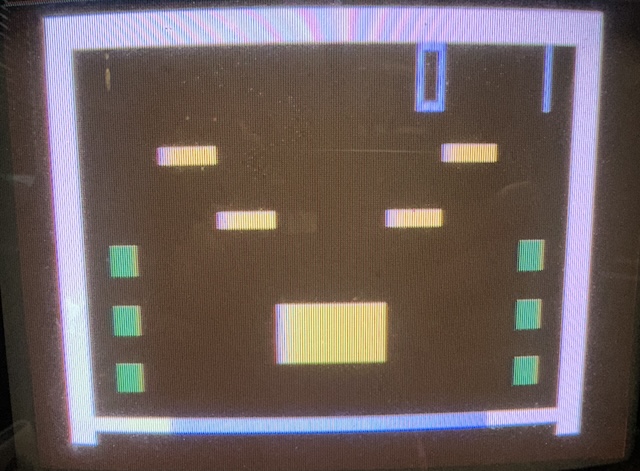
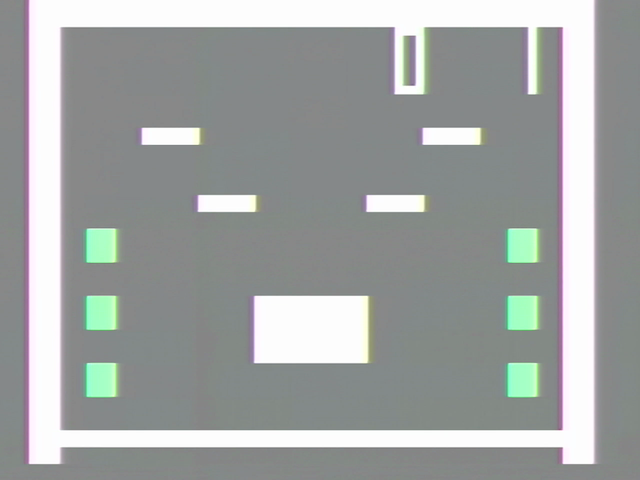
With Doodle, you can control a single pixel with the keypad on the “B” side of the console. And because it’s a genuine RCA Studio II™, it’s a big chunky pixel. That’s RCA’s promise to you.
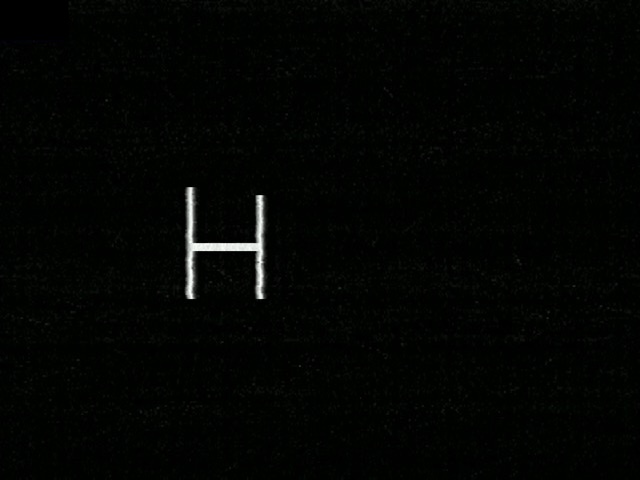
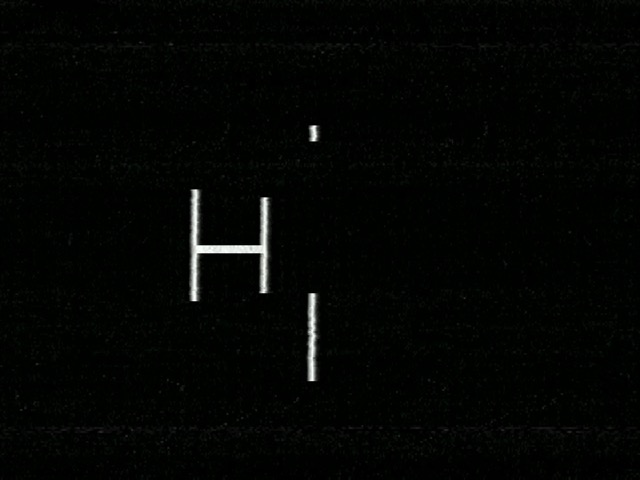
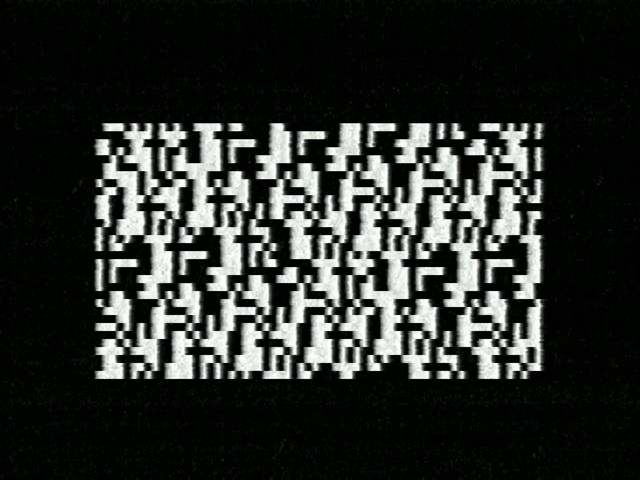
Plus, you can start drawing lines and things on screen with the “5” key to start writing, and “0” to stop. I started writing the word “HI”, but then the screen lost sync after I wrote the H, so I tried writing the I without looking at the screen.
Nailed it.
Game 2: Patterns
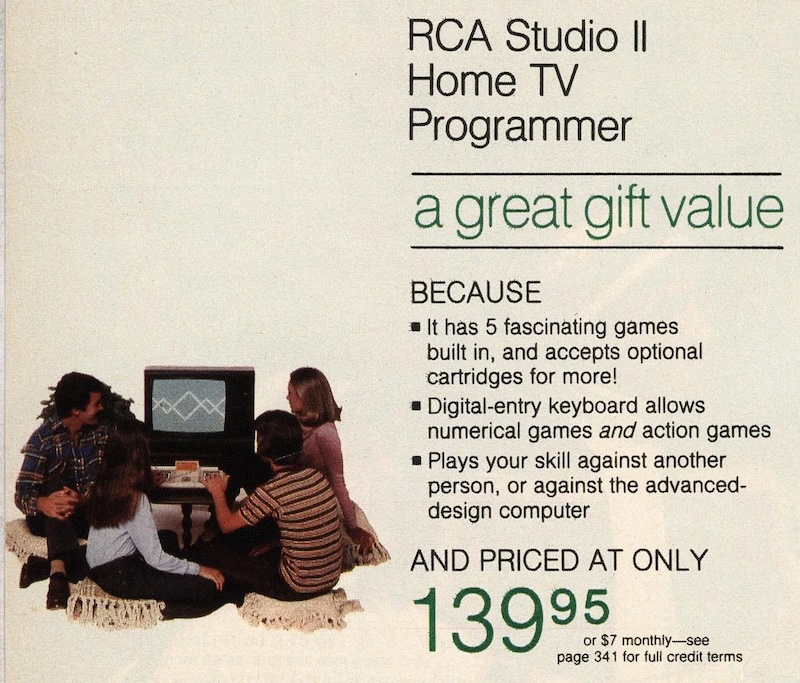
This is the one RCA thought was worth advertising, so it’s got to be a good one.
Essentially, you draw a few pixels on screen using the control pad. Then, press “0”, and the advanced-design computer inside your Studio II will take it from there, moving in various lines inverting pixels as it goes. Here’s a video of what that can look like.
Feel free to use that for your experimental music video. And here’s a shot of what that pattern looked like about a minute later.
This one is actually surprisingly fun. At least a few seconds of fun, rather than the one second of fun Doodle offers. Let’s go into the actual games.
The actual games
RCA offers built-in examples of all three genres: sports, racing, and edutainment. Truly the Studio II provides a level of gaming enjoyment that won’t be surpassed any time soon, and definitely hasn’t already been surpassed.
Game 4: Bowling
Bowling for the Studio II is probably the game that takes the most advantage of the system’s graphical capabilities, to the point where the manual recommends using it to test your television and calibrate it for the console.
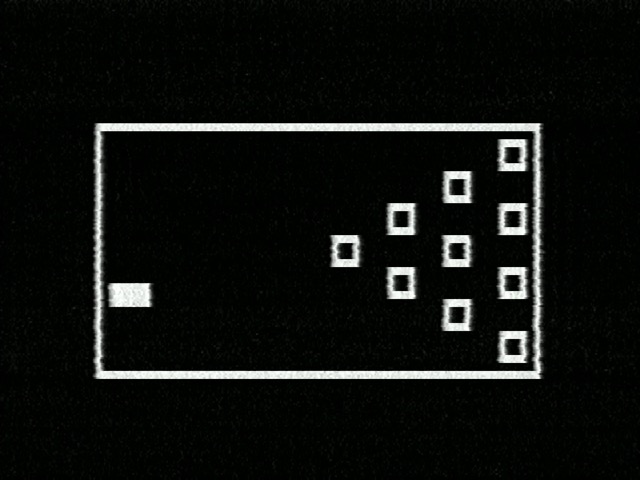
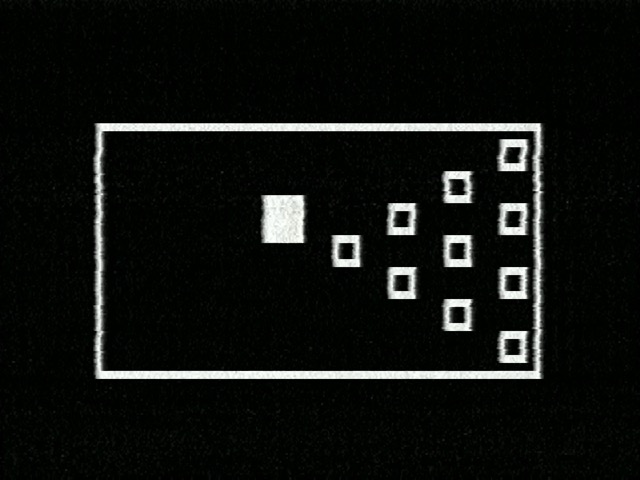
And yes, the ball is square. The rectangle here is because the Studio II’s graphics aren’t synced to the game code at all. Take a look at the pseudo-assembly that RCA expected developers to use; there’s nothing to synchronize. (It does have 60Hz counters, but I don’t think anything used them for synchronization) So it’s very possible for the screen drawing to interrupt mid-sprite drawing.
Bowling is always a two-player game, just like real bowling. You have two tries to hit all the pins down; the ball moves up and down on its own, and when you click a button, you will move the ball either forwards (button “5”), or forwards with a curve upwards (button “2”) or downwards (“8”). Here’s what that looks like in action. F01 stands for “frame one”; real bowling afficionados will know that a round in bowling is called a “frame”. That’s what makes this so realistic.
I think the limited curve options is what really reduces the interest in Bowling. But the ball moving up and down might be the one of the earliest examples of the “timed button press” mechanics, which is pretty cool.
Game 5: Freeway
Freeway is a pure real-time action game. As the Apple ][ shows us, you don’t need a timer interrupt to do a real-time game. Freeway shows us that you also don’t need to use the full screen.
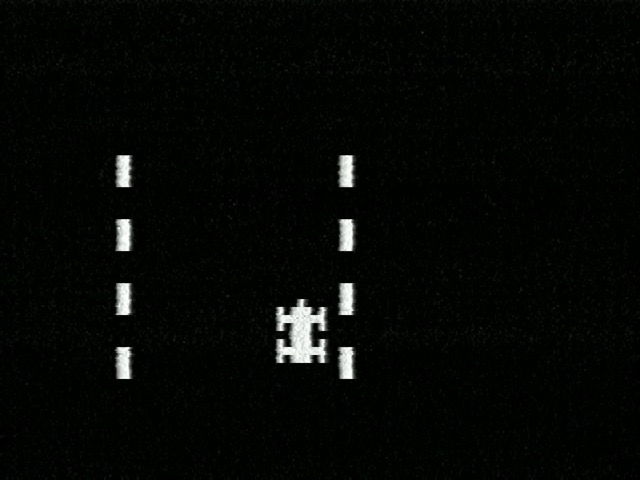
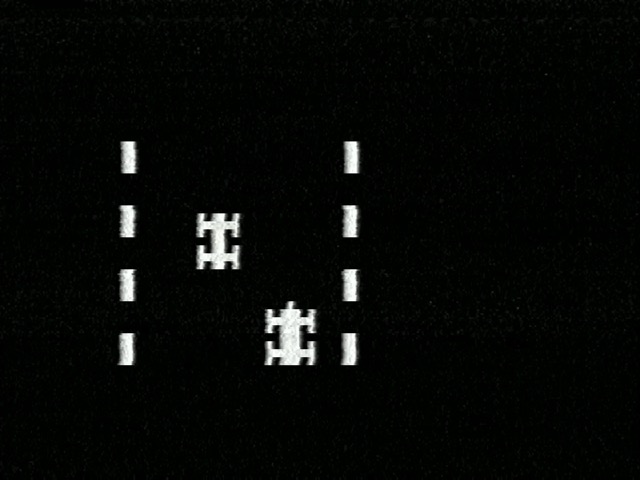
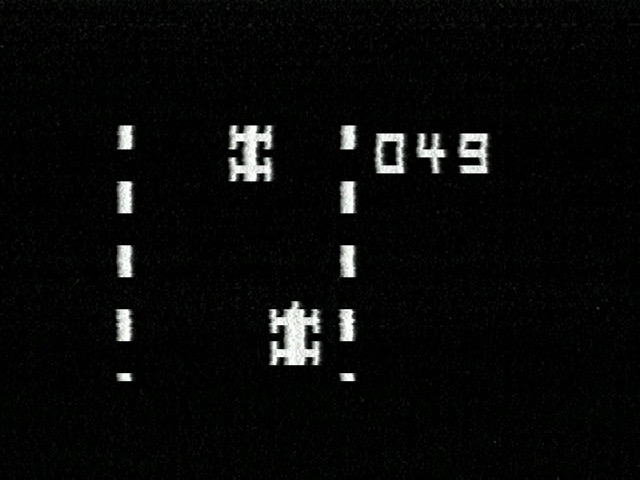
You control a car, and uniquely for the built-in titles, you use both control pads. The left one, “2” and “8” move your speed up or down, in some kind of ersatz substitute for a gear shifter. On the right one, “4” and “6” move your car left and right. It’s a bit odd that they didn’t use the left hand for driving and the right hand for doing something kind of like gear shifting, but hey.
There is one other car on the road. Your car is always at the bottom of the screen; the other car is computer-controlled, and will try to aim in and hit your car. It’s extremely difficult to dodge.
Thankfully, hitting the other car doesn’t cause you to lose or restart. This game is a pure time trial, and your goal is to get a better score. Hitting the car just causes you to slow down to the lowest speed, and for the console beeper to complain.
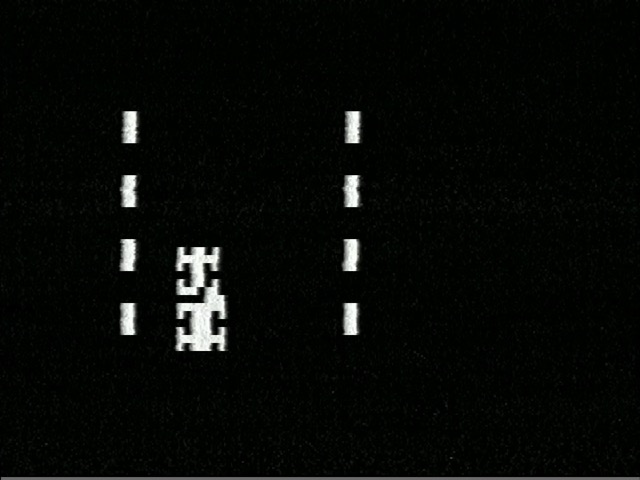
By the way, notice how the parts of the two cars that intersects are inverted? The Studio II’s pseudo-assembly interpreter uses XOR to implements its software sprite system, so this is what you get when they intersect.
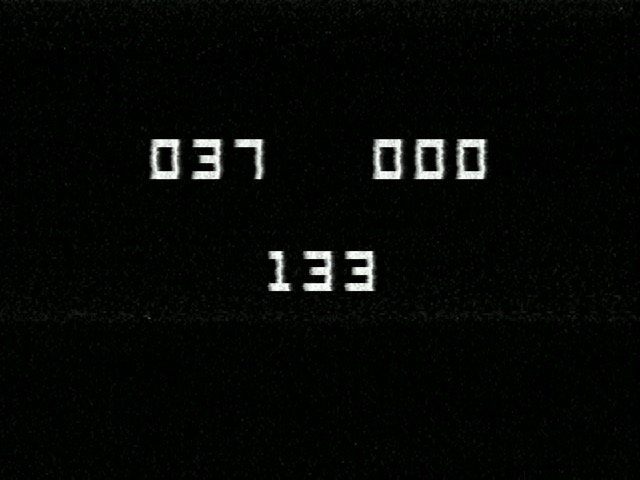
After two minutes of this, you’ll get a score.
Freeway and Bowling both echo common electro-mechanical arcade games of the 1960s; Freeway echoes Chicago Coin’s 1969 Speedway (licensed from Taito’s Indy 500), and Bowling echoes the “Shuffle Bowling” machines of the same period. These were a common well of inspiration for video games in this period, but it really does end up feeling like RCA had never heard of the existing video games. Of the two, I think Freeway is quite a bit more fun.
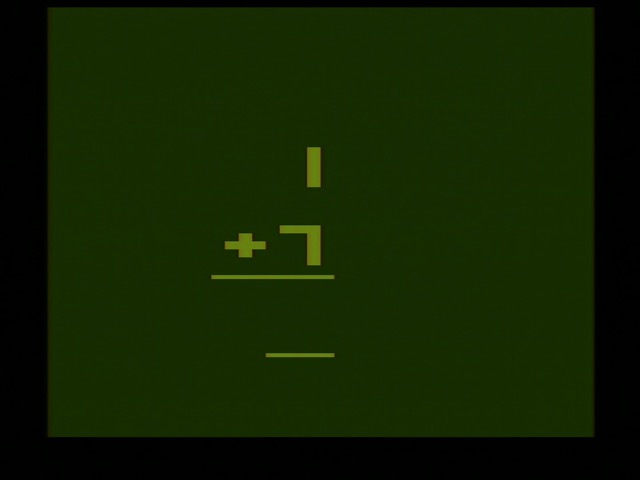
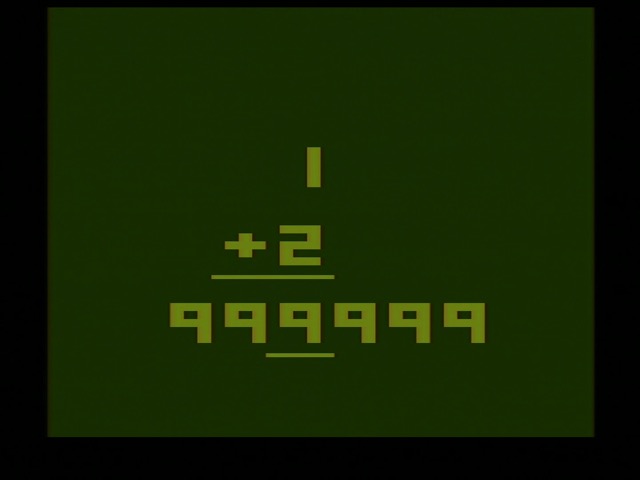
Game 6: Addition
In theory, a major advantage of the Studio II and the Channel F over the Atari 2600 is that with their bitmap screen displays, they should have a better time handling text and numbers. This should make them better for edutainment games.
Here’s RCA’s Addition. Notice there are three three-digit numbers. The top left one is the score of the left player. The top right one is the score of the right player. The three-digit number in the center is actually three numbers; your goal is to sum them up, and then press the number on the pad corresponding to the sum before your opponent does.
And now let’s compare it to what else was on the market, the 1977 Atari 2600 game Basic Math. Since Basic Math was sold separately we won’t judge Addition for missing multiplication, division, and subtraction. But just look at Basic Math in comparison.
Notice that while Addition requires you to read the manual to know what all its numbers mean, Basic Math makes it clear that this is a math problem by showing the addition sign and the equals bar underneath. In theory, a major advantage of the Studio II should be their bitmap screen display, but in practice the Atari 2600 can also display six numbers in a line, so does it matter?
Addition is a two-player game while Basic Math is one-player, so it does have that going for it. But honestly I’ve probably said far more than enough about these games, so let’s take a look at a cartridge. The same cartridge from the last post, in fact.
Game cartridge action
I have just one (1) cartridge for the Studio II– TV Arcade III. Archive.org has the manual. When you boot up the game console with the cartridge and press “CLEAR”, you’ll get the familiar Studio II home screen.
This is booting to the same internal firmware. However, now the buttons on the “A” keypad that previously accessed the built-in games will instead access the games on the cartridge. What did RCA do uniquely in their take on the well-treaded waters of Pong / Odyssey Table Tennis?
Game 1: Squash
Squash is a pretty common game on Pong consoles, but the only one in the eclectic set I looked at that had it was the Magnavox Odyssey 500, where it was called Smash. But in the Odyssey 500, it was a two-player game where two players took turns bouncing a ball off a wall.
Squash on TV Arcade III corresponds to the game that most AY-3-8500-based consoles called “Practice”; the goal is still to bounce the ball off of a wall, but only one player (using keypad “B”) can do so.
You’re really going to want to read the manual to get started with this one, as it’s a bit of a process.
Turn on the Studio II with the cartridge inserted and press “CLEAR”.
Press button “1” on keypad “A” to select Squash.
Select your racquet size on keypad “B”, using 4 for small, 5 for medium, and 6 for large.
Select the ball speed on keypad “A”, using 7 for slow, 8 for medium, and 9 for fast.
At that point, the game will start.
It’s a decent enough effort, and certainly means that I have one more excuse not to get an AY-3-8500, but TV Arcade III Squash suffers in a few ways that specifically come from being on the RCA Studio II, and not on a Pong console.
Controls are digital. Remember Nintendo’s first take on the Pong console also featured digital controls; having a selectable speed this time is nice, but Pong is much more fun with potentiometers.
The pixels are a strict grid. This means that the ball and paddles do not move smoothly; it’s quite choppy. Which is fine, but even an analog-style console like the Odyssey 100 could smoothly move the ball, so it’s a downgrade.
The one way that TV Arcade III puts its own spin on the Pong formula (pun intended) is with its own take on “English”. On Atari consoles, this utilized a segmented paddle to hit the ball at different angles. On the Magnavox Odyssey-like consoles, there was an extra knob to control the ball after you hit it. And here, the ball will curve after you bounce it, if you hit it while the paddle is moving. The curve is almost identical to the style seen in Bowling above and isn’t very realistic, but it does add a unique element without needing extra controls.
Game 2: Hockey
Hockey on the TV Arcade III is not like “Hockey/Soccer” on most Pong consoles; instead, this is just the default two-player Pong-like game, usually called Tennis. And it features all the same characteristics as Squash above: digital controls, a strict pixel grid, and “English”.
The strange startup dance on Squash makes a little more sense when you look at the version on Hockey.
Turn on the Studio II with the cartridge inserted and press “CLEAR”.
Press button “2” on keypad “A” to select Hockey.
Each player selects their racquet size on their respective keypad, using 4 for small, 5 for medium, and 6 for large.
Select the ball speed on keypad “A”, using 7 for slow, 8 for medium, and 9 for fast.
The reason you used keypad “B” for racquet size and keypad “A” for speed is that in Hockey, each player can choose their racquet size independently. This wasn’t a common feature in Pong consoles, but Nintendo’s Color TV Game consoles did have it.
What’s the RCA with you?
In my initial blog post, I described the RCA Studio II hardware as more interesting than the software. And I think I stand by that. This really is the interesting part:
That being said, I wouldn’t mind trying some more RCA Studio II games. (maybe Joyce Weisbecker’s game Speedway/Tag) Maybe eventually I will try to unlock the Pixie’s full-height graphics mode, even. But one thing’s for sure: I really need to do a video mod on this thing.
Thanks again to partlyhuman for the console!
A series on:The RCA Studio II
The radio company tries its hand at game consoles. Late to the market and with only monochrome graphics, how can I make this sound interesting?
The RCA Studio II in Living Monochrome
— An actual working machine, and a look at the built-in games and a cartridge too. (Possibly a Pong console post)
]]>The Epoch Cassette Vision: Definitely Not a Pong Console in a Trenchcoat2024-07-14T08:29:00-04:002024-07-14T08:29:00-04:00https://nicole.express/2024/cassette-a-novaThe evolution of consoles from single-game systems like the Magnavox Odyssey 100 to cartridge-based systems like the NES wasn’t a simple process. The original console, the Magnavox Odyssey, had something kind of cartridge-like despite having no CPU, ROM, or RAM. And the original Japanese cartridge-based console had more in common with the single-game TV Vader than you might think. It’s cassette time, with no magnetic tape reader required.
Not unprecedented
In 1977, a series of game consoles based off of the General Instrument AY-3-8600 series started to show up, especially in Europe. In fact, several consoles showed up, with differing cartridge slots, but all based off of these same chips. We tend to call them the PC-50x family. But the AY-3-8600 games are internal to their chip; therefore, the systems have very little internal logic. AY-3-8600 games are digital logic but no internal microcontroller or ROM.
Image from Wikimedia Commons, released into the public domain by user Fernando Sáenz
Several PC-50x-type consoles made their way to Japan, like Bandai’s TV Jack 5000. (Watch this space) But they’re not really at all remembered there, and even though they’re from companies like Bandai, because they depended on chips designed by US-based General Instrument for all of their gameplay, they don’t get much credit for the first Japanese multi-game cartridge-based console. That belongs to Epoch.
What is Pong?
There is a concept called “Pong consoles”– single-game consoles that provided games that were kind of like Pong, using a single chip or at least a dedicated Pong-specific motherboard. But this actually masks a bunch of options here.
Analog Pong - The Magnavox Odyssey, Odyssey 100, etc. Vertical and horizontal offsets, positions, etc stored as analog voltages and capacitor discharge circuits. Ralph Baer’s original “brown box” was apparently even implemented using vacuum tubes for that warm analog Pong feel. I don’t thing any of these were actually Pong-branded; Atari’s first Pong was already in the next category.
Digital Pong - Series of integrated binary counters. The Odyssey 500 was a digital-ization of the older analog Odyssey 100. The General Instrument games-on-a-chip and the Atari Pong arcade (discrete logic chips) and their Home Pong Pong-on-a-chip games fell into this category. Note that these are still hardwired logic, even if that logic is on an IC.
Microcontrollers - An internal processor unit runs through a program. This can still be a highly optimized device for Pong, mind you. The MOS 7600-series of Pong-on-a-chip games are confirmed to be in this category, but if you read the post, you’ll see that the paddles are still implemented mostly in hardware, without much work from the program.
The big problem here is that confirming which category each game belongs to requires disassembling the game console, and then also decapping the console’s chip and reverse-engineering the logic. Decapping chips and then decoding a circuit is beyond the scope of this blog, so we just call them all Pong consoles. For example, I don’t know how the Mitsubishi chips behind the Nintendo Color TV Games worked.
Epoch were already doing the third category, full microcontrollers on a single chip. Again I want to stress the existence of his website, chip designer Tetsuji Oguchi’s own notes.
The first uses of this µPD777-series were for single-game systems like TV Vader above (powered by the µPD774C), but this new console would use the same single-game chips, but placed in cartridges like the PC-50x systems. The same controls would be used for all games, but the brain would be in the cartridge.
Here’s the inside of the Cassette Vision game cartridge Battle Vader, released in 1982. That µPD774C is exactly identical to that that was used in 1980’s TV Vader. If that “83” next to NEC is part of a datecode, they were still making new chips to the specification, but other commenters have theorized that there were just a lot of unsold TV Vader stock.
Seven hundred and seventy-seven Buttons
So let’s take a step back. Before TV Vader, Epoch had released a few other single-game consoles: the Magnavox Odyssey-like Electrotennis, and then the System 10, a Pong-clone somewhat less Odyssey-like, which was expanded on in partnership with NEC for the unreleased Super 10. Actual releases of games using the chips got started in earnest with Epoch’s Baseball, released in 1978.
Image from Wikimedia Commons, copyright user Artistosteles. Used under CC-BY-SA 4.0, scaled and cropped but not otherwise altered
For comparison, here’s the TV Vader.
The key thing to notice between all of these game consoles is that they have very different controls. System 10 used two round potentiometers for each player’s X and Y motion, with a plug-in for the optional lightgun, and presumably Super 10 was the same. Baseball used a single round potentiometer, a whole bunch of buttons, a linear multi-position switch, and a lever. TV Vader just needed a few buttons and a lever.
So when it came to making a multi-game console, Epoch wanted to accomodate all these different playstyles, so they could release the same game. And so behold, the Epoch Cassette Vision:
Kind of hilariously with how many methods of control are present, they missed a big one. Notice the complete lack of a joystick, or any form of four-direction digital control. You might know four-direction digital control as being the dominant form of controller input on the Atari 2600, the Nintendo Entertaiment System, the Sega Master System, the Atari 7800, the Super Nintendo, the Atari Jaguar, and still common even on consoles today.
There’s one other thing that’s a little weird about this. Look at the timeline:
1975 - Epoch’s TV Tennis Electrotennis
1976 - AY-3-8500-based consoles start coming out in the United States
1980 - Epoch’s TV Vader, and Nintendo’s Computer TV-Game (likely an actual CPU, ROM, RAM game)
1981 - Epoch’s Cassette Vision releases, with games coming over the next few years
By 1981, the tech in the Cassette Vision cartridges was three years old, and that was three years in which a lot happened in gaming. But development of these games was agonizingly slow. We have a good description of the development of µPD777 games, thanks to the interview with Masayuki Horie. NEC provided just one prototyping machine, so they were forced to develop games basically one after the other. (Compare to the early days of the Famicom, where all of Nintendo’s R&D teams pumped titles out in parallel)
Horie: Yeah. [The prototyping machine] was huge, about this big (gestures to a large cardboard box). For a terminal it used NEC’s TK-80 computer. There was a separate tape reader attached, and once you inserted your tape it would execute. What was loaded into the RAM there corresponded to what we’d burn onto ROM chips for the actual games.
You might think an advantage of this brain-on-the-cartridge design is that you could upgrade the internals over time with newer titles, but as far as I know, the Epoch-NEC collaboration did not work that way. The Cassette Vision stayed on the market until 1984, but its games were always limited to the specs of the 1978 TV Baseball hardware, hardware that was in fact designed for the Super 10 pong console. We already saw it pushing the limits with TV Vader’s limited number of enemies, and games were rapidly getting more and more complex.
But maybe I’m getting ahead of myself. What are those limits?
The vision foreseen
As noted, the µPD777 is remarkably well documented for an opaque chip die, thanks to Tetsuji Oguchi. We even have an emulator, though it’s Windows-only so I didn’t use it during the work, its source was very useful.
The core Cassette Vision screen is 75x60 dots, and dots can be any of 8 colors, with a global brightness bit, locked to the grid. Sort-of. Dots are not pixels, and can break out of the grid using “bent mode”, which skews them the width of one dot over four scanlines. So you could call this a 300x240 resolution, if you wanted to make it look good.
The internal architecture of the µPD777 is a lot like the Neo Geo. Well, okay, it’s not really like the Neo Geo at all, there are at least three major differences. But both build the screen out of flexible moveable elements (I’ll call them sprites, but that term is anachronistic) whose patterns are stored in a separate ROM. In fact, µPD777 goes farther than the Neo Geo, since it has no equivalent to the “fixed mode” tilemap that the Neo Geo uses for scores. Having multiple fast-moving objects on screen is something the Cassette Vision is good at, as seen in Galaxian, which isn’t really Galaxian. (But Namco did still extract some cash from Epoch for it)
Unlike the Neo Geo, patterns are monochrome bitmaps either 7x6 or 7x7, or 8x7, stored in an internal pattern ROM. The command ROM is separate from the pattern ROM, and has a 48-bit bus which allows the microprocessor read an instruction opcode and all of its arguments in one cycle. This is a major advantage of having everything on one die; see the decap done by Sean Riddle for a look at what these look like under the surface.
Unfortunately, the on-screen sprites are limited to 25, which explains why TV Vader was unable to properly recreate Space Invaders. They can, however, interact with other sprites already on screen in different ways, which allows patterns to be reused for different purposes. How sprites interact is also determined by a priority bit the program can set.
All of these sprites are line-buffered, predating Namco’s Galaxian, the game usually credited with the concept. However, the line buffer is also a limiting factor; the programmer must manually specify the patterns to be used by each line buffer while the previous line is being drawn. (You have four scanlines worth of time for this, however) There are two line buffers which are alternated automatically, so there’s no worry about overwriting while the screen is drawing, and also no possibility of raster effects that way.
Raster effects are still a thing, however. I believe the platforms in Monster Mansion are created by changing the background color, and then using sprites to represent the gaps in the platforms.
I also noticed another interesting thing while taking footage of Monster Mansion:
You see that telltale wobble? That’s the OSSC doing some bob deinterlacing. Mr. Oguchi and his team at NEC provided a standards-compliant 480i signal, even though its resolution was so low that nobody would notice. This also means that in theory the gaps between scanlines should harder to see than say, the NES– I couldn’t really confirm this on my Trinitron though even at low brightness, probably because it’s so small. Scanline differences are much more obvious on bigger screens.
Sound on the µPD777 is also provided internally, with two pulse-wave channels down-mixed to mono inside the chip, that can be set to an 8-bit value corresponding to dividing the line frequency (15.734 kHz), plus an optional reverb effect. Let’s compare this to other consoles of the time; remember though that these had limited if any presence in the Japanese market.
µPD777
Fairchild Channel F
Atari 2600
RCA Studio II
Sony PlayStation 5
Resolution
75x60 (300x240)
104x60
160x192
64x32
7680x4320
Colors
16
8
8-128
2
1,073,741,824
Sprites*
25
0
5
8
20-50 million
Sound channels
2
1
2
1
7.1
Sound options
Pulse wave, reverb
2 tones
Pulse wave, noise
1 tone
Tempest 3D Audio
It doesn’t look that bad for the 1970’s, but I think most people are aware of how much the Atari 2600 struggled to keep up with the games of the 1980s (the Channel F and the Studio II didn’t even make it that far), and the µPD777 is a bit more rigid than Atari’s monster– remember, Atari managed to get full columns of invaders on-screen, even if some looked a little weird.
So we’ll definitely have to do a follow-up post to look at some of these games. And if you don’t want to wait for my particular flavor of hot take, you could just watch Jeremy Parish do it.
My Cassette Vision
Now, the astute among you will notice that the picture quality there varies between the assets reused from the TV Vader article, and new footage from Monster Mansion and Galaxian. You might also have noticed the tails sticking out from the Cassette Vision above. One RCA for audio, and an S-Video connector.
And that’s because my Cassette Vision has had an S-Video modification done. Thanks to Christa Lee at Sound Retro for handling this for me, I couldn’t have gotten this done myself. A particular challenge the Cassette Vision offers is that it operates at negative voltages; the signal is supposed to be modulated in the end so polarity doesn’t matter. It’s an underrated complexity– RF signals are isolated in a way that composite and S-Video signals aren’t, so now you’re making a direct connection to something that wasn’t intended to have it.
Christa Lee followed the basic guide from the AtariAge forum with her own practice (I had her do this because she also did the mod for Jeremy Parish), using op-amps to invert the signals coming off the cartridge port before converting them into easy to use S-Video form.
The very astute, however, will remember that in the TV Vader post, I implied a Cassette Vision post was coming by showing a Cassette Vision Jr. The Cassette Vision Jr. was a follow-up done to resolve the big issue I noted: the lack of a four-directional pad. It did this by arranging the four buttons from the original Cassette Vision in a diamond shape; prices were also lowered by leaving off the potentiometers and other features not used by most games– so the Jr can only play eight of the eleven Cassette Vision games.
I really wanted to use the Cassette Vision Jr.; one of the games I have for the Cassette Vision is PakPak Monster, which features gameplay similar to yet sufficiently legally distinct from that of Pac-Man, and therefore really wants easy four-dimensional motion. Unfortunately, the same mod when done on the Cassette Vision Jr. creates a number of terrible speckles, apparently due to interference with the audio on the Vision Jr. PCB.
So we ended up doing an arrangement where I paid for the import of another Cassette Vision from Japan and the mod was transplanted into that. That does mean I can use it as another Pong console, though, so definitely look forward to that.
A series on:NEC and Epoch's µPD777 🎰
Digging into the Epoch and NEC collaboration that would bring us Japan's first domestically-developed game console. It's surprisingly well documented!
The Epoch Cassette Vision: Definitely Not a Pong Console in a Trenchcoat
— Taking a look at the interchangeable cartridge console based around the Epoch/NEC 777-series chips.
The Epoch Cassette Vision: Has Games
— The games of the Cassette Vision! By the early 1980s, this hardware that was too fancy for a Pong console was showing its age. How could it stand out? Having no competition helped, sure...
And as another small thing: apparently despite all those internal buses being crucial, in France, a console Hanimex HMG7900 was put out, which uses the NEC µPD779C; a 777-series chip that can take an external ROM. How exactly it works– cartridges seem to have a single standard ROM chip– is not known to me. I’d love to get my hands on them, but they seem fairly rare and require pricy shipping from Europe, so for now I will do without. (But hey, if you have one in your closet, hit me up)
* - Comparing µPD777 patterns, the Atari 2600's per-scanline sprites, the Studio II's software sprites, and polygons is really comparing apples to oranges to cabbages, but that's the way it goes with such early systems.
]]>Apple II graphics: More than you wanted to know2024-06-28T08:29:00-04:002024-06-28T08:29:00-04:00https://nicole.express/2024/phasing-in-and-out-of-existenceThe Apple ][ is one of the most iconic vintage computers of all time. But since Wozniak’s monster lasted all the way until 1993 (1995 if you could the IIe card, which I won’t count until I get one), it can be easy to forget that in 1977, it was a video extravaganza. The competitors– even much bigger and established companies like Commodore and Tandy– generally only had text modes, let alone pixel-addressable graphics, and they certainly didn’t have sixteen colors. (Gray and grey are different colors, right?)
Preliminary
My main source here is going to be Understanding the Apple II by Jim Sather. You might say, why should I read this post then, when I can go to the source? And honestly yeah go do that. What I’ll do here is try to digest it for myself by writing it in a form I find understandable, focused on details I find interesting. I’ll also throw together some looks at my own personal Apple II, maybe an oscilloscope, that sort of thing.
Now, my personal Apple ][plus and the book have something in common: they predate the Apple //e. So this blog post will focus on the original Apple ][ designed machines. So when I talk about graphics mode, you won’t see the 80 column or double-width graphics modes. Those were //e features; there were no provisions for such things on the original models. If this post proves interesting maybe I’ll dig into them later; I have an Apple IIgs, so certainly I can explore //e exclusives. (And Jim Sather even wrote a follow-up book, Understanding the Apple //e)
Here is the motherboard of my Apple II plus. It’s serial number 820-0044-01, which despite the 1979 copyright date, implies it’s definitely one of the later Apple IIs of its type– in 1981, the 820-0044-XX motherboard series was created by Apple in order to try to reduce radio-frequency interference (RFI), so this is known as the “RFI” motherboard. Go dig into The Apple II Circuit Description for all the nitty-gritty on motherboard variants.
It’s worth noting for those not familiar with the Apple II that the “Apple II” and the “Apple II plus” are the same system, whose major difference is just the ROM. After the introduction of the new ROMs in 1979, there was a period where the same motherboard, when sold with the original Integer BASIC ROM set, it was an Apple II; when Applesoft (Microsoft BASIC for the Apple) was baked in instead, the badge was changed to II plus. Eventually all Apples shipped with Applesoft and the original II badges stopped being used. The internal capabilities are identical, including all the graphics modes I’ll talk about.
Everything but the kitchen sync
Television video systems predate computers wanting to use them. Therefore, they are greedy– a video signal must produce the expected signals at the expected times, or your television will lose synchronization with the signal. Regaining synchronization will likely result in a delay, and definitely a loss of visual signals.
So when the video signal is being drawn, everything else has to bow to the video system’s will. The Nintendo Entertainment System creates a separate world, the PPU bus, for the video system to inhabit, and the developer should avoid touching it unless it’s convenient. Other machine did things differently– the Atari 130XE I recently upgraded the keyboard on uses a variant of the 6502 processor with an extra pin whose sole purpose is to halt the CPU whenever the video chip needs extra time to access RAM. Both the 130XE and the NES have a 1.7MHz CPU, but the NES can run its just a little faster. (The 130XE has literally 64 times the CPU-accessible RAM, it’ll be fine)
The Apple II is a little bit different than that. The CPU can access RAM whenever it wants. The graphics system, known as the video scanner (it’s not one chip), can also access the RAM it needs whenever it wants. How did Woz do this? A clue is hidden in the 6502 datasheets– specifically, this diagram is from the August 1976 “SY6500/MCS6500 Microcomputer Family Hardware Manual”.
The important thing to note is to look at φ2, the input clock. The data output of external memory only needs to be valid at the very end of the period in which φ2 is low. The entire period when φ2 is high, the 6502 is doing internal stuff, and you don’t actually want its signals to show up on the data bus. So if you have sufficiently fast memory, you can have your memory off doing something else while φ2 is low, and the 6502 will never know the difference.
Now, my understanding is that the Commodore VIC-20 interlaces its memory accesses the same way. But there are three major differences between the Apple II and the Commodore VIC-20. Well, okay, there’s more than that. But there are a few particularly relevant ones:
The VIC-20 uses static RAM. The Apple II’s video scanner also handles DRAM refresh, while the Commodore doesn’t need to worry about that.
The VIC-20 has no directly-accessible-pixel screen modes.
The VIC-20’s Video Interface Chip is, well, a chip. A highly integrated circuit that is opaque to exterior analysis, and with room for extra logic to simplify the external interface. The Apple II video scanner is constructed out of easily-analyzable discrete logic, and wears its implementation details on its sleeve.
It’s that last one that I think is really important here. A lot of the fiddly details of the Apple II’s video that a programmer has to put up with could have been papered over with a few extra logic gates, internal registers, and buffers. On an integrated circuit this wouldn’t be a big deal as long as everything still fit within the planned mask size. But Steve Wozniak was building the Apple II out of discrete logic, and Apple paid for each one of those chips. So it was in the interest of cost-effectiveness that Apple offloaded some complexity to the programmer.
What frequency is it anyways?
Let’s talk about pixels. The Apple II has a core oscillator at 14.318180MHz (“14M”), which is divided by two to create a 7.15909MHz (“7M”) signal, and then divided again to create a 3.579545MHz signal. This latter suspiciously-specific frequency is the NTSC “colorburst” frequency. 7M is our pixel clock; during active display, a pixel is output every (1 / 7.15909MHz). A division of 7M by 7 gives you 1.0227MHz, which sounds like the 1MHz CPU clock. But is it?
The horizontal scanning rate of NTSC television is 15.734kHz. PAL is 15.625kHz, but we’ll ignore that which challenges us. That means we have 63.56μs to finish a line, or a quick trip to Wolfram Alpha says that’s 910 clicks of our 14M clock. 65 clicks of 1.0227MHz, 455 pixels (including in blanking periods; 280 pixels the screen actually draws), and therefore 227.5 ticks of our color reference. Which isn’t evenly divided.
That’s actually correct and how the spec expects it, however, we need to keep all the accesses perfectly synchronized, and we want the color reference to also be constant relative to the CPU. (Ever wonder why systems like PC clones don’t always have consistent artifact colors?) So the Apple II lengthens that last 65th clock– it’s the “long cycle”, taking an extra tick. Now the scanline frequency is dropped to 15.700kHz (fine for most TVs), but also now the Apple II CPU clock is not constant, it varies based off of where the screen is drawing. It’s 1.0205MHz on average, but only on average.
Combine that with the knowledge of the Apple II’s audio system and the stock Apple II’s lack of any hardware timers, and this is actually worth knowing. Unfortunately, the Apple II doesn’t give the programmer any ability to know where in its cycle the video scanner is at any given time. (Understanding the Apple II has a few possible mods you can do to your computer to let it know, though!)
TEXT mode
Many vintage computers are defined by their fonts. The PET’s PETSCII is iconic, of course (though probably moreso for its use on the Commodore 64). The TRS-80 had its “pseudographics” characters allowing for very blocky pixel graphics despite only having text mode. And I’ve always enjoyed the thick letters of the Atari 8-bit font, which not only look nice, but also help readability on a system whose text mode is single-color (varying only in luminance) and would be viewed by most users over a noisy RF modulator.
And then we get to the Apple II, with its stark simple character forms, and absolutely no special characters to speak of. (Though at least it has built in inverse and flashing text modes, always useful?) One can easily imagine Steve Jobs in the mindset that would lead to the lack of arrow keys on the first Macintosh keyboard, insisting that since the Apple II’s standout feature was its graphics modes, there would be no special incentives to create pseudographics with text mode.
You could think that, but you’d be wrong. Early revisions of the Apple II used the Signetics 2513 character generator ROM. This was a commercial, off the shelf part. You can go find its datasheet online.
This was a popular part that Woz had used earlier in the Apple 1, and was a popular use for hobbyist projects like the famous 1973 TV Typewriter. So the message the Apple II font actually sends is “hey tinkerers, this is for you”. Now later models of the Apple II, like my II plus, use a more standard mask ROM instead of this weird 5-bit character-specific ROM; you can even mod it to put your own EEPROM in. On my RFI board, it’s “ROM SPCL” deep under the keyboard.
Despite the Signetics ROM being only 5 pixels wide, text characters on the Apple II are 7 pixels wide. But why 7? Well, the reason is all that screen math again. The memory access clock is 7M divided by 7 to get the memory timing; so you have one memory cycle to get 7 pixels. We have 40 columns in the visible area, and 24 rows, fine for low resolution text mode. Pretty basic, right?
Memory layout
The official Apple Apple II Reference Manual, signed by Woz on the cover, provides some detail on the memory layout that starts to be a bit concerning.
The area of memory which is used for the primary text page starts at location number 1024 and extends to location number 2047. The secondary screen begins at location number 2048 and extends to location 3071. In machine language, the primary page is from hexadecimal address $400 to address $7FF; the secondary page is from $800 to $BFF. Each of these pages is 1,024 bytes long. Those of you intrepid enough to do the multiplication will realize that there are only 960 characters displayed on the screen. The remaining 64 bytes in each page which are not displayed on the screen are used as temporary storage locations by programs stored in PROM on Apple Intelligent Interface (r) peripheral boards (see page 82).
You might wonder why they’re giving memory addresses in decimal– well, that was pretty normal for 70’s and 80’s computer manuals. You might also wonder why they’re so desperate for RAM that such a small amount of extra RAM would be in demand for peripheral cards– well, the original Apple II was sold with a base RAM configuration of 4kiB, so no addresses above 0x1000 would exist.
But the real question is how that memory is laid out. The Reference Manual just gives a screen map, but it doesn’t tell you why it is the way it is. My scan of this isn’t great, but you can see that the rows are very much not sequential.
I’ve called the Apple II screen memory layout bizarre before, and from a programmer’s perspective, it really is. But I was also criticized for that– because Steve Wozniak is really doing something quite impressive here. You have to understand the constraints he was under.
Use as few chips as possible. Each piece of discrete logic costs money. So wherever possible work with the signals you have– the binary counters that are used for all that counting logic, for example.
But don’t waste RAM. The constraints of the television standard give us 40 columns wide. That’s not a simple binary number; you could have a gap after every text line, but that’d give 24 small areas of wasted RAM.
Refresh DRAM. DRAM addressing is pretty complicated, relying on “row” and “column” signals. But long story short, when going through the screen to display video, you also need to access every “row” address every 2ms. A 60Hz frame is 16.67ms. (Note that each chip is either 4kiB or 16kiB, so if you refresh the right range in one chip you can simultaneously refresh the rest)
I’m not going to go into the full detail of the design because I think I’d just be repeating Jim Sather’s book in full here. But more-or-less, the screen is divided into three areas: top, middle, and bottom, each of eight rows. Then, the memory page, let’s use the primary text page 0x400, is divided into eight subsections of 128 bytes each– 128 bytes gives us something our binary counters can easily catch. Each of these 128 byte sections is as follows:
One row of 40 characters for the top area
One row of 40 characters for the middle area
One row of 40 characters for the bottom area
One 8 byte “screen hole” given to the Apple Intelligent Interface (r) peripheral boards
In order to refresh a larger part of the screen during TEXT and LORES modes, the video scanner actually accesses different addresses during the horizontal blanking period, which allows it to refresh a wider range. These are wrong for video, but there’s no video during the blanking period. It doesn’t need to do this in HIRES mode, so it doesn’t.
From the programmer’s perspective, this usually just is papered over with a lookup table, and isn’t a big deal in the end.
HIRES mode
The Apple II offers no ability to customize the blocks in text mode; that Signetics ROM could not be replaced with RAM. This was the case for all three machines of the 1977 “Trinity”, but later Commodore machines would allow it. Unlike the other two “Trinity” machines, though, Apple lets you address the screen pixels directly.
With 40 bytes per row, and 24 * 8 = 192 rows in the visible area, you’d need at least 7.5kiB for just one screen. So we’ve abandoned the 4kiB Apple II users here– the 4kiB Apple II was not on the market very long though, and the upgraded 16kiB was the low-end model for most of the late 70’s. By the time of later models like my plus, 48kiB was more or less assumed anyways. With 16kiB you get one HIRES page at 0x2000, with 48kiB you can get a second one at 0x4000. (Double-buffering in 1977?) Of course, that’s a lot of RAM, so if you don’t need it a program will probably use it for something else.
Now, there’s an interesting problem that HIRES memory has to handle– the addresses and layout for text mode are very carefully chosen and set up to allow DRAM refresh. But now we need to get eight times as many addresses, with as few changes as possible. How do we do it? HIRES mode uses higher address bits, which are mapped to the DRAM “columns”, mostly not impacting the careful dance of refresh. But this creates a pretty wild memory layout.
Apologies to the colorblind for the graph above! In fact, maybe I should just apologize to everyone with eyes. The SVGs are an experiment, we’ll see how they go.
Essentially, the HIRES memory space is divided into eight sections. The first section is the top row of pixels for each 7x8 text mode tile, the second section the second row, etc. etc. Each section (the large colored blocks in memory above) is itself laid out the same way as TEXT mode, complete with some screen holes. Confusing? Sure, but again, most programmers made a lookup table or two and called it a day. Each byte has seven pixels, the first bit being ignored. (The bits are also pushed to the screen in opposite order to how they’re usually written, but this is all just convention anyway)
Color
Everything I just described is good enough for business software and users of the monochrome Monitor ///. But this is an Apple II, the ultimate gaming PC of 1977. We want color. You probably know about “NTSC artifacts”, but what does that mean? And that’s where all our timing synchronization comes into play.
Imagine the Apple II drawing an alternating pixel pattern, 0101. It draws those pixels at the rate of its pixel clock, 7M. An important thing to remember about square waves is that the frequency is the frequency of a complete cycle, both the “up” and “down” of the wave.
That is to say, if you alternate pixels, you’re creating a signal that repeats at the colorburst frequency! This is a real color signal, just like you’d generate if you had one of those fancy TMS9918As or something, but it’s being generated using the same mechanism that generates the pixels. (Sure, it’s a square wave here, but that’s what signal filters and such are for) Also, as the programmer, you get to control it directly.
This is a screenshot from Atari’s Pong Sports IV, which like Atari’s other Home Pong series of consoles, uses a slightly out of phase crystal to create a cool rainbow effect. Obviously that isn’t possible here– with such strict pixel timing, we can only create two color phase shifts. And now you know why the “long cycle” that keeps the memory accesses in sync with the colorburst frequency is so important, or the phase shifts would also be different on each scanline.
I deliberately used the chosen colors above because they are not the colors generated, because I don’t necessarily have the phase relationships perfectly correct. Take the diagrams above as basic conceptual scribbles, not necessarily oscilloscope traces– the point is, there are two signals: one in phase with the colorburst, one 180° out of phase with the colorburst. But the colorburst is itself defined as 180° out of phase with the color carrier, so this is a bit complex.
Anyway long story short, as Ultima II shows us above, it’s pink and green, the colors are pink and green. Well, pink is looking awfully purplish today, but that’s the wonder of NTSC. (And the horizontal lines visible on the green snake are the wonder of using square waves and this particular upscaler-capture combo) Notice those horizontal lines also picked up some color– if you want to guarantee white, you’ll need to create a signal with a frequency that isn’t a color carrier. The line above is just one pixel, but two pixels next to each other will do it.
Even if you alternate groups of two pixels, that signal isn’t at 3.579545MHz, so your television won’t be able to pull out any color information from it– it’ll just be treated as monochrome white. Modulo some higher-frequency fringes, after all, this is still good old-fashioned composite video and no filter is perfect. Apple II users got used to some color fringing, or used a monochrome monitor.
Now, unfortunately, there is another catch here. Our addressable pixel areas are 7 pixels wide, which is not evenly divisible by two.citation needed This means that if you have a pattern, x0101010, whether it’s pink or green will depend on its position relative to the beginning of the line. Odd addresses will have one color, even addresses the other. This is why many Apple II games, like Ultima III: Exodus, create a grid of 14-pixel wide tiles that things move about on.
This is still HIRES graphics mode, not a tile-based mode– the developer is just implementing tiles to make their lives easier. And on this title screen they only do so where things will move around in the bottom half.
What’s the big deal?
Now you might have noticed something about the screenshot above. It’s got colors that aren’t pink and green– it’s got blue water, and red lava. That’s true, but it’s only true because my Apple II isn’t a Revision 0. Those early adopters only have a three-color HIRES mode. The rest of us have something better.
Remember that first bit? It’d be pretty wasteful to just leave that unused. This is especially true from the perspective of the video scanner– this bit is fully decoded and just sitting there, waiting to have a use applied for it. What Woz did was have it delay the output of pixels by one cycle of the 14M master clock, breaking the 7M pixel clock, but creating new phase shifts.
This gives us two more phases to work with, 90° out of phase with the pink and green colors we had before– blue and red-orange. But remember, we’re limited to using them within groups of 7 pixels. You can almost think of this as like being able to choose a palette for a 1-pixel high and 7-pixel wide area, except for…
The boundaries
An interesting thing can be seen in this screenshot from Sega’s Frogger. You should now understand why Frogger is white, and why the colored areas are laid out the way they are. But take a look at where the coast meets the water. The green areas and the blue areas don’t quite line up.
Why don’t they line up? It’s not the developer’s fault, it’s because they can’t. Take a look at what happens if I plug the Apple II’s output into the component luma input on the OSSC. (This is actually how I got most of the text mode captures too, to avoid unnecessary color noise)
The lines just don’t line up. The Apple II can get you in a mindset trap; of course it can’t line up, you might start to think. But on a system where the luminance and chrominance are set separately, and where it can output analog values, not just 0 or 1, of course it can. On the Apple II, all sorts of weirdness will happen where non-delayed pixels interact with delayed pixels. Say, at the edge of the screen, when we enter the screen border, the seven pixels will be abruptly cut off, leaving a half-pixel at the edge.
Now, do these effects matter? On a CRT, probably not, but you might see some fun color fringes here and there. But if you’re wondering why your Apple II image capture is looking so much worse than your other systems, even over composite? Well, stuff like this doesn’t help.
HIRES is by far the most important graphics mode on the Apple II; more games used it than any of the other options, and even business software used it to do things like implement 80-column text in software. A bit awkward and weird? People got over it. I’ll end this discussion with one of my more nostalgic vintage HIRES intro sequences, from Ultima II. Sorry about the lack of audio; I kept the internal speaker wired up separately when I installed the Mockingboard, and this game only uses the internal beeper.
I especially like the color animation on the “II” from toggling that seventh bit.
Kill it with fire, or a transistor will do
With all the above in mind, text mode should have the same color fringing everywhere that you see in HIRES graphics mode. The pixels are the same size, and Apple didn’t even design the font, so it’d be pretty impressive if it had been optimized to not fringe. But on most displays you’ll see nice pure white in Apple II text mode. How come?
Well, take a look at a screenshot of Mission Asteroid by Sierra. This uses a mixed mode, which I won’t really go into detail on how it works, but basically has four lines worth of text mode at the bottom of the screen underneath the graphics mode. And in this mode, the text fringes quite a bit. All those single-pixel horizontal lines suffer the same problem as the horizontal lines the snake was hanging out in in Ultima II.
If I had a Revision 0 Apple II, I’d have the same experience with the pure text mode. But I don’t– that’s because later revisions of the Apple II like mine added a circuit called the “color killer”, which removes the color burst when in text mode. In theory, a signal without a color burst should always be interpreted by the TV as a monochrome signal, because NTSC is backwards-compatible. The problem is, the color killer isn’t great– it merely reduces the color burst.
Here’s the signal with the color burst present, which I obtained by booting BASIC and typing HGR.
And here it is with the color burst on, which I obtained by typing TEXT with the same trace showing. I’m kind of surprised this ever doesn’t work, honestly– I guess that little bit of a cycle must be enough to confuse a sufficiently sensitive detector. Interesting, Understanding the Apple II suggests you mod your TV to detect the color burst, only suggesting modding the computer as a last resort, despite the many other computer mods recommended.
This impact for me has always shown up on higher-quality scalers, which are desperate to try to extract a color signal. The color killer works fine on a cheap AV2HD box, but the Micromsoft Framemeister ends up with a fringy mess. Check out my composite scaler competition post for more details on that.
LORES mode
The Apple II’s LORES graphics mode is very impressive. It can display any pixel on screen in any of 16 colors. Well, 15. More or less. There’s two greys that are usually the same. But still, far more colors than HIRES, and with pure pixel-level color selection. So what’s the catch? The resolution is a whopping 40x48. When even RCA Studio II fans think you could use a few more pixels, you’re in trouble.
That’s not to say LORES mode is useless. Deater has done quite a few demakes into LORES mode; such a low resolution makes it fast to update the whole screen even doing things like parallax, and the mixed text/graphics mode means you can use text mode for things that absolutely have to be readable, like scores and such.
And honestly LORES mode is part of the heart of the Apple II. It’s the mode that Wozniak created so that, having done Breakout in hardware for Atari, he could now do it in software with Little Brick Out. It’s the mode classic business simulation Lemonade Stand used. It justified the rainbow Apple logo. So how does it work?
The Koryuu I’m using here has a filter option that kind of blurs everything horizontally; I generally keep it disabled, but it does at least blur the lines together and gets rid of the high frequency noise. Of course, as we’ll see, that noise is the point. By the way, these color bars are from the Apple Diagnostics II+ disk.
The LORES mode is twice the height of TEXT mode, and that’s no coincidence. The same screen data as text mode is used, with the same layout– the difference is, the two “nybbles” of each byte each become one of 16 colors, stacked on top of each other. A LORES pixel is 7 HIRES pixels wide, and four HIRES pixels tall.
But how does LORES get so many colors?
Notice that for every four cycles of the 14M master oscillator, there’s one cycle of the 3.5MHz color burst signal. So if you repeat a four-bit pattern at the rate of the 14MHz clock, you’ll create a signal with a period of 3.5MHz. That’s all LORES mode is doing to create its colors. Sure, there will be components of the signal at other frequencies– you can see the OSSC trying to show the high-frequency lines, while other devices like an RF modulator might blur the high-frequency signal out into a flat luminance.
And the repeating patterns? That’s the genius part– they are the nybble in question. Take a look at the chart again. Repeating 0000 over and over again? Of course that’s a pure black. Repeating 1111 again and again? That’s pure white. What are the grey patterns? 0101 (5) and 1010 (10), which alternate fast enough that they don’t really have a low-frequency component, so no color to pick up on. There are two alternating patterns, so two greys. (For homework, consider what happens when those two greys are next to each other)
There is a bit more to it; for example, the phase inversion caused by having 7-pixel-wide slots is compensated for in LORES, but in general this is really a very clever graphics mode. Double HIRES mode on the 80-column Apple IIe uses the same pixel patterns, but that’s a story for another time.
Apple II Forever
The Apple II is one of the oldest computers I recall using; my kindergarten in 1995 had an old machine they let the kids bang on to avoid them breaking anything new. And yet that computer still fascinates me to this day. I think it’s because it’s not only a useful machine, with a lot of history, but also that despite its rougher edges, it’s something that beckons to be understood. And is well documented to boot. Definitely beats the arcade boards for that.
Since Jim Sather’s book was crucial to the completion of this blog post, I think it’s only fair that we end with a quote from Understanding the Apple 2.
Jim Sather is in way cooler circles than me.
]]>Composite Modding another Atari, because Colors are Hard2024-06-22T15:29:00-04:002024-06-22T15:29:00-04:00https://nicole.express/2024/have-you-hacked-atari-todayBack in 1978, I took a look at the Sears Tele-Games Pinball Breakaway, a rebadged version of Atari’s Video Pinball (the home version), whose chip was also used in one of the variants of Epoch’s TV Block. A lot has changed since 1978, and one of those things is that RF modulators just don’t cut it.
Here it is
As a refresher, the Pinball Breakaway is a woodgrain masterpiece powered by a single game-on-a-chip. As far as I know nobody has decapped it to confirm, but given its 1978 release it’s likely a microcontroller running an internal ROM of some sort. But that’s all locked in a chip, which is locked in a silver box.
We won’t bother with that because the RF modulator is out of the box. And the Pinball Breakaway is seemingly built for repairability; all the buttons not mounted to the PCB, the speaker, and the spinner all use detachable and color-coded connectors inside. Even the RF cable is internally detachable. The 1970’s really were a different world.
Why do I want to do this? Here’s a picture I took back in 2021 1978 for that linked post above.
And then this picture I took later, with the same RF2AV box.
These have completely different colors. Both are plausible enough, I suppose. And some elements on the screen change colors when you hit them. But still, more different than I’d expect, for the same console going through the same RF2AV box.
Moddery
The Tele-Games Pinball Breakaway shares a similar characteristic to the Pong Sports IV I composite-modded during the Pong console series: both require AC coupling. Finding which pin is which on the RF modulator isn’t hard; the top pin is clearly on a ground plane, the middle pin can be traced directly to the 5V power regulator, and so by process of elimination…
I couldn’t find my electrolytics, so I decided to try with a ceramic capacitor (using the same THS7316 video amplifier, but since the Breakaway uses a 5V regulator, I just ran the amp at 5V), and I just got this output out of the Koryuu:
There is some color, but it’s just rainbow banding. The Trinitron did do colors, but it didn’t match my past screenshot of the system over the RF2AV box. The datasheet diagram says to use an electrolytic (or at least a polarized), so this is my fault. That being said, the only improvement I was able to get in the color department was by snipping the lines leading to the RF modulator; at least this made things a little brighter, always nice.
The Koryuu has very little configurability, so I switched over to the Micomsoft Framemeister. That’s right, after all my mocking of its composite input, where do I go? Crawling back to Micomsoft.
Now that’s more like it! But it’s different than either of the patterns above, and even less like how it looks on my Trinitron with the same mod. What gives?
If you’re wondering what the low-end white AV2HD box I used in the composite comparison post does, it makes even less sense. Kind of reminiscent of the old RF2AV screenshot, though.
Oscilloscope traces
When you can’t determine the color in a composite video signal, the most likely culprit is the colorburst. The color burst is a 3.57954MHz signal which synchronizes color; color is determined by the phase shift of a signal relative to the color burst. I talked about this in the composite video.
Here’s a functional colorburst from my Panasonic FS-A1F MSX2 computer. The signal drops in the horizontal blanking interval, and then the colorburst happens before the video signal proper starts. Here the screen happened to be all black, and it’s NTSC-J, so there was nothing afterwards.
And now here’s the colorburst on the Pinball Breakaway. The yellow trace is the output of my AV mod, the blue trace is the input, because the signal was so bad I wanted to make sure it wasn’t the mod’s fault.
That is a very ugly color burst! And the signal appears to be filtered so heavily that it’s not even fully risen from the horizontal blanking period. If that first pulse of the color burst isn’t detected, then the colorburst will be out of phase, and given the phase determines the colors, well, you can imagine what happens.
Here’s the color burst for the Apple ][. I think anyone who complained this signal is out of spec needs to apologize.
Who knows what is real
The Atari Video Pinball manual is in full color, and seems to correspond to the colors I’m seeing on the Trinitron– blue paddles, yellow and green bumpers. That makes sense; the PVM is after all a professional-quality device.
I do have a theory for why the signal is like that, though. Take a look at the signal through an S-Video cable’s luma input.
Notice the left side is not nearly as clear in colored areas– there is some very aggressive filtering on the signal. Perhaps I should take apart my TV Block and give it the same treatment; I’m not even sure if that thing works, though. Or even build a new circuitboard for the C11500-03 chip. Probably overkill; I can just play on the PVM.
]]>The Last Bastion of One-Dimensional Analog Control: Pachinko on the SNES2024-06-16T09:09:00-04:002024-06-16T09:09:00-04:00https://nicole.express/2024/pachi-pachi-pachi-pachi-sunsoft-sunsoftWhen I took a look at a modern hanemono pachinko machine, it surprised me that many people thought the pachinko dial control was digital; either you were applying force, or you weren’t and that was it for the amount of control the player has. Now, it’s true that pachinko isn’t quite a game of skill, but there is a little bit more gameplay than that. And if you don’t want to read another pachinko post, don’t worry! This post is actually about controllers for the Super Nintendo!
Two dimensions too many
So one thing that’s been discussed on this blog a lot is one-dimensional analog control. Remember the potentiometers that Nintendo forgot to include on their first Pong console, or the spinner that Sega would’ve used in Megumi Rescue, had that game ever gotten released? (That one’s not quite analog in a certain sense, but sometimes in video games we just use analog to mean a control that has more values than just one or off) Certain genres really lend themselves to this sort of thing.
These genres also entered a fairly steep decline after the 1980s. Oh sure, the occasional Breakout-like has been a staple of video games, but while Arkanoid for the Nintendo Entertainment System justified a potentionmeter control of its own, when Arkanoid: Doh it Again came around, you had to settle for the SNES Mouse, which to be fair, is pretty similar to what I did for Megumi Rescue. But it’s not a real circular one-dimensional control. Because the SNES never got one of those.
At least, it never got one focused on Breakout-type games. And yeah, at the end of the day Arkanoid: Doh It Again came out in 1997, the Nintendo 64 was already on the market, and so a new peripheral for the Super Nintendo would’ve felt a bit silly and probably not sold very well. But wind the clock back to 1994, and one-dimensional control might be able to justify a day in the sun after all. A day in the sun…soft.
Too moe for the 90’s
But maybe we do need to do a little bit of pachinko. This is my other modern (2017!) pachinko machine, CR Moe Excite. I might write a full blog post about it one day.
For now, you just need to know two things about this machine:
It is a game based on an older machine from the 1990s, Excite, which was an are-pachi, a form of pachinko machine now extinct, a descendant of arrangeball with some digi-pachi thrown in for increased profit.
Moe Excite, however, is a pure digi-pachi, though a bit of an unorthodox one. The main system is just a two-digit slot machine, but your pachinko ball needs to brave the gate at the top and make it into the rear holes to trigger it, while all the trappings of arrangeball are just for show and play no role at all.
Now, I have seen Excite machines occasionally show up in Japanese auction houses, but never in that great of a condition, and shipping vintage pachinko machines through proxy shipping services rather than pachinko-centric services scares me a bit (and scares my wallet more). So if I want to play Excite, I can turn… to Sunsoft.
Here’s Sunsoft’s Hissatsu Pachinko Collection 2. It’s even got a bit of moe for us. And yes, that’s the same Sunsoft behind legendary NES titles like Mr. Gimmick, Blaster Master, Hebereke, the unreleased Super Pitfall II, and the Tengen-published port of Sega’s After Burner. Unfortunately, in the 16-bit era, Sunsoft stopped doing most of its game development in-house, and quality suffered.
But I mean, it’s pachinko, right? And this is Nicole Express, where our standards are so low I tried to convince you Pachi-Com, a game hated by even its own developer, was nevertheless worth playing.
So obviously I think this is a pretty good port of Excite and you should all rush out to your local GameHalt and buy it. But it’s just not exciting enough. I need to feel like my Super Nintendo (actually my wife’s Super Nintendo, but shh) is a real pachinko machine. And for that, I need a new controller. No, you have an obsession with buying useless things from Japan.
Hissatsu means “deadly”, this could be dangerous
At first glance, you’ll notice that the box for this pachinko controller is heavily faded. That probably implies that it spent a lot of time sitting on a shelf in a used Japanese goods store, where apparently they bathe the things in constant UV hoping someone will buy them just to spare the suffering.
The motto on the box is “遊びじゃないよ!本物だよ!”, which translates roughly as “it’s not just playing, it’s the real thing!” This is an interesting motto for something whose real thing is also a game you play, but hey we won’t judge. After all, at least the controller has Sunsoft mascot and Hebereke protagonist Hebe on it.
The controller is shaped roughly like an egg, and really does look pretty similar to a real pachinko controller. It takes a little more force to rotate, which is a good thing honestly; makes it easier to find the sweet spot. But there is one little problem with the controller if you want to use it for its intended purpose: it sits upright.
See, on a real pachinko machine, you can just kind of sit there with your hand in place and it’s fine. With the Sunsoft Hissatsu Pachinko Controller, on the other hand, you’re in an awkward position; it’s lightweight enough that turning it might cause it to move, unless you’re using your other hand to stabilize it. But the controller has no buttons on it, and now you’re using both hands, which means you can’t use the other to smoke a cigarette, as you do in pachinko parlors drink a soda.
It’s possible the controller was originally intended to come with a rubber suction cup or something else similar; that would probably solve the issue if you could find a suitable surface. I have the box but mine was clearly previously used, so it didn’t come with anything like that, or even a manual.
There is one tactile switch on the side, but I don’t know what it was intended for (it maps to the “A” button); Hissatsu Pachinko Collection 2 has you plug in this controller to the second controller slot, and use a normal controller in slot 1 for doing everything you’d want a button for. You can also see here that this has no equivalent to the metal ring that real pachinko machines use to detect whether you actually have a hand on the knob, and haven’t just wedged something in there.
Teardown and technical rundown
This is probably what you were all waiting for, isn’t it? It’s what I’m most curious about for sure. And this comes apart pretty easily– the bottom of the egg is screwed on separately, then two more screws hold the top on. There’s a small single-sided circuitboard wedged inside.
The plastic cap moves the potentiometer, and keeps it in a certain range. Obviously, all the more interesting electronic parts are on the other side of the circuitboard.
I’ve written the part numbers separately because the highly reflective chips make it a bit hard to read.
393         D4021
            D4021
D4024G      D4021
H0574       D4021
The ‘393 is a comparator (actually, it’s two), the 4024 is a counter, the ‘574 is a 8-bit register (a flip-flop)– this controller pretty clearly works similar to Coconuts Japan’s Pachinko controller for the NES, just with surface-mount chips rather than the bigger through-hole parts that one used. Essentially, the counter is constantly counting up. Its output is fed to the register, and a simple analog-to-digital converter turns the counter into a sawtooth wave.
The user controls a potentiometer, attached to a simple metal spring to provide the opposing force. That potentiometer is used to generate a varying voltage. This is where the sawtooth wave comes in; at some point, the sawtooth and the potentiometer’s voltage will be equal and then the sawtooth will pass. At that instant, the comparator will detect it, and the register’s value will be latched. This is a fairly basic way to implement an analog-to-digital converter, but somehow it feels like overkill.
So now we deal with the four ‘4021 chips; they are each an 8-bit shift register. The skilled among you might know that the NES controller used a shift register. The data is read in from the controller one bit at a time; the shift register is the device that turns eight separate signals into one that can be clocked out.
What you might not know is that the SNES controller port and the NES controller port are electrically identical. You can build an adapter and read SNES controllers just fine from the NES– the big benefit of a serial line is that you can just add another shift register, and then the game will need to know to shift out another byte. They’re actually designed to be chained like this.
The Coconuts Japan controller did this with two shift registers; one read out a standard NES controller’s eight buttons (Coconuts Japan, unlike Sunsoft, included all the regular buttons on their controller– it is physically completely different), and then the game just read extra bits for the analog value.
But why does the Sunsoft controller, which doesn’t even have face buttons, need thirty-two bits worth of shift registers? Because Nintendo tried to do better. For this section, I’ll be relying significantly on Nocash’s SNES reverse engineering document.
Here are the bits of an NES controller and an SNES controller, side by side, in the order you’d clock them out. For fixed bits, I’m using the same convention Nocash does; the signals are inverted, so a “high” is a 0, and a “low” is a 1. This is actually true of all the buttons; when reading them back, 1 means the button is not pressed. (This allows a nice system where an internal pull-up makes it so a disconnected controller will always read 0) I’ve also included the Coconuts Japan controller.
Bit
NES
SNES
Coconuts Japan NES
0
A button
B button
A button
1
B button
Y button
B button
2
Select
Select
Select
3
Start
Start
Start
4
Up
Up
Up
5
Down
Down
Down
6
Left
Left
Left
7
Right
Right
Right
8
0
A button
0
9
0
X button
Data
10
0
L button
Data
11
0
R button
Data
12
0
0
Data
13
0
0
Data
14
0
0
Data
15
0
0
Data
All of the SNES-specific features, the four additional face buttons (though notice the names are changed) are on the second 8-bit byte. This is one of the giveaways that the SNES once was planned to have backwards compatibility. But notice something– there is almost no way for the NES to detect that the Coconuts Japan controller is plugged in. Maybe the user just has a value of 0.
Nintendo intended to improve this by using bits 12-15 as a sigil bit. 0x00 meant the standard controller. 0x01 meant the SNES mouse, and 0x0E is our pachinko controller. Now, we can detect what’s plugged in. And the SNES mouse also doesn’t reveal most its mouse-unique data bits until after the first byte, which is completely unused. In fact, the SNES mouse and the Sunsoft Pachinko controller use very similar protocols, both 32-bit.
Bit
SNES Mouse
Pachinko
0-7
0
0
8
R button
A button
9
L button
0
10
Sensitivity
0
11
Sensitivity
0
12
0
1
13
0
1
14
0
1
15
1
0
16
Y Dir
0
17
Y Data
1
18
Y Data
1
19
Y Data
1
20
Y Data
0
21
Y Data
1
22
Y Data
1
23
Y Data
1
24
X Dir
0
25
X Data
Data
26
X Data
Data
27
X Data
Data
28
X Data
Data
29
X Data
Data
30
X Data
Data
31
X Data
Data
Looking at this, my first thought was, Arkanoid: Doh It Again supports the mouse, but only in the X direction, since it’s a one-dimensional game. So could I use the pachinko controller as an Arkanoid controller? If I left off the spring, the potentiometer could stay in its position, which would make it useful. Plus, the spring is a pain to leave on anyway.
And the answer is… no. For two reasons:
The identifying bytes don’t match. In fact, they’re bit-for-bit inverted– Arkanoid knows I’m not using a mouse, that’s the whole point.
The X data on the mouse is a delta value, the distance the mouse has moved since the value was last latched. The data on the pachinko controller is an absolute value.
So it’d definitely require a ROM hack, and a ROM hack that requires you to mod your controller for it to be useful seems kind of like a poor use of time. Though, the Sunsoft Hissatsu Pachinko controller is quite common, and it’s not particularly desirable, so maybe not the worst idea– I left the spring off when putting mine back together. Now I can cheat in Excite and no one can stop me!